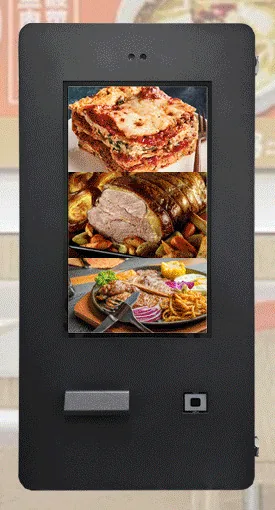
Wall-mounted kiosks
Wall-Mounted Ordering Kiosks
Wall-mounted self-service ordering kiosks that keep the floor clear. Four enclosure designs with 15.6, 21.5, 24 and 32 inch screen references.
- 15.6 to 32 inch
- Indoor
- Wall-mounted
- Touchscreen
Self-service kiosks

Wall-mounted kiosks suit sites where floor space is tight and there is a sound wall or column close to where customers wait. Nothing stands in the walkway, cables can run behind the unit, and several kiosks can line up along one wall. Before choosing, check three things: what the wall is made of, how power and data will reach the position, and the height that lets both standing and seated customers reach the screen and the card terminal.
Three families come in a wall-mounted format. Wall-Mounted Ordering Kiosks (view the range) are indoor transaction terminals pictured with 15.6, 21.5, 24 and 32 inch screens. Outdoor Wall-Mounted Payment Kiosks (view the range) use closed outdoor enclosures and are pictured across the same span of sizes. All-in-One Information Kiosks (view the range) include a wall-mounted touchscreen format for directories and content rather than transactions.
Whichever you choose, the screen needs an application: ordering, payment, check-in or information. We scope and build that around your process and quote it separately from the hardware. See self-service ordering and payment kiosks for how the pieces fit together.
Catalogue
Showing all 3 products
Wall-mounted kiosks
Wall-mounted self-service ordering kiosks that keep the floor clear. Four enclosure designs with 15.6, 21.5, 24 and 32 inch screen references.
Outdoor kiosks
Wall-mounted ordering and payment kiosks from the outdoor range. Five enclosed designs with 15.6, 21.5, 24 and 32 inch screen references.
Information and wayfinding kiosks
All-in-one touchscreen kiosks from 21.5 to 98 inch in lectern, totem and wall-mounted forms, for wayfinding, directories, check-in and information points.
Where they fit
A row of wall-mounted kiosks takes orders away from the counter without narrowing the walkway. Example application: two or three kiosks beside the entrance, sending orders to the kitchen through the agreed ordering software.
Example application: a pay point for parking, services or bills in a corridor where a floor unit would obstruct the route. The card terminal is supplied by your payment provider and fitted to the kiosk bracket or cradle once the fit has been checked.
Outdoor wall-mounted payment kiosks fix to an external wall for walk-up ordering or payment. No environmental rating is published for this range, so the protection level is confirmed for the chosen model and position with your quotation.
The wall-mounted format of the all-in-one information kiosk puts a touch directory, floor guide or visitor information within reach without taking any floor space.
Example application: customers scan a booking or collection QR code at a wall kiosk and staff are alerted. The scanner is an option stated for the ordering range, and the workflow is part of the software scope.
Choosing
Indoor wall-mounted ordering kiosks are for dry, sheltered interiors. Outdoor wall-mounted payment kiosks are closed enclosures, some pictured with a hooded or shrouded card-terminal position. No IP rating is published for the outdoor wall-mounted range, so we confirm the protection level per model. If you need a stated rating, the outdoor freestanding range is stated as IP65, confirmed for the selected model with your quotation.
Ordering kiosks are built around transactions, with options stated for the range for a thermal printer, QR scanner, NFC reader and payment-terminal bracket. The wall-mounted information kiosk is a touchscreen for browsing, from a family listed in larger sizes and with no transaction peripherals in its specification. If customers need to print or pay, start from the ordering range.
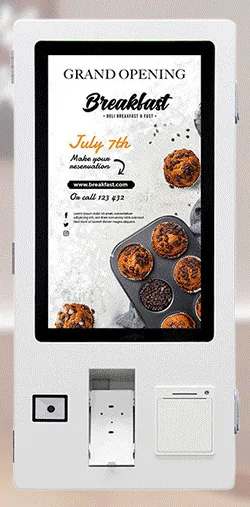
Some ordering designs place the scanner, card-terminal cradle and printer in a band beneath the screen, within one body. Others use a separate lower module for the peripherals under a portrait screen. The two-module layout puts the card terminal lower down, which can help with reach; the one-piece layout needs a single fixing area. Mounting height is agreed for your site.
Wall-mounting depends on the building: a wall that can carry the load, and a route for power and data that can be hidden. If the only suitable wall is away from where customers queue, a freestanding kiosk in the right spot will usually serve better than a wall kiosk in the wrong one.
Beyond the hardware
Applications and management tools are designed and built per project, then quoted separately from the hardware.
Hardware, software and services combined around a job you need done.
Questions
The wall or column has to carry the weight of the kiosk and take secure fixings, and there needs to be a route for mains power and a network connection, ideally hidden behind the unit. Solid masonry is usually straightforward. Stud partitions and glazed or tiled walls need more thought, such as a backing plate or a different position. The weight and fixing details of the chosen design are confirmed with your quotation, and the wall is checked as part of installation planning. See installation and roll-out.
There is no single right height. The aim is for the touch area and the card terminal to be reachable by someone standing and by a wheelchair user, without the top of the screen being out of reach. Portrait designs with a separate lower module spread the controls over a greater height than compact landscape units, so the design affects the answer. We agree the mounting height for your site during planning, together with the screen layout, so that the important buttons sit within comfortable reach.
Only a design from the outdoor wall-mounted payment kiosk range. Those use closed outdoor enclosures, but no environmental rating is published for the range, so we confirm the protection level for the chosen model and ask about the position: how exposed it is, which way it faces and whether there is any shelter. Indoor wall-mounted kiosks are not specified for outdoor use, even under cover. If a stated rating matters, look at the outdoor freestanding range, which is stated as IP65 and confirmed per model.
Printers, scanners, NFC readers and payment-terminal brackets are options stated for the ordering and payment range, not standard equipment on every design. Your quotation lists what is fitted to your configuration. The card terminal itself is supplied by your payment provider, and a bracket or cradle does not prove that a particular terminal fits, so we check the model first. The wall-mounted information kiosk is a touchscreen without these peripherals in its specification.
The indoor wall-mounted ordering designs are pictured at 15.6, 21.5, 24 and 32 inch, and the outdoor wall-mounted designs across the same span. Each design comes in its own size or sizes. The ordering range as a whole is stated from 15.6 to 43 inch, which does not mean every design is offered in every size. The all-in-one information kiosk family lists options from 21.5 to 98 inch; which of those are offered wall-mounted is confirmed with your quotation.
Describe what the screen needs to do and where it will go. We will recommend the right hardware and software and confirm the configuration in a written quotation.