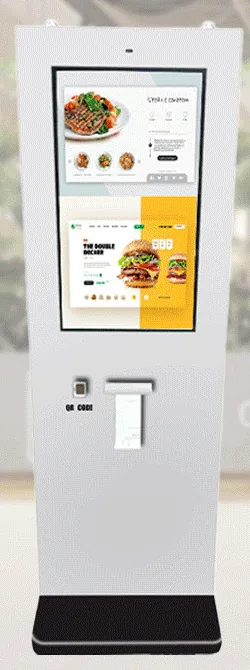
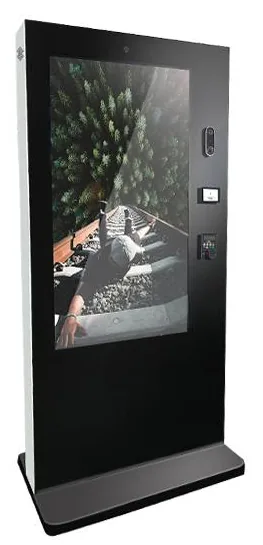
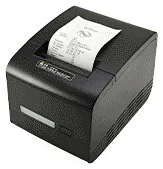
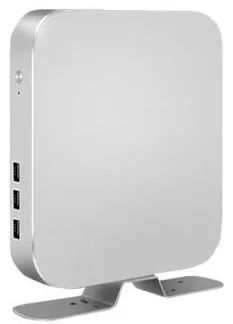
Countertop kiosks
Countertop Ordering Kiosks
Compact self-service ordering terminals for counters and reception desks. Nine designs with 15.6, 21.5 and 24 inch screen references.
- 15.6 to 24 inch
- Indoor
- Countertop
- Touchscreen
Services
Public-facing equipment gets heavy use. Printers run out of paper, networks change, software needs updating and content goes out of date. None of this is a crisis if it has been planned for. The purpose of a support scope is to agree, in advance and in writing, what is covered, who does what and on what terms.
We do not publish standard support hours, response times or warranty periods, because the right arrangement depends on your hardware, your software, your sites and how critical the equipment is to your trading. The terms that apply to you are those set out in your quotation.
Where the platform and your network policies allow, support staff can check device status, view logs or restart an application without a visit. What is possible depends on the hardware, the platform and the management tools agreed for your project.
Agreeing which parts are worth holding for your estate — for example a printer mechanism, a power supply or a complete swap unit — who holds them and how a replacement is arranged.
Fixes, security updates and compatibility changes for software we have built or configured, tested on the target hardware and released to a plan that avoids your trading hours.
Updating menus, prices, promotions and on-screen information on your behalf, or supporting your team to do it themselves through the agreed content tools.
Keeping connections to till, booking or stock systems working when the other supplier changes their interface. Depending on the change, this may be maintenance or new work.
Simple first-line routines — paper changes, cleaning, restarts, what to check before reporting a fault — so that many issues are resolved on the spot.
| Line | Who | Typical tasks |
|---|---|---|
| First line | Your on-site staff | Paper and consumables, cleaning, checking power and network, restarting, reporting faults with photos. |
| Second line | The support provider named in your quotation | Remote diagnosis where available, configuration, software fixes, arranging spares or a visit. |
| Third parties | Your payment provider, network provider and other software suppliers | Card terminals, connectivity and the systems the equipment integrates with. |
Scroll sideways to see the whole table.
Example structure. Your arrangement, and who fulfils each line, is set out in your quotation.
Site staff run through the first-line routine: power, network, paper, restart.
The fault is reported by email with the device name, location, a description and photos or a short video.
The issue is investigated, remotely where the platform allows, and identified as hardware, software, network or third party.
A fix is applied, a part or swap unit is arranged, or the issue is passed to the responsible third party with the evidence gathered.
The cause and the fix are logged, so that recurring problems are spotted and dealt with across the estate.
A little routine care avoids many call-outs. Touchscreens and enclosures need cleaning with suitable materials. Printers need the right paper and an occasional clean. Vents and filters on outdoor units need checking. Software and operating systems need updating on a planned basis rather than when something breaks.
We can set out a maintenance routine for your equipment. For larger estates this links to the requirements described under kiosk management, and for signage networks to digital signage content management.
What this includes — and what it does not
Support and maintenance is an optional service, quoted separately from hardware and software development. Support hours, response arrangements, warranty terms and what is chargeable are those agreed in your quotation. This site does not state them.
Remote diagnostics are available only where the platform, the agreed tools and your network allow. Kiosk Craft does not supply a universal remote-control capability with its hardware. Card terminals, connectivity and third-party software are supported by their own providers.
Countertop kiosks
Compact self-service ordering terminals for counters and reception desks. Nine designs with 15.6, 21.5 and 24 inch screen references.
Freestanding kiosks
Freestanding self-service ordering kiosks in fourteen enclosure styles, from slim pole stands to full-height towers, with 15.6 to 32 inch screen references.
Outdoor kiosks
Freestanding outdoor ordering and payment kiosks with 21.5 and 32 inch screen references, including canopy designs on bolt-down pedestals.
Outdoor advertising displays
Outdoor advertising screens from 21.5 to 98 inch in totem, wall and portable forms, with high-brightness panels and cooling options set for each model.
Mounts and peripherals
Printers, scanners, NFC readers, card-terminal brackets and custom modules for ordering kiosks — compatible options chosen per design, not universal fittings.
Digital signage media players
Android or PC-based media players that connect to a compatible display over HDMI, with Wi-Fi and mobile-data options. Software is scoped separately.
Warranty terms are set out in your quotation for the specific equipment supplied. We do not publish a standard warranty period on this site. If warranty and spares cover are important to your decision, tell us and they will be addressed explicitly in the quotation.
They are whatever is agreed in your quotation. We do not publish standard hours or response times, because a single-site cafe and a multi-site operator trading late need different arrangements. Tell us when the equipment is critical and what your fallback is, and we will propose a scope.
Sometimes. Remote diagnosis depends on the platform, the management tools agreed for your project and whether your network policies allow remote access. Physical faults such as a jammed printer or a damaged screen always need someone on site.
Yes, if the project includes content tools for your team, such as a signage CMS or an admin screen for menus and prices. If you would rather have changes made for you, that can be included in the support scope instead.
We can support software we have built or configured. For third-party products, support normally comes from the product's own supplier. We can help you work out whether a fault lies with the hardware, the network or their software.
Tell us when the equipment is critical to trading, who is on site and what you would want covered. We will reply by email with a support scope to consider.