
Customers interact
Self-service kiosks
Ordering, payment, information and interactive kiosks in countertop, wall-mounted, freestanding, outdoor and portable formats.
Pictured: Countertop Ordering Kiosks
AI solutions
Explore self-service kiosks, advertising screens and bespoke software for ordering, information, promotion and customer interaction.
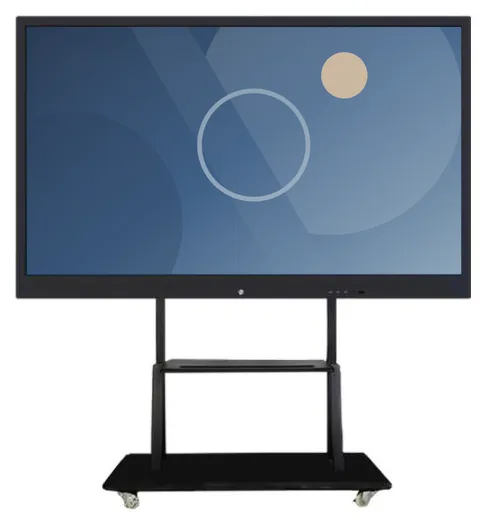
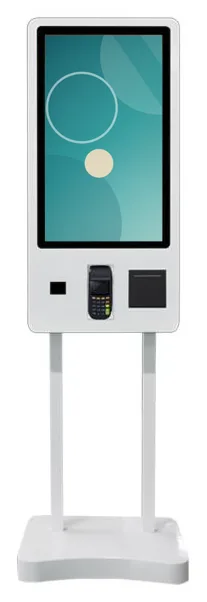
Example product designs
Start here
Customers interact
Ordering, payment, information and interactive kiosks in countertop, wall-mounted, freestanding, outdoor and portable formats.
Pictured: Countertop Ordering Kiosks
You show something
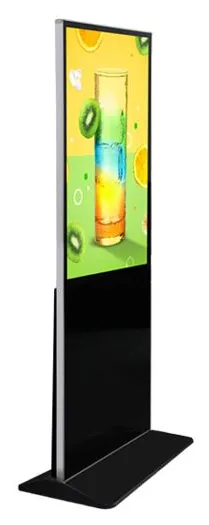
Indoor, window-facing and outdoor screens in freestanding, wall-mounted and specialist formats, with content management scoped around your business.
Pictured: Indoor Freestanding Advertising Displays
The third path
Hardware only does what its software lets it do. We scope and develop the software around your process, whether that is a kiosk interface, content management for a network of screens, an integration with the systems you already run, or AI-assisted sales management.
Nothing here is an off-the-shelf platform: each capability is specified with you, developed for your project and quoted separately from the hardware.
Product range
Ordering, payment, information and interactive kiosks in countertop, wall-mounted, freestanding, outdoor and portable formats.
Indoor, window-facing and outdoor screens in freestanding, wall-mounted and specialist formats, with content management scoped around your business.
Touchscreens that people gather around: whiteboards for meetings and teaching, touch tables for shared browsing, and related touch kiosks.
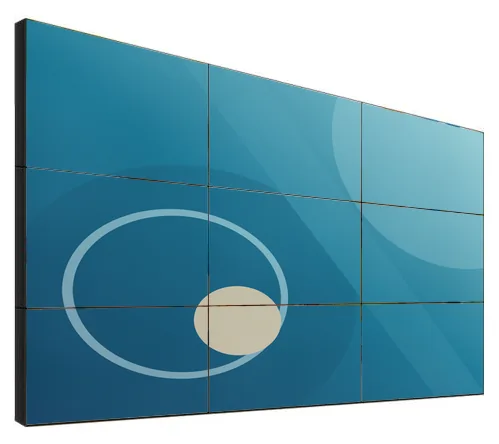
Multi-screen LCD video walls built from 46 to 75 inch panels, planned around your wall, your content and the viewing distance.
See the rangeTransparent and holographic-style showcases, 360 photo booth platforms, sanitiser display kiosks and temperature-screening terminals.
Open-frame screens for integration, Android and PC-based media players, and the mounts and peripherals that complete a kiosk or signage project.
How it fits together
Your business requirement
What customers or staff must be able to do.
Hardware
Software
Deployment and support
Planned for the whole solution, not one part of it.
Kiosks, displays, mounts and peripherals chosen for the position, the environment and the way people will use them. Screen size, brightness and enclosure follow from the site, not the other way round.
Ordering, information, content scheduling, device management or sales workflows, scoped and developed for your project and running on hardware specified to suit it.
We start with what needs to happen at the counter, in the window or across your sites, then confirm the matching configuration in a written quotation. Hardware, software development and ongoing management are quoted separately.
Product families
Countertop kiosks
Compact self-service ordering terminals for counters and reception desks. Nine designs with 15.6, 21.5 and 24 inch screen references.
Freestanding kiosks
Freestanding self-service ordering kiosks in fourteen enclosure styles, from slim pole stands to full-height towers, with 15.6 to 32 inch screen references.
Freestanding advertising displays
Freestanding digital posters and totems for indoor promotion, from 21.5 to 96 inch, on fixed or wheeled stands, with USB playback or Android and Windows options.
Shop window displays
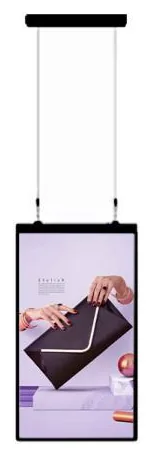
Window-facing displays from 32 to 98 inch at 1,000 to 2,500 nits, single or double-sided, hung from the ceiling or on a floor stand behind the glass.
AI interaction kiosks
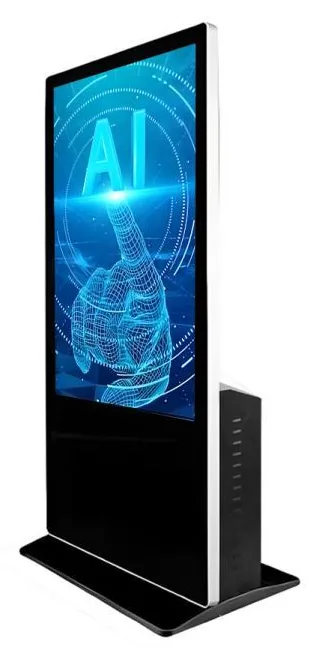
Large-format 43, 49 and 55 inch touchscreen terminals with camera and microphone options, built to host conversational applications scoped around your business.
Information and wayfinding kiosks
All-in-one touchscreen kiosks from 21.5 to 98 inch in lectern, totem and wall-mounted forms, for wayfinding, directories, check-in and information points.
Photographs show example designs and example on-screen content. Specifications are confirmed with your quotation.
Example applications
Not sure where to start?
Tell us what you want to achieve, where the equipment will go and whether you need software. You will see which product families fit, and the result can be sent with your enquiry so you never repeat yourself.
Find your solution“Not sure” is always an option.
How a project runs
Email us or use the quote form. Describe the job, the location and any systems the equipment must work with. Rough ideas are fine at this stage.
We recommend product families, formats and sizes for each position, and scope any software, content management or integration the job needs.
Screen sizes, finishes, peripherals, mounting and software scope are confirmed in a written quotation you can check line by line.
Site preparation, installation responsibilities, content or software hand-over and the support arrangement are agreed before anything is delivered.
Hardware, software development and ongoing management are described and quoted separately, so you can see what each part covers and decide in stages if you prefer.
Common questions
Sizes, payments, software scope, quotations and support: common questions to settle before you get in touch. The full library covers each product group in more detail.
Work from the content and the viewing distance. For a touch kiosk used at arm's length, 15.6 to 32 inch screens cover most ordering and check-in tasks: smaller screens suit short menus on a counter, and larger portrait screens suit long menus with photographs. For advertising displays seen from across a room or a street, size follows the viewing distance and the space available, and our display ranges run from 10.1 inch wall screens to 98 inch formats. Measure the position, note how far away people will stand and how much needs to be on screen at once, then read how to choose a self-service kiosk or contact us for advice.
Kiosks can be configured for card payment, but the card terminal and merchant services come from your payment provider unless separately agreed. Ordering kiosks are described with payment-terminal brackets, and some designs are pictured with a terminal fitted, but a picture does not mean a terminal is included, and a bracket does not prove compatibility with every terminal model. Taking payment also needs the kiosk software to be integrated with the terminal, which follows your provider's process. Tell us who your provider is at the start. See payment kiosks.
Tell us what you are trying to do, not just the product you think you need. Use request a quote, or add products to your enquiry as you browse, and include the task, the location, quantities and any systems the solution must connect to. We reply with questions if anything is unclear, then send a written quotation. Hardware, software development and ongoing management are described and quoted separately, and the quotation sets out the agreed specification, pricing, delivery, warranty and support terms.
Yes. Kiosk Craft supplies the hardware and designs and builds the software around it, so that the two work together for your business. Software is scoped per project rather than sold as a fixed package: bespoke kiosk software, digital signage content management, restaurant ordering, integrations with systems you already use, and AI-assisted sales management. Hardware, software development and ongoing management are described and quoted separately, so you can see exactly what each covers. You can also buy hardware only and run your own software.
Support is arranged to suit the project and described on our support and maintenance page. It can cover hardware faults, software fixes and updates, content or menu changes, and help for your staff. Because every installation is different, we do not publish standard response times or support hours. The agreed support terms are set out in your quotation, with ongoing management quoted separately from hardware and software development. You can reach us by email at info@kioskcraft.com.
Ask whether people need to do something or only see something. A display shows content: promotions, menus, information or queue numbers. A kiosk lets a customer complete a task, such as ordering, paying, checking in or finding a route, so it adds a touchscreen, software and often a printer, a scanner or a bracket for a card terminal. You may need both, for example menu boards above the counter and ordering kiosks in the queue area. If you are unsure, find your solution asks a few questions and points you to the right ranges.
Tell us what you need and where it will go. We will recommend the right hardware and software, then confirm the configuration in a written quotation.