Interactive whiteboards
Interactive Whiteboards
Interactive 4K touch boards from 55 to 110 inch for meeting rooms, classrooms and training spaces, on the wall or on a mobile stand.
- 55 to 110 inch
- Indoor
- Wall-mounted / Mobile stand
- Touchscreen
Product range
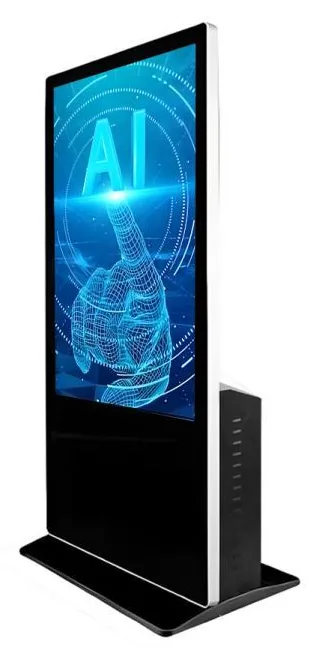

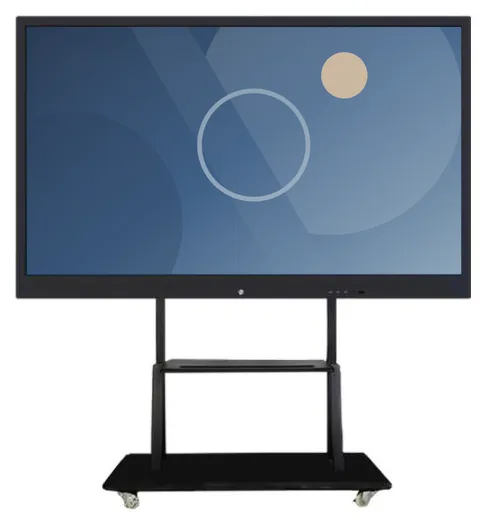
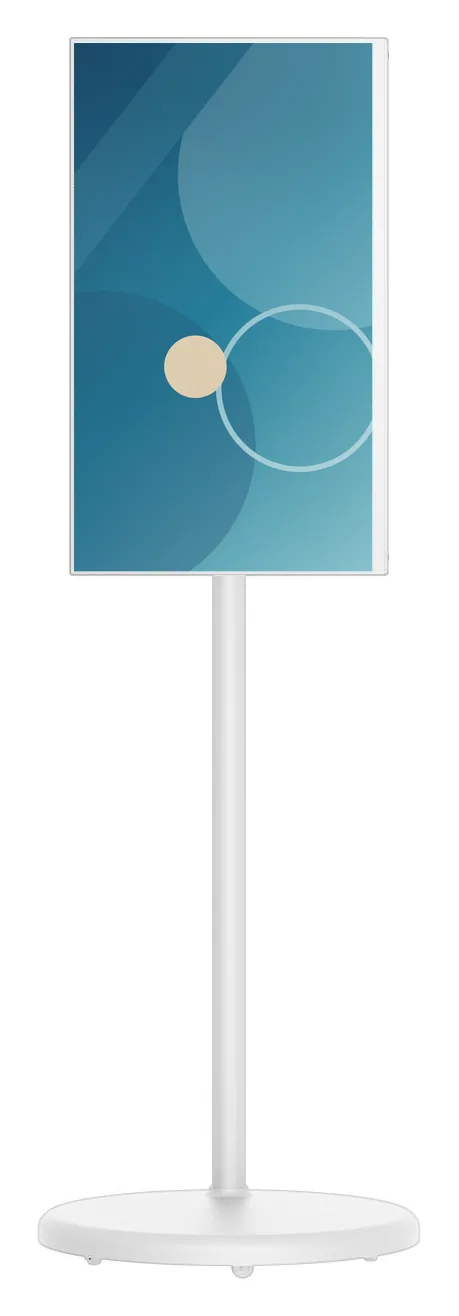
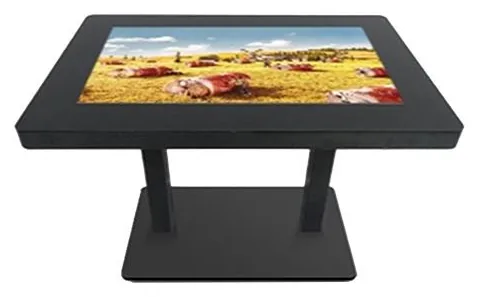
An interactive display is a screen people work at together, rather than a terminal one person uses alone. The choice comes down to who is touching it and why. A presenter writing in front of a room needs a large upright whiteboard. A group exploring a map or a product range needs a surface they can stand around. A visitor looking something up needs a kiosk. Decide that first, and the room, the mounting and the software follow.
Interactive Whiteboards (view the range) are listed from 55 to 110 inch with 3840 × 2160 (4K UHD) resolution and 20-point infrared touch, wall-mounted or on a movable stand. Interactive Touch Tables (view the range) are the table format of our all-in-one touch kiosk family, and exact table configurations are confirmed with your quotation. This section also lists related touchscreens from the kiosk ranges: all-in-one information kiosks, portable battery touchscreen displays and AI interaction kiosks.
The screen is the visible part. What people do on it is software: the writing and meeting tools on a whiteboard, or an application we design and build for a touch table or kiosk. Software features and licences are verified for each configuration, and bespoke development is scoped and quoted separately from the hardware.
Browse by type
Catalogue
Showing all 5 products
Interactive whiteboards
Interactive 4K touch boards from 55 to 110 inch for meeting rooms, classrooms and training spaces, on the wall or on a mobile stand.
AI interaction kiosks
Large-format 43, 49 and 55 inch touchscreen terminals with camera and microphone options, built to host conversational applications scoped around your business.
Portable battery displays
Battery-powered 21.5 to 32 inch touchscreens on a wheeled stand. Rotate, tilt and raise the screen, then move it to wherever your customers are.
Information and wayfinding kiosks
All-in-one touchscreen kiosks from 21.5 to 98 inch in lectern, totem and wall-mounted forms, for wayfinding, directories, check-in and information points.
Touch tables
A touchscreen set flat into a table, so several people can gather round one display. Sizes, height and touch technology are confirmed for your project.
Where they fit
Present, annotate and keep the notes on one screen instead of a projector and a flip chart. Interactive whiteboards are listed from 55 to 110 inch, so the screen can be sized to the room.
Teachers and trainers write, erase and zoom on a 4K touchscreen that more than one person can use at once. Which teaching software features and licences come with a configuration is verified for that configuration.
Example application: a salesperson walks a customer through options on a large touchscreen, then records the outcome. The presentation application can be scoped alongside AI-assisted sales management software.
Example application: a touch table where several visitors explore a map, a timeline or a collection together. Exact table configurations are confirmed with your quotation.
Example application: a project team marks up drawings or plans together on a large upright screen, or gathers around a table-format display.
A whiteboard on a movable stand can serve several rooms, moving to wherever the next meeting or event needs it.
Choosing
A whiteboard is an upright screen led by one presenter with others joining in, and it lives in a room. A touch table is a horizontal surface for a small group standing or sitting around it. A kiosk is a public, self-service screen used by one person at a time. If the public will use it unattended, start from information and wayfinding kiosks instead.
Interactive whiteboards are stated with 20-point infrared touch, which matters when several people write at once. The all-in-one touch kiosk family, which includes the touch-table format, is stated with 10-point infrared or PCAP touch. How many people can really work at once also depends on the software, so check that alongside the hardware.
Whiteboards can be wall-mounted or fitted to a movable stand. Wall-mounting suits a room with a fixed layout and a wall that can carry the load. A movable stand suits shared spaces and lets one screen serve more than one room. For a touchscreen that runs without a socket, see portable battery touchscreen displays.
Whiteboards are listed with Android and Windows configurations, including a dual-platform arrangement that uses a slot-in Windows PC module. Touch tables and information kiosks list Windows or Android. Choose by the software your organisation needs to run. The supported platform version is confirmed with your quotation.
If the aim is impact across a wide wall, rather than writing or close-up touch, a video wall covers more area than any single screen. Touch is listed as an option for video walls, and we assess it for the layout you have in mind.
Beyond the hardware
Applications and management tools are designed and built per project, then quoted separately from the hardware.
Hardware, software and services combined around a job you need done.
Questions
An interactive whiteboard is a large upright touchscreen for a room: someone presents, writes and shares content with a group, usually with staff present. It is listed from 55 to 110 inch with 20-point infrared touch. A touchscreen kiosk is a self-service terminal for the public, in an enclosure intended to be left unattended, and in some ranges with options such as a printer, scanner or payment-terminal bracket. If people will sit in front of it for a meeting or a lesson, choose a whiteboard. If strangers will walk up and use it alone, choose a kiosk.
The whiteboard range is described with built-in writing and meeting functions, including writing, erasing, zooming and wireless screen sharing. Which software features and licences come with a particular configuration is verified for that configuration and set out in your quotation, so please do not assume a feature is included until it is confirmed. Software your organisation already uses, such as office or conferencing applications, stays under your own licences. Bespoke applications are scoped and quoted separately.
Interactive whiteboards are listed at 55, 65, 75, 85, 86, 98 and 110 inch, all at 3840 × 2160 (4K UHD). Touch tables are the table format of the all-in-one touch kiosk family, which lists options from 21.5 to 98 inch; which of those are offered as a table is confirmed with your quotation. Portable battery touchscreen displays are listed at 21.5, 23.8, 27 and 32 inch.
Usually, provided the application suits the platform. Whiteboards are listed with Android and Windows configurations, and touch tables with Windows or Android. An application built for one platform will not run on the other, and the supported platform version is confirmed with your quotation, so tell us what you need to run before you choose a configuration.
Yes. We design and build touch applications around your requirements: for example a product explorer for a showroom table, an interactive map for a visitor centre or a guided sales presentation. The work is scoped with you first and then quoted separately from the hardware, along with any agreed integration with your own systems. See bespoke kiosk software and our guide to the questions to ask before commissioning bespoke kiosk software.
Describe what the screen needs to do and where it will go. We will recommend the right hardware and software and confirm the configuration in a written quotation.