Countertop kiosks
Countertop Ordering Kiosks
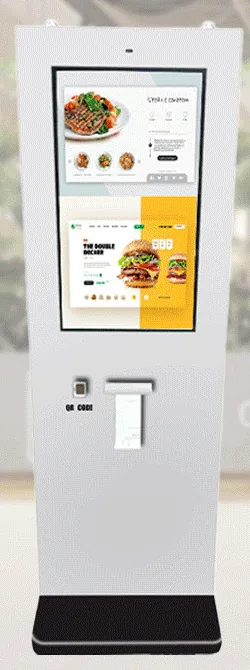
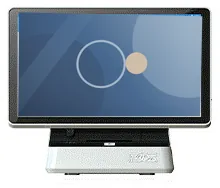
Compact self-service ordering terminals for counters and reception desks. Nine designs with 15.6, 21.5 and 24 inch screen references.
- 15.6 to 24 inch
- Indoor
- Countertop
- Touchscreen
Software & Management
An integration is an agreed, documented way for two systems to exchange data: a kiosk order appearing in your till, a check-in updating your booking system, an enquiry creating a record in your CRM, a display showing live availability from your stock system.
Every integration has two sides, and we control only one of them. Whether a connection is possible depends on the other system offering a suitable interface, its supplier allowing you to use it, and the quality of the documentation and test facilities they provide. For that reason we never promise compatibility with a named system in advance. We assess each one during discovery, and the scope states what will be connected, how, and what it depends on.
Kiosk or display application
The software your customers and staff use.
APIs and webhooks
POS system
Orders, products and prices.
Payment provider
Card payments through your provider.
Booking system
Appointments, tables and check-in records.
CRM
Customers, enquiries and follow-up.
Stock and product data
Availability, prices and specifications.
Other systems
Anything with a suitable interface.
Each integration depends on the third party's interfaces and approval process.
Sending kiosk orders into the till, reading the products and prices it holds and keeping sales reporting in one place. This depends on your till supplier offering a documented interface.
Connecting the kiosk application to a card terminal so that the amount is passed across and the result comes back. The terminal, the merchant agreement and any certification are your payment provider's, and their process governs what is possible.
Looking up, creating or confirming appointments, reservations and arrivals, so that check-in kiosks and reception staff see the same information.
Creating enquiries and contacts with the right consent recorded, avoiding duplicates and giving sales staff the context captured at the kiosk.
A single maintained source for product details, prices, images and availability, feeding kiosks, displays and AI-assisted recommendations.
An API lets one system ask another for data or send it an instruction. A webhook lets a system announce that something has happened, such as an order being ready. We use whichever the other system supports and design for delays, retries and failures.
How our software proves its identity to the other system — keys, tokens or single sign-on — where credentials are stored, how they are rotated and how access is limited to what the integration needs.
We read the documentation, confirm access and try the key calls in a sandbox before committing to a design.
We write down which data moves in which direction, what triggers it, which system is the master for each field and what happens on failure.
We develop against the sandbox, including the awkward cases: timeouts, duplicates, partial failures and items that no longer exist.
With your supplier's agreement, we run a controlled test against the live system and a pilot device before rollout.
Integrations break when the other side changes. We agree how failures are detected, who is told and how supplier changes are handled under your support scope.
| Decision | Why it matters |
|---|---|
| Which system is the master for each piece of data | Prevents two systems overwriting one another with different prices, stock figures or customer details. |
| How fresh the data must be | Live availability needs a different design from a nightly product update. |
| What happens offline | Whether the kiosk queues transactions, refuses them or falls back to a manual process. |
| What personal data crosses the connection | Only what the process needs should move, for a stated purpose and with an agreed retention period. |
| Who supports the connection | When something fails, it must be clear whether to contact us, your IT team or the other supplier. |
Scroll sideways to see the whole table.
What this includes — and what it does not
Kiosk Craft does not hold a library of ready-made connectors and does not promise compatibility with any named point-of-sale, payment, booking, CRM or stock system. Each integration is assessed, scoped and built for your project, subject to the other supplier's interface, permission and documentation.
Third-party API fees, licences, payment certification and any work charged by your other suppliers are outside our quotation unless it says otherwise. A hardware capability, such as a scanner, an NFC reader or a payment-terminal bracket, does not by itself mean the corresponding software integration exists.
Countertop kiosks
Compact self-service ordering terminals for counters and reception desks. Nine designs with 15.6, 21.5 and 24 inch screen references.
Freestanding kiosks
Freestanding self-service ordering kiosks in fourteen enclosure styles, from slim pole stands to full-height towers, with 15.6 to 32 inch screen references.
Outdoor kiosks
Freestanding outdoor ordering and payment kiosks with 21.5 and 32 inch screen references, including canopy designs on bolt-down pedestals.
Information and wayfinding kiosks
All-in-one touchscreen kiosks from 21.5 to 98 inch in lectern, totem and wall-mounted forms, for wayfinding, directories, check-in and information points.
The staffed order and payment point in a restaurant ordering system, scoped together with your kiosks, kitchen screens and collection displays.
Mounts and peripherals
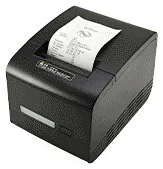
Printers, scanners, NFC readers, card-terminal brackets and custom modules for ordering kiosks — compatible options chosen per design, not universal fittings.
We cannot say until we have seen its interface. Integration depends on your till supplier offering a documented API, including it in your plan and giving us test access. Send us the product name and version and we will tell you what we find. If no suitable interface exists, we will explain the alternatives, such as running alongside the till.
Possibly. Your provider decides which terminals and integration methods they support for unattended use, and any certification is their process. We ask you to involve them early. Card terminals are supplied by your payment provider unless separately agreed.
No. An NFC reader can be used with compatible cards and tags for purposes such as membership or loyalty, subject to software being developed for it. Accepting bank cards requires a payment terminal and a service from a payment provider. The two should not be confused when specifying hardware.
Options include a scheduled file export and import, a supported export to a shared database, or keeping the systems separate with a clear manual step. We avoid unsupported methods, such as reading another product's database directly without the supplier's agreement, because they tend to break and can breach licence terms.
That is agreed in advance. The scope sets out how failures are detected and who investigates. If the cause is a change on the other supplier's side, fixing it may be new work. A support arrangement can include monitoring and maintenance of integrations, on the terms set out in your quotation.
List the systems you use, with product names and versions if you have them, and what you want to pass between them. We will reply by email with what we need from each supplier.