Countertop kiosks
Countertop Ordering Kiosks
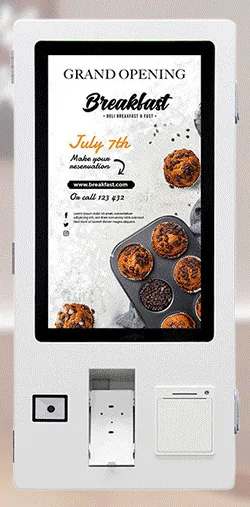
Compact self-service ordering terminals for counters and reception desks. Nine designs with 15.6, 21.5 and 24 inch screen references.
- 15.6 to 24 inch
- Indoor
- Countertop
- Touchscreen
Software & Management
A kiosk is used by people who have never seen it before, standing up, often in a hurry, with nobody to ask. Software that works well on a website or a staff till rarely works unchanged on a kiosk. Buttons need to be larger, journeys shorter, errors recoverable, and every session must end cleanly for the next person.
We design and build kiosk applications around what your customers need to get done and the rules your business runs on. The same scope covers the parts customers never see: how the kiosk starts up, what it does when the network drops and how staff put it back into service.
Let customers explore a range larger than the shop floor can hold, filter by what matters to them, compare options and check availability, all from your product data.
Collect a well-structured enquiry — what the customer wants, how to reach them and their consent to be contacted — and route it to the right team or system.
Basket, options, order confirmation and hand-off to fulfilment, with payment handled through an agreed integration where required.
Visitors, guests or patients confirm an appointment, register their arrival or book a slot, with the result passed to your booking or reception system.
Searchable directories, maps, opening times and service information for buildings, campuses and venues.
Take a ticket, join a virtual queue or see a collection number called, with staff screens to manage the flow.
Eligibility, pricing logic, opening hours, product compatibility, items that need staff approval: the rules that make your process yours are written into the scope and tested.
Your colours, typography, photography and tone of voice on screen, in the languages your customers need, with a plan for who maintains the translations.
| Consideration | What we agree in the scope |
|---|---|
| Offline behaviour | What the kiosk does when the connection drops: keep working from stored data, queue transactions to send later, or show a clear out-of-service message. The right answer depends on whether orders or payments are involved. |
| Accessibility of the touch interface | Reachable controls, large touch targets, strong contrast, readable text, plain language and no time pressure on key steps. The height of the unit and the space to approach it matter as much as the screen design. |
| Attract loop | What the screen shows when idle, so that passers-by understand what the kiosk is for and that it is free to use. |
| Session timeout and privacy reset | How long before an abandoned session is cleared, the warning shown first, and confirmation that baskets, typed details and navigation history are wiped for the next user. |
| Peripherals | Printer, scanner, NFC reader or payment terminal integration depends on the agreed hardware configuration and, for payments, on your payment provider. Each peripheral is named in the scope and tested. |
| Kiosk lockdown | The application runs full screen with no route to the operating system, settings or a web browser, and restarts itself after a power cut. How lockdown is achieved depends on the platform. |
| Testing on target hardware | The software is tested on the kiosk configuration you have chosen, in the orientation and at the screen size it will be used, before it goes to a pilot site. |
Scroll sideways to see the whole table.
Tell us what you need
Your goal, location, customers and any systems already in place.
Choose the right hardware and software
We recommend kiosks or displays and scope software against your process.
Agree your configuration
Screen size, mounting, peripherals, branding and integrations, set out in a written quotation.
Plan deployment and ongoing support
Installation, rollout and the support arrangement that suits your sites.
Hardware, software development and ongoing management are described and quoted separately.
Software and hardware decisions affect each other. A countertop unit suits short journeys at a till point, a freestanding kiosk suits longer browsing and ordering, and a large-format information kiosk suits maps and directories. Screen size and orientation change the layout, and the platform changes how the application is built and locked down.
We recommend settling the hardware configuration before detailed design begins. Which peripherals and platform version apply to the selected model is confirmed with your quotation. Browse kiosks, use find your solution, or read our guide to the questions to ask before commissioning bespoke kiosk software.
What this includes — and what it does not
Bespoke kiosk software is scoped, designed and built for your project. It is not an off-the-shelf application or subscription bundled with kiosk hardware, and we do not claim ready-made connectors for any particular till, booking or payment system.
Support for a printer, scanner, NFC reader or payment terminal depends on the agreed hardware and, for payments, on your provider's requirements. Licences, hosting, ownership of the code and support arrangements are set out in your quotation.
Countertop kiosks
Compact self-service ordering terminals for counters and reception desks. Nine designs with 15.6, 21.5 and 24 inch screen references.
Wall-mounted kiosks
Wall-mounted self-service ordering kiosks that keep the floor clear. Four enclosure designs with 15.6, 21.5, 24 and 32 inch screen references.
Freestanding kiosks
Freestanding self-service ordering kiosks in fourteen enclosure styles, from slim pole stands to full-height towers, with 15.6 to 32 inch screen references.
Portable battery displays
Battery-powered 21.5 to 32 inch touchscreens on a wheeled stand. Rotate, tilt and raise the screen, then move it to wherever your customers are.
Information and wayfinding kiosks
All-in-one touchscreen kiosks from 21.5 to 98 inch in lectern, totem and wall-mounted forms, for wayfinding, directories, check-in and information points.
Touch tables
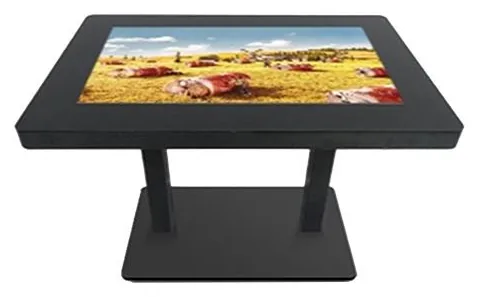
A touchscreen set flat into a table, so several people can gather round one display. Sizes, height and touch technology are confirmed for your project.
Sometimes. A website designed for phones and desktops usually needs changes before it works on a kiosk: larger touch targets, no links that lead away from the journey, an on-screen keyboard that behaves, a session reset and a locked-down browser. We review it during discovery and tell you whether adapting it or building a dedicated kiosk interface is the better route.
Kiosk hardware is offered in Android or Windows configurations, and the supported platform version is confirmed with your quotation. The platform is chosen during scoping, based on the peripherals you need, your IT policies and how the application will be managed.
It can be scoped. Card terminals are supplied by your payment provider unless separately agreed, and unattended payment has its own requirements set by that provider. A payment-terminal bracket on a kiosk does not by itself mean a given terminal or provider is supported, so we confirm this before design begins. See payment kiosks.
We design for reach, contrast, text size, plain language and generous time limits, and we consider the physical installation — height, approach space and glare — alongside the screen. If you have specific accessibility requirements or standards to meet, tell us at the start so that they are written into the scope and tested.
The application should time out, warn, and then clear the basket, any typed details and the navigation history before returning to the attract screen. The timeout length and what is cleared are agreed in the scope and tested on the hardware.
Tell us who will use the kiosk, what they need to complete and which systems it must work with. We will reply by email with questions and a suggested scope.