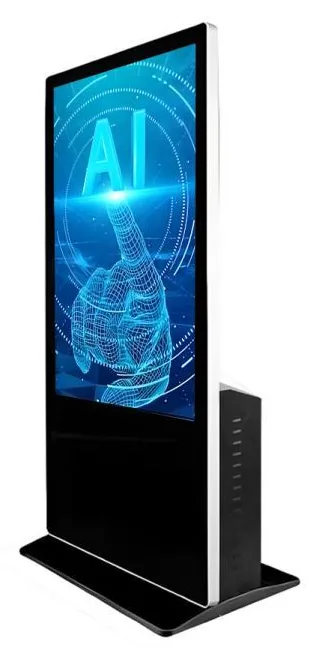
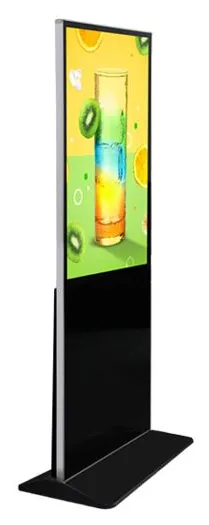
Countertop kiosks
Countertop Ordering Kiosks
Compact self-service ordering terminals for counters and reception desks. Nine designs with 15.6, 21.5 and 24 inch screen references.
- 15.6 to 24 inch
- Indoor
- Countertop
- Touchscreen
Software & Management
Every Kiosk Craft project has three parts. The business requirement is what you need customers or staff to be able to do. The hardware is the kiosk, display or terminal they see and touch. The software is the application, content and data connections that make the hardware useful. A project works when all three are decided together.
Choosing a screen first and hoping the software will follow is a common reason kiosk projects stall. A touchscreen with a printer and scanner can only take an order if software exists to present the menu, apply your rules, pass the order to the kitchen or till and print what your process needs. So we ask about the process first, then recommend hardware and scope software against it.
This is what we mean by AI solutions. We design and build software around how your business actually sells — enquiries, quotations, orders, stock and product data, follow-up and reporting — and apply AI in the specific places where it saves staff time or helps a customer choose. See what that means in practice.
Most projects also need to work with systems you already run. The integrations directory lists platforms with public APIs we can build against — EPOS, e-commerce, payments, accounting, CRM, booking and more — and how integrations work explains what we ask each supplier to provide.
Your business requirement
What customers or staff must be able to do.
Hardware
Software
Deployment and support
Planned for the whole solution, not one part of it.
Sales management software built around your enquiries, quotations, orders, stock and follow-up, with AI applied where it demonstrably helps and staff kept in control of decisions.
Customer-facing touch interfaces for browsing, enquiries, ordering, booking, check-in, directories and queues, designed around your rules, your brand and the hardware you choose.
Media, playlists, schedules, layouts and screen groups for advertising displays and menu boards, with permissions and approval steps that match how your team works.
Defining how devices and locations are organised, applications configured, health and connectivity watched, updates planned and access controlled, in proportion to the size of your estate.
Ordering interfaces, menus and modifiers, kitchen display and printing workflows, collection screens and payment requirements for restaurants, cafes and takeaways.
Connections to the systems you already run — point of sale, payment, booking, CRM, stock and product data — through documented APIs and webhooks, subject to what each supplier allows.
You need the hardware to do a specific job from the first day: take orders, capture enquiries, check visitors in or show the right content in the right place.
Your enquiries, quotations, orders and stock live in spreadsheets, inboxes or disconnected tools, and you want one system designed around how you sell.
You need the same experience across locations, with local prices, menus or content, and a clear view of what is running where.
You already have a till, booking tool, CRM or stock system and need customer-facing screens to work with it rather than beside it.
We learn how your process works today: who does what, which systems hold which data, where customers wait and where staff re-key information. You tell us what a good outcome looks like.
We write down what the software will and will not do, the integrations it depends on, the hardware it will run on and what we need from you and your other suppliers. This document is what we quote against.
We design the screens and flows, including the awkward cases such as timeouts, errors and offline behaviour, and review them with you before anything is built.
We develop the application and its integrations in stages, showing working software as it progresses so that changes are caught early.
We test on the kiosk or display configuration you have chosen, with its touchscreen, printer, scanner and any other agreed peripherals. Behaviour on a laptop proves little.
We agree how the software reaches the devices, who installs it, how a pilot site is run and what must be true before wider rollout.
After launch, fixes, updates, content changes and further development are covered by a support scope that is agreed separately.
| Part of the project | What it covers | How it is quoted |
|---|---|---|
| Hardware | Kiosks, displays, mounts and agreed peripherals, configured for your project. | Per configuration and quantity, with options confirmed for the selected models. |
| Software development | Discovery, design, build, integration and testing of the software scoped for you. | Against the written scope, usually in stages. |
| Ongoing management | Hosting where needed, licences, updates, content changes and support. | As a separate, optional scope with its terms set out in the quotation. |
Scroll sideways to see the whole table.
What this includes — and what it does not
Software is scoped, designed and built for your project. It is not an off-the-shelf subscription bundled with hardware, and buying a kiosk or display from us does not by itself include an application, a content management system, hosting or an integration.
Where a project is better served by configuring an existing third-party product than by building from new, we say so during scoping. Licences, hosting, support terms and any third-party charges are set out in your quotation.
Countertop kiosks
Compact self-service ordering terminals for counters and reception desks. Nine designs with 15.6, 21.5 and 24 inch screen references.
Freestanding kiosks
Freestanding self-service ordering kiosks in fourteen enclosure styles, from slim pole stands to full-height towers, with 15.6 to 32 inch screen references.
AI interaction kiosks
Large-format 43, 49 and 55 inch touchscreen terminals with camera and microphone options, built to host conversational applications scoped around your business.
Information and wayfinding kiosks
All-in-one touchscreen kiosks from 21.5 to 98 inch in lectern, totem and wall-mounted forms, for wayfinding, directories, check-in and information points.
Freestanding advertising displays
Freestanding digital posters and totems for indoor promotion, from 21.5 to 96 inch, on fixed or wheeled stands, with USB playback or Android and Windows options.
Digital menu boards
Single or multi-screen digital menu boards for counters and collection points, built from our display families and paired with content management scoped to you.
Hardware and software are described and quoted separately. A kiosk or display is supplied as configured hardware; the application, content management or integration it needs is scoped as its own piece of work. If you already have software you want to run, tell us and we will check the hardware configuration against its requirements.
No. We do not sell a fixed, off-the-shelf Kiosk Craft platform. We scope and develop software around your requirements, and where an existing third-party product is the sensible choice we will recommend configuring that instead. Either way, the approach is agreed in the scope before you commit.
It means sales management software built around your real sales process, with AI used for specific, checkable jobs such as guiding product selection, summarising enquiries or drafting follow-ups for staff to approve. It does not mean a generic chatbot, or software that makes decisions about people without a person involved. Read more about AI sales management.
Often, but it depends on what those systems allow. An integration needs documentation, test access and permission from the other supplier. We assess this during discovery and never assume compatibility. See integrations for what we ask for.
Ownership, licensing and hosting of bespoke software are set out in your quotation and agreement. Raise any requirements early — for example, if you need access to source code or want to host the software yourself — so that they are reflected in the scope.
Describe your process, the systems you already use and the hardware you have in mind. We will reply by email with questions, a suggested scope and the next step.