Countertop kiosks
Countertop Ordering Kiosks
Compact self-service ordering terminals for counters and reception desks. Nine designs with 15.6, 21.5 and 24 inch screen references.
- 15.6 to 24 inch
- Indoor
- Countertop
- Touchscreen
Solutions
When every order goes through a member of staff, the counter sets the pace. At busy times customers wait, staff are tied to the till, and the extras you would mention on a quiet day go unoffered.
Self-service ordering adds ordering points without adding tills. Customers browse at their own pace, and staff time moves from keying orders to preparing them.
We do not quote queue statistics, because the effect depends on your menu, layout and customers. Put plainly, more people can order at once, so the counter queue eases and pressure moves to the kitchen and collection point. Plan those too.
The customer chooses eat-in or takeaway where relevant, then browses categories with photographs, descriptions and prices.
They choose items and modifiers: sizes, options, extras and removals. Required choices are enforced so the kitchen never receives an incomplete order.
Before checkout the screen can suggest a relevant addition, for example a drink with a main.
Payment is completed through the configured method where required, or the order is sent to the counter for payment.
The customer gets an order number on screen or on a printed receipt, and the order enters the workflow agreed for your site.
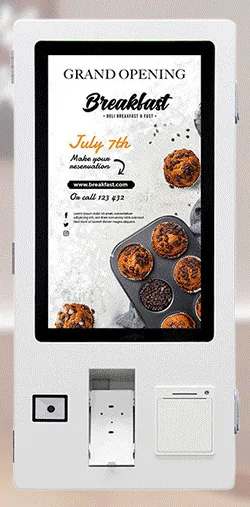
Compact screens beside the till, for sites adding one or two ordering points.
Keep the floor clear. Each position needs a suitable wall, power and a network point.
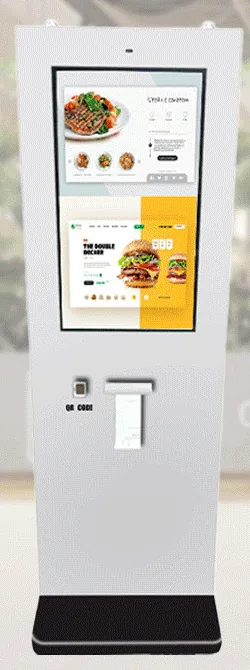
Floor-standing designs that can stand away from the counter and draw the queue into the room.
For an outdoor ordering point, for example beside a takeaway window. IP65 is stated for this range and confirmed for the selected model with your quotation.
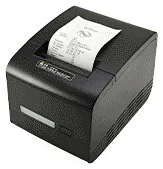
Receipt printer, QR and barcode scanner, NFC reader and payment-terminal bracket are range-level options. Choose only what your ordering journey needs.
Can be scoped to share the kiosk menu data, so items and prices stay consistent.
What this includes — and what it does not
Kiosk Craft supplies and configures the kiosk hardware, and designs and builds the ordering software around your requirements. Hardware, software development and ongoing management are quoted separately.
We do not sell a finished, off-the-shelf ordering platform, and an option listed for the range is not automatically part of every design.
Some things depend on third parties. Card terminals and merchant services come from your payment provider, whose integration process governs how kiosk software works with its terminal. A till link depends on the agreed scope and on your till supplier offering a supported way to exchange menu and order data.
Countertop kiosks
Compact self-service ordering terminals for counters and reception desks. Nine designs with 15.6, 21.5 and 24 inch screen references.
Wall-mounted kiosks
Wall-mounted self-service ordering kiosks that keep the floor clear. Four enclosure designs with 15.6, 21.5, 24 and 32 inch screen references.
Freestanding kiosks
Freestanding self-service ordering kiosks in fourteen enclosure styles, from slim pole stands to full-height towers, with 15.6 to 32 inch screen references.
Outdoor kiosks
Freestanding outdoor ordering and payment kiosks with 21.5 and 32 inch screen references, including canopy designs on bolt-down pedestals.
Mounts and peripherals
Printers, scanners, NFC readers, card-terminal brackets and custom modules for ordering kiosks — compatible options chosen per design, not universal fittings.
Digital menu boards
Single or multi-screen digital menu boards for counters and collection points, built from our display families and paired with content management scoped to you.
It can be configured to, but not on its own. The card terminal and merchant services come from your payment provider, and the link to the kiosk software depends on the provider's integration process. We confirm what is possible before you commit.
That depends on whether your till supplier offers a supported way to exchange menu and order data, which we assess during scoping. Where no link is available, orders can reach staff another way, for example by printing at the counter or kitchen.
Countertop positions generally suit smaller screens and freestanding kiosks larger ones. The range is catalogue-stated at 15.6 to 43 inch, but not every size is offered in every design, so the size is confirmed with your quotation.
Tell us about your menu, your counter and how orders reach your kitchen. We will recommend suitable kiosks and scope the ordering software, quoted separately.