Countertop kiosks
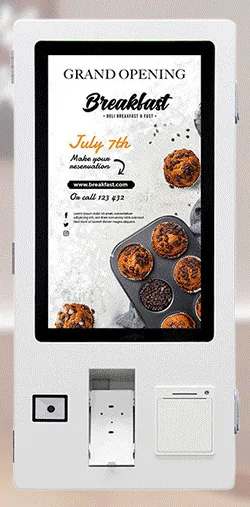
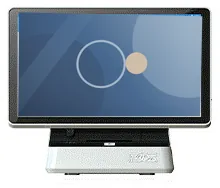
Countertop Ordering Kiosks
Compact self-service ordering terminals for counters and reception desks. Nine designs with 15.6, 21.5 and 24 inch screen references.
- 15.6 to 24 inch
- Indoor
- Countertop
- Touchscreen
Software & Management
A self-service order touches more of your operation than the kiosk it is placed on. It has to reach the kitchen in a form the kitchen can work from, appear in the till or back-office record, tell the customer when to collect and reconcile with the payment taken. Restaurant ordering software is the part that carries the order through those steps.
We scope that software around how your kitchen and counter actually run, then match it to hardware: ordering kiosks, a cashier station, kitchen display screens, printers, order collection screens and digital menu boards. The end-to-end arrangement is described under restaurant workflow.
Not every site needs every screen. A small takeaway might run ordering kiosks with a kitchen printer. A busier site adds kitchen display screens and an order collection screen. Menu boards are optional in either. The software scope reflects the configuration you choose.
Step 1Customer browses and places an order
At a kiosk, the counter or a table QR code, as scoped.
Step 2Payment is completed
Through the configured method, where required.
Step 3Order reaches the kitchen workflow
Kitchen display and/or printer.
Step 4Staff prepare and update the order
Its status changes as it progresses.
Step 5Collection screen shows the status
Where a collection screen is part of the set-up.
Step 6Customer collects the order
Handed over at the counter or collection point.
Routing, printing, payment and collection behaviour depend on the agreed integration. Print timing is configurable.
Large, clear menu screens for kiosks, with an eat-in or takeaway choice, basket, order review and confirmation. The same ordering logic can be extended to tablets or QR-code ordering at the table if required.
Categories, items, sizes, meal deals, time-limited menus and sold-out handling, arranged so that the most common orders take the fewest touches.
Required and optional choices — sizes, sides, extras, removals, cooking preferences — with price adjustments, limits and sensible defaults. Allergen and dietary information is displayed from the data you provide and maintain.
Orders routed to the right preparation station, shown in sequence with timings, and moved on by staff from new to preparing to ready.
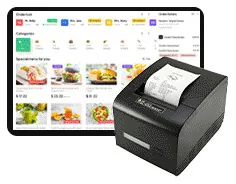
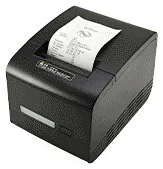
Customer receipts, order numbers and kitchen tickets. Kitchen print timing is configurable — at order placement, at preparation or at completion — to suit a paper, screen-led or mixed kitchen.
Order numbers shown as preparing and ready, in a layout that can be read from the waiting area.
Pay at the kiosk, pay at the counter or both. Card acceptance depends on your payment provider, their terminal and their process for unattended payments.
A shared menu structure with local prices, items and opening hours; kitchen routing and printers set per site; and reporting by site and across the group.
| When the ticket prints | Suits | Things to consider |
|---|---|---|
| At order placement | Kitchens that work from paper tickets and want every order in hand immediately. | Uses the most paper, and tickets need managing at busy times. |
| At preparation | Kitchens that queue orders on a screen and print a ticket as each one is started. | Needs a kitchen display and a staff action to start each order. |
| At completion | Screen-led kitchens that print only a ticket or label to go with the finished order. | Relies on the kitchen display throughout, so plan for what happens if a screen fails. |
Scroll sideways to see the whole table.
Print timing is a configuration choice made for each site. No single sequence is fixed.
Most restaurants already have a till or point-of-sale system. The first scoping question is whether self-service orders should flow into that system, or whether the ordering software holds the orders itself and reports sales alongside. Flowing orders into an existing till depends on its supplier providing a documented interface and permission to use it. We never assume this, and we set out what we ask for under integrations.
Card terminals are supplied by your payment provider unless separately agreed. A payment-terminal bracket on a kiosk shows where a terminal can be mounted; it does not establish that a particular terminal or provider is supported. We confirm the payment route with you and your provider before design begins. See payment kiosks and our guide to planning a restaurant ordering system.
What this includes — and what it does not
Restaurant ordering software is scoped, designed and built — or selected and configured — for your project. It is not an off-the-shelf subscription bundled with kiosk hardware, and Kiosk Craft does not claim a ready-made connection to any particular till or payment provider.
Card terminals, merchant services and payment certification are your payment provider's. Menu, price and allergen data remain your responsibility. Hardware, software and ongoing management are quoted separately, and licences, hosting and support terms are set out in your quotation.
Countertop kiosks
Compact self-service ordering terminals for counters and reception desks. Nine designs with 15.6, 21.5 and 24 inch screen references.
Wall-mounted kiosks
Wall-mounted self-service ordering kiosks that keep the floor clear. Four enclosure designs with 15.6, 21.5, 24 and 32 inch screen references.
Freestanding kiosks
Freestanding self-service ordering kiosks in fourteen enclosure styles, from slim pole stands to full-height towers, with 15.6 to 32 inch screen references.
The staffed order and payment point in a restaurant ordering system, scoped together with your kiosks, kitchen screens and collection displays.
A kitchen touchscreen that shows incoming orders from kiosks and tills. Hardware and software are scoped together, with or without a kitchen ticket printer.
Digital menu boards
Collection screens that show customers which orders are being prepared and which are ready, linked to your kiosks, tills and kitchen.
Mounts and peripherals
Printers, scanners, NFC readers, card-terminal brackets and custom modules for ordering kiosks — compatible options chosen per design, not universal fittings.
Digital menu boards
Single or multi-screen digital menu boards for counters and collection points, built from our display families and paired with content management scoped to you.
Whenever suits your kitchen. Print timing is configurable — at order placement, at preparation or at completion — and can differ by site. Some kitchens print nothing and work entirely from kitchen display screens. We agree the timing with you during scoping and test it with your printers.
It depends on your till supplier. An integration needs their documented interface, test access and agreement. If that is available we can scope the connection; if not, the ordering software can run alongside the till with sales reported separately. We establish this early because it shapes the whole project.
This can be scoped with your payment provider. They supply the terminal and set the requirements for unattended payments. Ordering kiosk ranges can include a payment-terminal bracket, but a bracket does not confirm compatibility with a given terminal, so we check the terminal model and provider before hardware is ordered.
Either works. A kitchen printer alone is simple and familiar. Kitchen display screens help at higher volumes, with several stations, or where you want order timings and less paper. Many kitchens use both. The choice affects the hardware, the software scope and the print timing.
Multi-location use can be scoped: a shared menu structure with local prices and items, kitchen routing and printers set per site, and group reporting. Tell us how much each site is allowed to vary, because that drives the design.
Describe your menu, your kitchen stations, your till and how customers collect. We will reply by email with questions and a suggested hardware and software scope.