KioskCraft
Your enquiry

Solutions

Payment kiosks: what the kiosk does and what your provider does

A payment kiosk lets customers pay without a staffed till. The kiosk is only one part: the card terminal and merchant services come from your payment provider, and the provider's integration process governs how the two work together.

The problem: taking payment without a staffed till

Some transactions do not need a member of staff. Example applications include paying for an order, settling a bill, buying a ticket or paying for a service outside staffed hours.

A payment kiosk is never a single product. It is an enclosure and touchscreen, a set of peripherals, a card terminal from your payment provider, and software that ties them together. Being precise about who provides each part avoids expensive surprises.

Who provides what

Who provides what
PartProvided byWhat to know
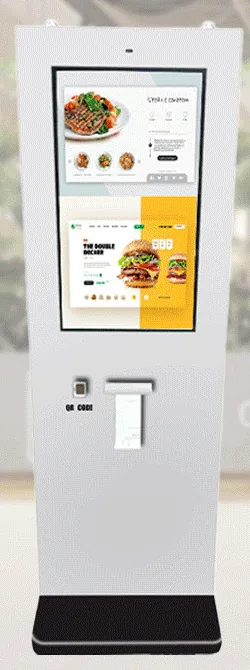
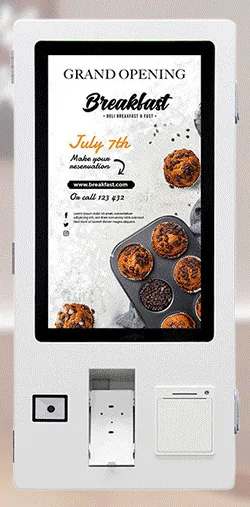
Kiosk, touchscreen and enclosureKiosk CraftWall-mounted, freestanding and outdoor designs, with the configuration confirmed in your quotation.
Payment-terminal bracketKiosk Craft, as a range optionA bracket holds a terminal. It does not prove compatibility with every provider or terminal model, so we check the terminal you intend to use.
Card terminal and merchant servicesYour payment providerSupplied under your agreement with the provider unless separately agreed. A terminal in a product image is an example, not an included item.
Link between kiosk software and terminalScoped per projectGoverned by the provider's certification and integration process.
NFC readerKiosk Craft, as a range optionReads contactless cards and tags, such as loyalty or membership cards. On its own it is not bank-card acceptance.
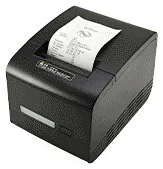
Receipt printerKiosk Craft, as a range optionAn 80 mm thermal printer is listed for the ordering kiosk range and confirmed for each design.
Cash or coin acceptanceCustom build optionChanges the enclosure, security and cash handling, so it is assessed per project.

Scroll sideways to see the whole table.

How a kiosk payment works

  1. The amount is set

    The customer builds a basket, or the kiosk looks up what is owed from an order, booking or account reference.

  2. The kiosk hands over to the terminal

    Where an integration has been agreed, the kiosk software sends the amount to the card terminal.

  3. The customer pays on the terminal

    We recommend the card is always presented to the provider's terminal, so card details stay with the terminal and the provider, not the kiosk software.

  4. The result comes back

    The terminal reports success, decline or cancellation, and the kiosk confirms on screen.

  5. Receipt and next step

    A receipt is printed or shown. If payment fails, the customer can retry or pay with a member of staff.

Receipts and records

Decide whether customers need a printed receipt, an on-screen confirmation or both. Printers need paper, so agree who changes the rolls and what the kiosk should do when paper runs out.

Someone also has to reconcile kiosk takings with the provider's settlement reports. Those reports are part of the software scope, as are refunds, which are normally handled by staff rather than at the kiosk.

Outdoor payment points

IP65 is stated for the outdoor freestanding range and confirmed for the selected model with your quotation. For outdoor wall-mounted designs, the environmental rating is confirmed with your quotation rather than assumed.

Outdoors, a kiosk is only as weatherproof as its weakest part. Check that your provider offers a terminal suitable for unattended outdoor use, then consider sunlight on the screen, receipt paper in damp or cold conditions, power and network, lighting, and secure fixing.

Questions to settle before we quote

  • What is being paid for, and does the amount come from a basket, a booking or an account lookup?
  • Which payment provider do you use, and which of its terminals are approved for unattended use?
  • Does the provider offer an integration route for kiosk software, and what is its approval process?
  • Is card payment enough, or is cash or coin acceptance genuinely needed?
  • Printed receipt, on-screen confirmation, or both?
  • Indoor or outdoor, wall-mounted or freestanding?
  • What should happen if a payment fails, the network drops or the paper runs out?
  • Who reconciles takings and handles refunds?

What this includes — and what it does not

What is and is not included

Kiosk Craft supplies and configures the kiosk hardware, and designs and builds kiosk software around your requirements. Hardware, software development and ongoing management are quoted separately.

Card terminals, merchant accounts and transaction charges belong to your agreement with your payment provider. We do not offer a ready-made payment connector, and we do not promise compatibility with any named provider or terminal.

What can be integrated depends on the agreed scope and on the provider's certification and integration process. We help you work through that before you commit to hardware.

Hardware that fits

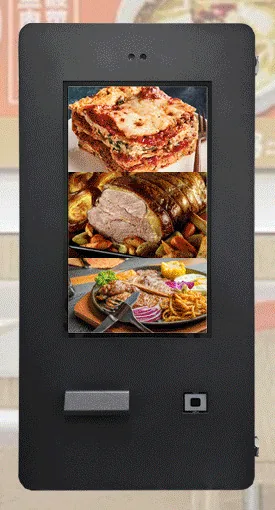
Product families that suit the applications on this page. Options are confirmed with your quotation.

Guides to read next

Frequently asked questions

Is a card terminal included with the kiosk?

No, not unless it is separately agreed in your quotation. Card terminals and merchant services come from your payment provider. Where a product image shows a terminal, it is an example of how one can be mounted.

The kiosk has an NFC reader. Can it take contactless card payments?

Not by itself. An NFC reader can read contactless cards and tags for uses such as loyalty or membership. Accepting bank cards needs a payment terminal and merchant services from a payment provider, integrated through that provider's own process.

Will the bracket fit our terminal?

Tell us the terminal model. Brackets and terminals vary, so we check the fit, the cable routing and the provider's mounting requirements for your chosen kiosk design, and confirm the result with your quotation.

Plan a payment kiosk around your provider

Tell us what customers will pay for, where the kiosk will stand and which payment provider you use. We will advise on hardware and scope the integration work separately.