KioskCraft
Your enquiry

Solutions

Self-service check-in for visitors, appointments and guests

Let visitors, customers and guests register their own arrival. Check-in is scoped as an integration between a touchscreen kiosk and the booking or visitor system you already use, with privacy designed in from the start.

The problem: arrivals queue at the desk

Arrivals come in waves. A reception desk that copes for most of the day is stretched when a meeting, a clinic session or a coach party arrives together, and staff spend that time on sign-in rather than on the people who need help.

A check-in kiosk handles the routine arrival so that staff can deal with the exceptions.

Four kinds of check-in

  • Reception and visitor sign-in

    Visitors register, the host can be notified and a badge can be issued. Scoped around your visitor system or, for a simple site, a stand-alone visitor log.

  • Appointment arrival

    People confirm that they have arrived for a booked appointment and are told where to wait. Scoped as an integration with your booking system.

  • Guest check-in

    Hotel check-in is scoped integration work with your property management system, not an off-the-shelf product. Payment, identity checks and room keys each involve other parties.

  • Event registration

    Delegates find their booking by name or QR code and collect a badge. A portable battery touchscreen suits temporary desks.

How a check-in works

  1. Find the booking

    The visitor types a name, enters a reference or scans the QR code from a confirmation message.

  2. Confirm the details

    The screen shows only what is needed to confirm the right booking.

  3. Update your system

    Through the agreed integration, the software marks the arrival in your booking or visitor system and, where scoped, notifies the host.

  4. Issue a badge, ticket or directions

    What can be printed depends on the peripherals chosen. Otherwise the screen tells the visitor where to go next.

  5. Clear the screen

    Personal details are cleared from the display before the next person steps up.

Where check-in software sits

  • In the centre:

    Kiosk or display application

    The software your customers and staff use.

    APIs and webhooks

    It exchanges data two ways with each of the systems listed next.
  • POS system

    Orders, products and prices.

  • Payment provider

    Card payments through your provider.

  • Booking system

    Appointments, tables and check-in records.

  • CRM

    Customers, enquiries and follow-up.

  • Stock and product data

    Availability, prices and specifications.

  • Other systems

    Anything with a suitable interface.

Each integration depends on the third party's interfaces and approval process.

Example integration map: check-in software sits between the kiosk and your booking or visitor system. Each connection depends on the agreed scope and on what the third party makes available.

Hardware that fits

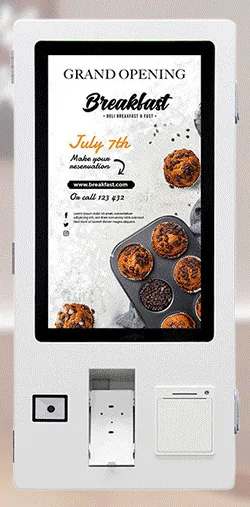
  • All-in-one information kiosks

    Freestanding or wall-mounted touchscreens for reception areas and lobbies.

  • Countertop and wall-mounted kiosks

    A compact touchscreen on the desk, or on the wall where floor space is tight. The ordering kiosk range lists a receipt printer and QR scanner as options, useful for tickets and confirmation codes.

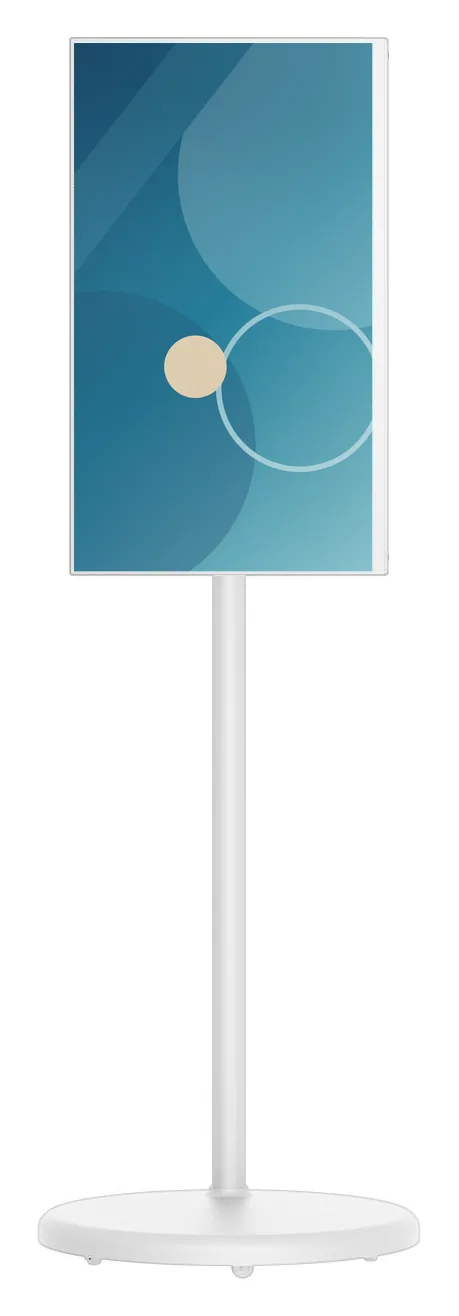
  • Portable battery touchscreens

    For events and temporary desks. Battery runtime is a catalogue-stated estimate that depends on configuration and usage.

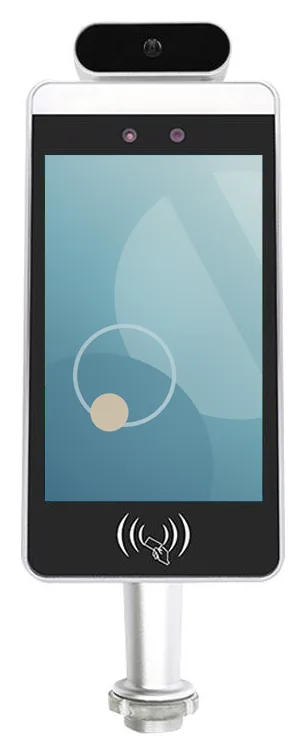
  • Temperature-screening terminals

    An optional, separate entrance terminal for sites whose own entry policy calls for one. We make no medical, diagnostic or identification claims for it, and check-in does not depend on it.

Badges, tickets and key cards

Printing depends on the peripherals you choose. A thermal receipt printer can produce a paper ticket or queue slip. Adhesive visitor badges need a label printer, and key cards need a dispenser and an encoder that works with your lock supplier. A card dispenser is listed as a custom build option for the ordering kiosk range, and each of these is assessed for the kiosk design you choose.

Privacy by design

A check-in screen handles personal information in a public place, so we design for that from the start.
  • Screen privacy: position and angle the screen so that people waiting cannot read it, and show partial details rather than full records.
  • Timeouts: clear the screen after a short period of inactivity and as soon as check-in is complete.
  • Data minimisation: ask only for what the arrival process needs, and never show a list of other visitors or appointments.
  • Storage: keep personal data in your booking or visitor system rather than on the kiosk, wherever the integration allows.
  • Responsibility: you decide what is collected and how long visitor records are kept, and the software is built to follow those rules.

Questions to settle before we quote

  • Which booking, visitor or property management system do you use, and does its supplier offer a supported way for other software to read and update bookings?
  • How will visitors identify themselves: by name, reference or QR code?
  • Do you need badges, tickets or key cards, or is on-screen confirmation enough?
  • Who should be notified of an arrival, and how?
  • Counter, wall or floor-standing, and how many positions?
  • What should happen when a booking cannot be found?

What this includes — and what it does not

What is and is not included

Kiosk Craft supplies and configures the kiosk hardware, and designs and builds check-in software around your process. Hardware, software development and ongoing management are quoted separately.

No finished check-in platform is implied, and we do not promise compatibility with any named booking, visitor or property management system. Each integration depends on the agreed scope and on what the third party makes available. We do not offer identity verification.

Hardware that fits

Product families that suit the applications on this page. Options are confirmed with your quotation.

Guides to read next

Frequently asked questions

Will it work with our booking or visitor management system?

That depends on whether your system's supplier offers a supported way for other software to read and update bookings. We assess this during scoping and tell you plainly what is possible. We do not promise compatibility with any named system.

Is hotel self check-in available off the shelf?

No. Hotel check-in is scoped integration work with your property management system. Payment, identity checks and room keys each involve other parties, such as your payment provider and lock supplier, so each is agreed separately.

Can the kiosk print visitor badges?

It depends on the peripherals. A thermal receipt printer can produce a paper ticket, while adhesive badges need a label printer that has to be assessed for the chosen kiosk design. Tell us what the badge must show and we will advise.

Plan a check-in project

Tell us who arrives, which booking or visitor system you use and what should happen at the desk. We will recommend hardware and scope the integration separately.