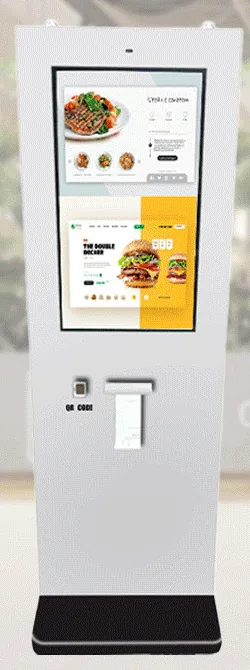
Countertop kiosks
Countertop Ordering Kiosks
Compact self-service ordering terminals for counters and reception desks. Nine designs with 15.6, 21.5 and 24 inch screen references.
- 15.6 to 24 inch
- Indoor
- Countertop
- Touchscreen
Product range



Choosing a kiosk starts with three questions. What does the customer need to do at the screen: order, pay, check in, find their way or ask a question? Where will it stand: on a counter, on a wall, on the shop floor, outside, or somewhere different each day? And what does it need to talk to: your till, your kitchen, your booking system or your sales records? The answers decide the enclosure, the screen size, the peripherals and the software.
The ordering and payment range comes in three indoor formats: Countertop Ordering Kiosks, Wall-Mounted Ordering Kiosks and Freestanding Ordering Kiosks. Separate outdoor payment kiosks, wall-mounted and freestanding, cover exposed positions. Alongside them sit All-in-One Information Kiosks for directories and wayfinding, AI Interaction Kiosks with a built-in camera and microphone for bespoke conversational applications, and Portable Battery Touchscreen Displays for places without a nearby socket. Use the formats below to narrow the choice, or find your solution by answering a few questions.
A kiosk is only as useful as the software running on it. We supply and configure the hardware, and we design and build the application around your requirements: for example restaurant ordering software, a bespoke kiosk application, or a link to the systems you already use through an agreed integration. Hardware, software development and ongoing management are described and quoted separately, so you can see what each part covers.
Browse by type
Catalogue
Showing all 9 products
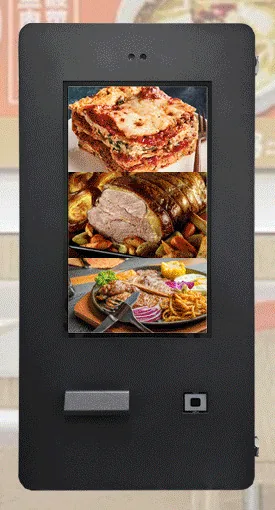
Countertop kiosks
Compact self-service ordering terminals for counters and reception desks. Nine designs with 15.6, 21.5 and 24 inch screen references.
Wall-mounted kiosks
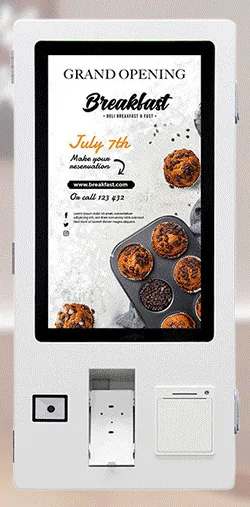
Wall-mounted self-service ordering kiosks that keep the floor clear. Four enclosure designs with 15.6, 21.5, 24 and 32 inch screen references.
Freestanding kiosks
Freestanding self-service ordering kiosks in fourteen enclosure styles, from slim pole stands to full-height towers, with 15.6 to 32 inch screen references.
Outdoor kiosks
Wall-mounted ordering and payment kiosks from the outdoor range. Five enclosed designs with 15.6, 21.5, 24 and 32 inch screen references.
Outdoor kiosks
Freestanding outdoor ordering and payment kiosks with 21.5 and 32 inch screen references, including canopy designs on bolt-down pedestals.
AI interaction kiosks
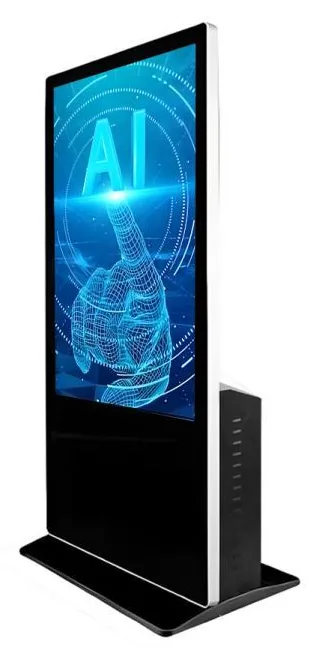
Large-format 43, 49 and 55 inch touchscreen terminals with camera and microphone options, built to host conversational applications scoped around your business.
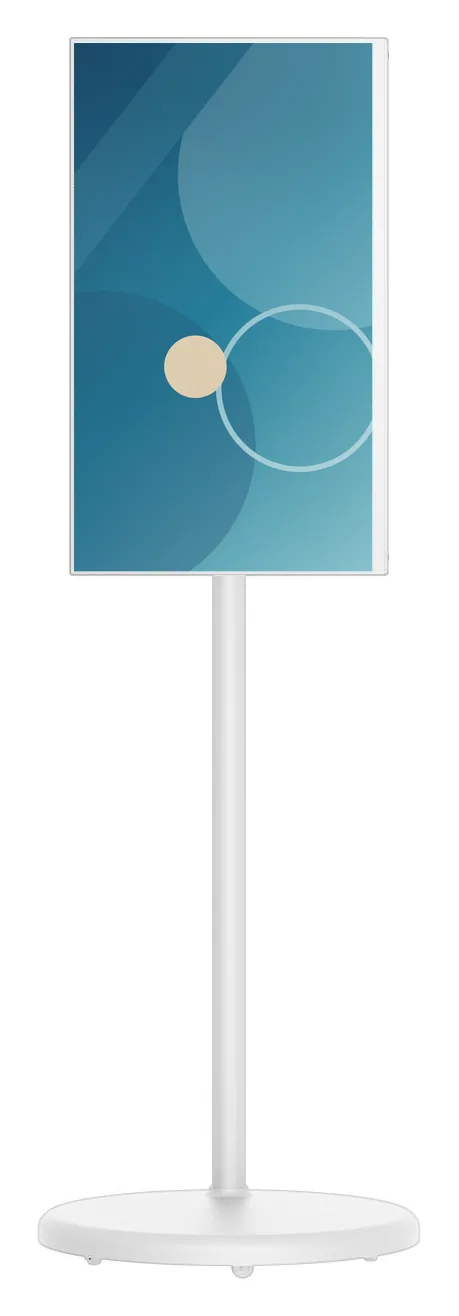
Portable battery displays
Battery-powered 21.5 to 32 inch touchscreens on a wheeled stand. Rotate, tilt and raise the screen, then move it to wherever your customers are.
Information and wayfinding kiosks
All-in-one touchscreen kiosks from 21.5 to 98 inch in lectern, totem and wall-mounted forms, for wayfinding, directories, check-in and information points.
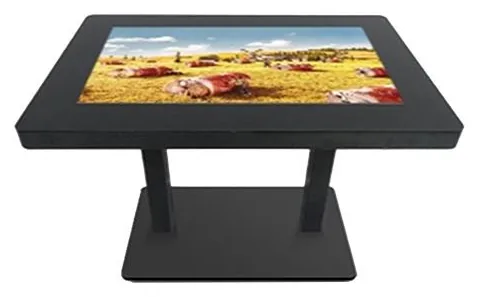
Touch tables
A touchscreen set flat into a table, so several people can gather round one display. Sizes, height and touch technology are confirmed for your project.
Where they fit
Customers browse the menu, build an order and send it to the counter or kitchen. Ordering kiosks come in countertop, wall-mounted and freestanding designs, with printer, scanner and payment-bracket options stated for the range and confirmed for your configuration.
Example application: paying for parking, tickets, services or a bill at an unattended point. The card terminal comes from your payment provider and fits a bracket on the kiosk, and the fit is checked for your terminal model before you order.
Example application: guests, patients or visitors confirm a booking on arrival and staff are notified. The check-in application and any link to your booking system are scoped as a software project.
Directories, maps and visitor information on large-format touchscreens. The all-in-one information kiosk family lists options from 21.5 to 98 inch in wall-mounted, floor-standing and touch-table formats.
Example application: a shop-floor screen where customers explore the full range and compare options, or where staff walk a customer through a choice. Product data and any link to your sales records are part of the software scope.
Example application: an on-screen host that greets visitors and answers common questions. AI interaction kiosks provide the camera, microphone and graphics PC hardware; the assistant software is scoped separately.
Choosing
Countertop kiosks use counter space you already have and keep customers close to staff. Wall-mounted kiosks keep the floor clear but need a suitable wall and a hidden cable route. Freestanding kiosks can stand wherever the queue forms, and need floor space plus power and data at that spot. Our guide to countertop, wall-mounted or freestanding kiosks covers the trade-offs in more detail.
Indoor kiosks are not specified for rain, dust or direct sun. Outdoor payment kiosks use closed enclosures intended for exposed positions. IP65 is stated for the outdoor freestanding range and confirmed for the selected model with your quotation. No rating is published for the outdoor wall-mounted range, so we confirm the protection level for the chosen model before you rely on it.
Ordering and payment kiosks are transaction terminals: 10-point PCAP touch is stated for the range, with printer, scanner, NFC reader and payment-bracket options. Information kiosks are larger touchscreens, listed from 21.5 to 98 inch, for browsing maps, directories and content. No receipt printer or payment bracket is listed for the information family, so treat those as requirements for us to assess.
Most kiosks are fixed in place and mains-powered. Portable battery touchscreen displays run from a built-in battery on a movable stand, with a catalogue-stated runtime estimate of 4 to 5 hours that depends on configuration and usage. Choose portable for pop-ups and changing layouts, and a fixed kiosk for all-day unattended service.
A standard kiosk is operated by touch. An AI interaction kiosk adds a built-in camera, a noise-reduction microphone and a high-performance graphics PC configuration, so it can host speech-led or avatar-style applications. It is hardware only: no AI assistant software or subscription is included, and the application is scoped as a separate project.
Beyond the hardware
Applications and management tools are designed and built per project, then quoted separately from the hardware.
Hardware, software and services combined around a job you need done.
Questions
Start with the space and the queue. If customers already come to a counter and there is room on it, a countertop kiosk is the simplest to place. If floor space is tight but there is a sound wall nearby with a route for power and data, a wall-mounted kiosk keeps walkways clear. If you want ordering points away from the counter, near the entrance for example, a freestanding kiosk can stand where the queue forms. Our guide Countertop, wall-mounted or freestanding kiosks works through the decision, and you can request advice if you would like us to look at your layout.
No. Card terminals are supplied by your payment provider unless we agree otherwise. The ordering and payment range offers payment-terminal brackets, on the side or the front depending on the design, so that your terminal can be fitted to the kiosk. A bracket does not by itself prove that a particular terminal will fit, or that your provider supports it for self-service use, so tell us the provider and the terminal model and we will check before you order. An NFC reader, where fitted, is for reading NFC cards and tags, for example a loyalty card, subject to the software. It is not the same as accepting bank-card payments. Taking payment within the kiosk application also depends on a software integration agreed with your provider, which is scoped separately.
Hardware and software are described and quoted separately. We supply and configure the kiosk, and the application that runs on it is scoped around what you need: for example a restaurant ordering flow, a check-in journey, a product finder or a wayfinding directory. If you already have kiosk software, tell us which platform it needs and we will confirm a matching configuration with your quotation. If you need something new, we design and build it with you, including any agreed integration with your till, booking or sales systems. See bespoke kiosk software and our guide to the questions to ask before commissioning bespoke kiosk software.
Only the outdoor ranges. Outdoor freestanding payment kiosks are stated as IP65, and that rating is confirmed for the selected model with your quotation. Outdoor wall-mounted payment kiosks use closed outdoor enclosures, but no rating is published for that range, so we confirm the protection level for the chosen model before you commit to a position. Indoor ordering kiosks, information kiosks, AI interaction kiosks and portable battery displays are not specified for outdoor use, even under a canopy. See outdoor kiosks for what to check about the site.
It depends on the family and the design. The ordering and payment range is stated from 15.6 to 43 inch overall, and the designs pictured run from 15.6 to 32 inch; not every design is offered in every size. All-in-one information kiosks list 21.5, 32, 42, 49, 55, 65, 75, 85 and 98 inch options. AI interaction kiosks are recommended at 43, 49 and 55 inch. Portable battery touchscreen displays are listed at 21.5, 23.8, 27 and 32 inch. Your quotation confirms the sizes available for the design you choose.
The quotation sets out the exact configuration: the design and screen size, the platform and its supported version, the peripherals fitted, the finish and any branding. It also sets out the agreed commercial terms, including price, lead time, warranty and support. Software development and ongoing management are listed as separate items, so you can see what is hardware, what is a one-off build and what is a recurring service. Start with Request a quote, or add products to your enquiry as you browse.
Describe what the screen needs to do and where it will go. We will recommend the right hardware and software and confirm the configuration in a written quotation.