KioskCraft
Your enquiry

Solutions

Digital advertising displays and content management

Digital advertising works when the screen suits its location and the content stays current. We help you choose displays for indoor, window-facing and outdoor positions, and scope how content is scheduled and who updates it.

The problem: print cannot keep up

Printed posters are slow to change and identical all day. A promotion that ends on Friday is still in the window on Monday, and a multi-site business relies on every branch putting up the right artwork.

Digital displays fix that only if two things are right: a screen that can be seen where it is installed, and a practical way to keep content current. Plan the hardware and the content management together.

Choosing a display by location

Choosing a display by location. Brightness figures are catalogue-stated for each range and confirmed for your configuration with your quotation.
LocationDisplay familiesCatalogue-stated brightnessWhat to check
Indoors, away from windowsIndoor freestanding displays, wall-mounted displays and full-screen digital posters300 to 450 nits across these rangesViewing distance, portrait or landscape, and floor space or wall fixings.
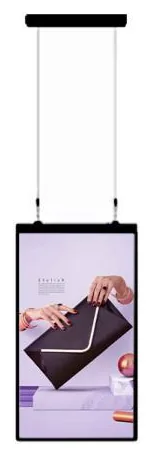
Window-facingHigh-brightness shop window displays1,000 to 2,500 nitsSun and heat behind glass, single or double-sided, ceiling-hung or on a floor stand.
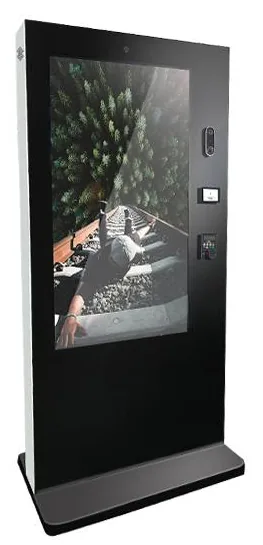
OutdoorsOutdoor advertising displays1,500, 2,000 or 2,500 nits with a brightness sensorIP65 and −30 °C to 45 °C operation are stated for the outdoor range and confirmed for the selected model. Plan power, groundworks and any consent you need.
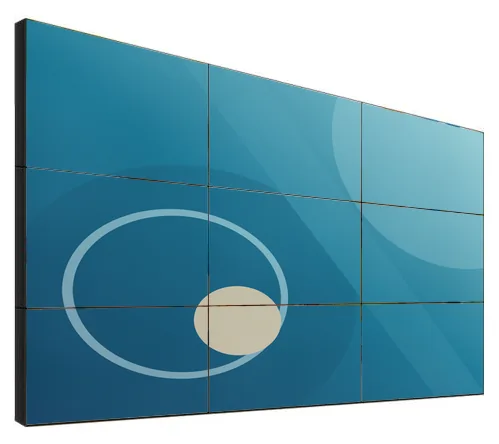
Feature wallsLCD video walls500 or 700 nitsVisible bezels between panels, the layout, and content made for the whole wall.
Shelf edges and narrow spacesStretched bar displays300 or 700 nitsContent designed for the wide, shallow shape.

Scroll sideways to see the whole table.

Brightness figures are catalogue-stated for each range and confirmed for your configuration with your quotation.

Why brightness follows location

Brightness is measured in nits. A screen that looks vivid inside a shop can look washed out in a sunlit window, which is why window-facing and outdoor ranges are several times brighter. Brighter screens also draw more power and produce more heat, so choose the level the position needs rather than the highest figure available.

Where one unit has to face both the street and the shop, look at double-sided displays.

How content reaches the screen

Users, permissions and approval

Who may upload, arrange, schedule and approve content.

This lane governs the first three stages: media library, playlists and layouts, and schedules.
  1. Media library

    Images, video and templates.

  2. arranged into

    Playlists and layouts

    Sequences and screen zones.

  3. timed by

    Schedules

    What plays, where and when.

  4. assigned to

    Screen groups and locations

    Sites, areas and groups of screens.

  5. delivered to

    Players and displays

    Media players or built-in players.

Platform and deployment are decided during scoping.

Example content flow: content is prepared and scheduled, sent to a media player or to the display's built-in player, and shown on screen. The system and its features are scoped for your project.

Managing content

The simplest set-up is a single screen playing media from a USB stick, which several display ranges support. It suits content that rarely changes.

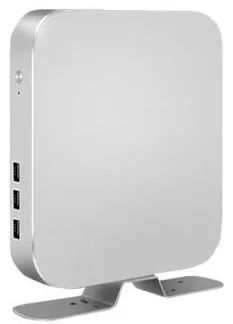
Beyond that you need digital signage content management: somewhere to upload artwork and video, build playlists, schedule them and send them to screens over the network. Displays configured with a built-in Android or Windows player can receive content directly, and a media player can add playback to a screen that has an HDMI input.

Multi-site scheduling

  • Group screens

    Organise screens by site, region or position, so one change reaches the right places.

  • Schedule by time and date

    Run different content by time of day, and give campaigns an end date so nothing out of date stays on screen.

  • Share control

    Decide what head office fixes, what local managers may change, and whether content needs approval first.

  • Plan for a lost connection

    A sensible requirement is that a screen carries on playing its last schedule if the network drops.

Who updates the content?

A signage network fails when nobody owns it. Settle these questions before we quote.
  • Who creates artwork and video, and can they supply it in the right shape for each screen?
  • Who publishes changes day to day: head office, local managers or an agency?
  • How often will content change, and does anything need sign-off first?
  • How many screens and sites are there now, and how many are planned?
  • Is there a wired network, Wi-Fi or a mobile connection at each screen position?
  • Will screens be wall-mounted, freestanding, ceiling-hung or in a window?

What this includes — and what it does not

What is and is not included

Kiosk Craft supplies and configures the displays, mounts and media players, and scopes content management with you. Hardware, software and ongoing management are quoted separately. Content creation, network connections, electrical work and fixings are included only where your quotation says so.

We do not imply a finished Kiosk Craft signage platform, included subscriptions or free software. Features, hosting and licence terms are set out in your quotation. Showing live information held in another system, such as your till, is integration work that depends on the agreed scope and on the third party.

Hardware that fits

Product families that suit the applications on this page. Options are confirmed with your quotation.
  • Wall-mounted advertising displays

    Wall-Mounted Advertising Displays

    Slim wall-mounted advertising screens in sixteen sizes from 10.1 to 98 inch, with Full HD as standard, an optional 4K panel and USB, Android or Windows playback.

    • 10.1 to 98 inch
    • Indoor
    • Wall-mounted
    • 300 to 450 nits
    View Options : Wall-Mounted Advertising Displays
  • Outdoor advertising displays

    Outdoor Advertising Displays

    Outdoor advertising screens from 21.5 to 98 inch in totem, wall and portable forms, with high-brightness panels and cooling options set for each model.

    • 21.5 to 98 inch
    • Outdoor
    • Wall-mounted / Freestanding / Ceiling-hung
    • Touch optional
    View Options : Outdoor Advertising Displays
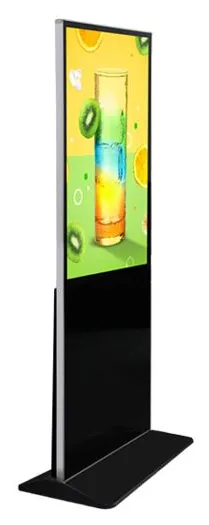
  • Full-screen digital posters

    Full-Screen Digital Posters

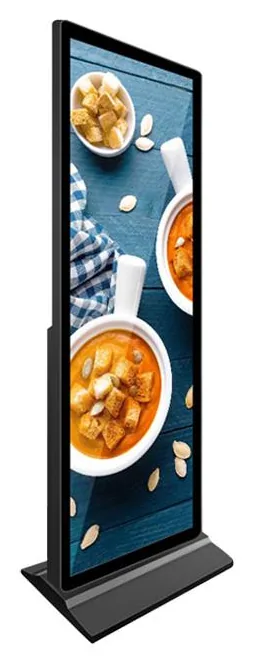
    Tall freestanding digital posters from 64.2 to 80 inch, where the picture fills almost the whole front. Run one alone, or stand several side by side as one canvas.

    • 64.2 to 80 inch
    • Indoor
    • Freestanding
    • Touch optional
    View Options : Full-Screen Digital Posters
  • Stretched bar displays

    Stretched Bar Displays

    Ultra-wide bar screens in sixteen sizes from 19.5 to 80 inch for shelf edges, counters and narrow wall bands, in wall-mount or open-frame formats.

    • 19.5 to 80 inch
    • Indoor
    • Wall-mounted / Embedded
    • 300 to 700 nits
    View Options : Stretched Bar Displays
  • Video walls

    LCD Video Walls

    Narrow-bezel LCD panels from 46 to 75 inch, tiled into video walls with wall, cabinet, floor-stand or pop-out mounting and a processor matched to your sources.

    • 46 to 75 inch
    • Indoor
    • Wall-mounted / Freestanding
    • Touch optional
    View Options : LCD Video Walls

Guides to read next

Frequently asked questions

Can I use an indoor screen in a shop window or outdoors?

It is not a good idea. Indoor ranges are catalogue-stated at 300 to 450 nits and look washed out in direct sun, and they are not built for weather. Ratings such as IP65 are stated for the outdoor range only and never apply to indoor products.

Can I update all my sites from one place?

That is what networked content management is for, and it can be scoped for your project. Each screen needs a network connection, and you decide who may publish and what local sites may change.

Does a video wall show one continuous picture?

An LCD video wall shows one image across several panels, with visible bezels where the panels meet. Narrow-bezel options are catalogue-stated, and good content keeps faces and text away from the joins.

Plan your advertising displays

Tell us where the screens will go, how many sites you have and who will update the content. We will recommend displays for each location and scope content management separately.