Countertop kiosks
Countertop Ordering Kiosks
Compact self-service ordering terminals for counters and reception desks. Nine designs with 15.6, 21.5 and 24 inch screen references.
- 15.6 to 24 inch
- Indoor
- Countertop
- Touchscreen
Services
Customers judge a kiosk before they touch it. A unit that looks as if it belongs — in your colours, with clear graphics and a screen design that matches the rest of your brand — gets used. One that looks like an afterthought gets walked past. Design decisions also have practical consequences: they affect what can be ordered, how artwork must be supplied and how accessible the finished installation is.
We treat design and branding as four connected layers: the enclosure, the printed graphics applied to it, the brand on screen and the accessibility of the whole. Each can be as light or as involved as your project needs.
Standard finishes vary by range and are commonly black or white. A custom colour matched to a reference you supply can be requested as a project option. We assess it for the selected model and confirm feasibility, quantities and any effect on timescale with your quotation.
Logos, instructions and decorative graphics applied to the enclosure as print or cut vinyl. We advise on where graphics can go without covering vents, speakers, cameras, service doors or printer outlets.
Colours, typography, photography, icon style and tone of voice carried into the kiosk interface and display templates, adapted for touch, viewing distance and screen brightness.
Contrast, text size, touch-target size, plain wording and the placement of key controls within comfortable reach, considered together with the height and position of the unit.
Dimensions, safe areas, resolution, colour mode and file formats for both printed graphics and screen content, so that your designers or agency can produce artwork that fits first time.
| Item | What the specification covers |
|---|---|
| Enclosure graphics | Printable areas and keep-clear zones for the selected model, finished size, bleed, preferred vector formats and colour references. |
| Screen content for displays | Pixel dimensions and orientation of each display type, including non-standard wide or tall formats, plus the image and video formats accepted by the chosen player. |
| Kiosk interface assets | Logo versions, colour values, fonts and their licences, photography sizes and icon style for the application. |
| Attract loop and idle content | Duration, resolution, whether audio is used, and the message that tells passers-by what the kiosk is for. |
| Video wall content | Overall canvas size, how the image is divided between panels and an allowance for the visible bezels between them. |
Scroll sideways to see the whole table.
Exact dimensions are issued for the selected model and configuration.
You share brand guidelines, logo files, colour references and photos of each location.
We propose a finish, graphic placement and an on-screen direction, flagging anything that needs assessing for the chosen model.
We issue artwork specifications for the agreed configuration.
Your artwork is checked against the specification, and you approve a visual proof before anything is produced.
On-screen design is reviewed on the target screen, because colour, contrast and size look different on a bright commercial display than on a laptop.
A finish that looks right in a rendering can disappoint on site. Gloss surfaces show fingerprints at a busy ordering point. Dark on-screen themes are harder to read behind glass in sunlight. Small, elegant type that suits a brochure is unreadable from across a concourse.
We ask for photos and a description of each location so that design choices suit the conditions and, for window-facing and outdoor positions, so that a suitable display brightness is specified. See our guide to indoor, window and outdoor displays. On-screen design for kiosk applications is covered under bespoke kiosk software.
What this includes — and what it does not
Custom colours, printed logos and vinyl graphics are project options, not standard features of every model. Each request is assessed for the selected model and confirmed with your quotation, including any effect on quantities or timescales.
Design and branding services are quoted separately from hardware and software. Unless your quotation says otherwise, brand identity work, photography, video production and ongoing content creation are not included.
Countertop kiosks
Compact self-service ordering terminals for counters and reception desks. Nine designs with 15.6, 21.5 and 24 inch screen references.
Freestanding kiosks
Freestanding self-service ordering kiosks in fourteen enclosure styles, from slim pole stands to full-height towers, with 15.6 to 32 inch screen references.
Information and wayfinding kiosks
All-in-one touchscreen kiosks from 21.5 to 98 inch in lectern, totem and wall-mounted forms, for wayfinding, directories, check-in and information points.
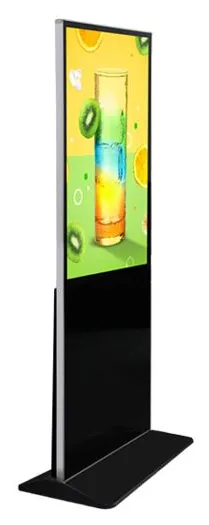
Freestanding advertising displays
Freestanding digital posters and totems for indoor promotion, from 21.5 to 96 inch, on fixed or wheeled stands, with USB playback or Android and Windows options.
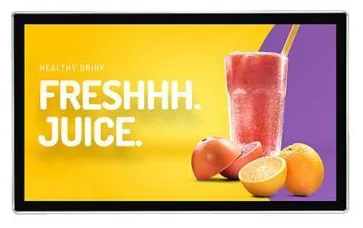
Wall-mounted advertising displays
Slim wall-mounted advertising screens in sixteen sizes from 10.1 to 98 inch, with Full HD as standard, an optional 4K panel and USB, Android or Windows playback.
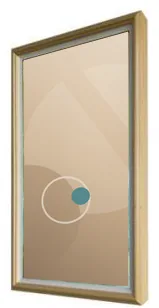
Wood-frame art displays
Digital displays in decorative wood frames, 21.5 to 49 inch, for artwork, menus and promotions in interiors where a bare screen would look out of place.
It can be requested as a project option. Standard finishes vary by range and are commonly black or white. For a custom colour we need a colour reference from you. We then assess it for the selected model and confirm feasibility, any quantity requirement and the effect on timescale with your quotation.
Printed logos and vinyl graphics can be assessed for the selected model. We will tell you which areas are suitable, keeping vents, service doors, cameras and printer outlets clear, and supply an artwork specification.
Either your designers, working to our specifications, or us as part of a software scope. For bespoke kiosk software, interface design is part of the project. For digital signage, templates can be set up for your team or agency to fill.
We consider the screen and the physical unit together: contrast, text and button sizes, plain wording, reach height and approach space. If your organisation works to a particular accessibility standard, tell us at the start so that it is written into the scope and checked before sign-off.
Vector artwork for logos and printed graphics, and correctly sized images or video for screens. The exact dimensions, safe areas and formats depend on the model and the player, so we issue a specification for your configuration rather than a generic template.
Send us your brand guidelines, the products you are considering and photos of the location. We will reply by email with the finish and graphics options to assess.