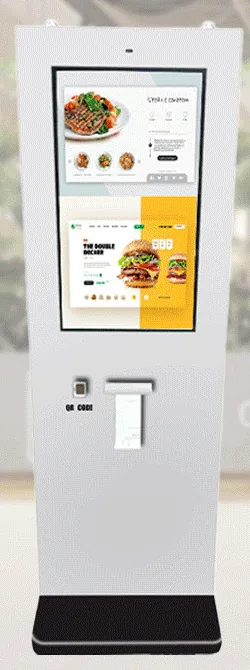
Countertop kiosks
Countertop Ordering Kiosks
Compact self-service ordering terminals for counters and reception desks. Nine designs with 15.6, 21.5 and 24 inch screen references.
- 15.6 to 24 inch
- Indoor
- Countertop
- Touchscreen
Software & Management
One kiosk in one shop can be managed by looking at it. Twenty devices across ten sites cannot. Without a plan, faults are found by customers, updates are applied by whoever happens to visit, and nobody is sure which version is running where.
Management requirements also shape earlier decisions: the platform you choose, how the application is built, what connectivity each site needs and what a support arrangement can realistically cover. That is why we raise them during scoping rather than after installation.
How much tooling you need depends on scale. For a handful of devices, sensible configuration, a documented update routine and clear support contacts may be enough. A large or fast-growing estate justifies dedicated device management. A complete fleet-management product is a separate implementation scope, and we say plainly which category your project falls into.
An agreed inventory: each device, its site and position, hardware configuration, platform version and application version, with naming that makes sense to your support team.
Which settings differ by site or device, such as menus, prices, languages, opening hours and printer set-up, and how they are changed without rebuilding the application.
What you need to know and how soon: device online or offline, application running, printer paper or fault status where the hardware reports it, storage and temperature where available.
How application, content and operating-system updates are tested, scheduled outside trading hours, rolled out in stages and rolled back if something goes wrong.
What support staff can see and do without a site visit, such as logs, screenshots and restarts, and what always needs someone on site. Remote functions depend on the platform and the tools agreed.
Who can change configuration, publish content or reach a device remotely; individual accounts rather than shared passwords; and how access is removed when people leave.
A record of who changed what and when, kept for an agreed period, so that a fault or an unexpected change can be traced.
Your kiosk estate
Every kiosk and display across your sites.
Devices and locations
Which kiosks and displays are where.
Application configuration
Settings and content per device or group.
Health and connectivity
Online status, alerts and basic checks.
Updates
Application and content updates.
Diagnostics and support
Logs and information to resolve issues.
Access control and audit
Who can change what, and a record of it.
Two-way: devices report status; management sends configuration and updates.
Scoped per project — a complete fleet-management product is a separate implementation.
| Estate | Typical approach | What to agree |
|---|---|---|
| A few devices at one or two sites | Locked-down configuration, a documented manual update routine and a named support contact. | Who applies updates, how faults are reported and what is checked on a routine visit. |
| Tens of devices across several sites | A device management tool suited to the platform, configured for your estate, plus basic health reporting from the application. | Tool licences, who administers it, who receives alerts and the staged update process. |
| A large or fast-growing estate | A dedicated fleet-management implementation with monitoring, staged deployment, role-based access and audit records. | A separate implementation scope with its own discovery, design, hosting and support terms. |
Scroll sideways to see the whole table.
Examples only. Where the boundaries fall depends on your sites, staff and appetite for risk.
Management sits alongside the application rather than inside it. The kiosk application is covered under bespoke kiosk software, content for displays under digital signage content management, and the people and response arrangements under support and maintenance. Agreeing all three together avoids gaps, such as a monitoring alert that nobody is contracted to act on.
What this includes — and what it does not
Kiosk Craft does not supply a proprietary device agent, cloud console or universal remote-control capability with its hardware. Management requirements are scoped for your project and met through configuration, suitable third-party tools or bespoke development, as agreed.
What can be monitored or controlled remotely depends on the hardware, the platform and the tools chosen. A complete fleet-management product is a separate implementation scope. Licences, hosting and support terms are set out in your quotation.
Countertop kiosks
Compact self-service ordering terminals for counters and reception desks. Nine designs with 15.6, 21.5 and 24 inch screen references.
Freestanding kiosks
Freestanding self-service ordering kiosks in fourteen enclosure styles, from slim pole stands to full-height towers, with 15.6 to 32 inch screen references.
Outdoor kiosks
Freestanding outdoor ordering and payment kiosks with 21.5 and 32 inch screen references, including canopy designs on bolt-down pedestals.
Information and wayfinding kiosks
All-in-one touchscreen kiosks from 21.5 to 98 inch in lectern, totem and wall-mounted forms, for wayfinding, directories, check-in and information points.
Digital signage media players
Android or PC-based media players that connect to a compatible display over HDMI, with Wi-Fi and mobile-data options. Software is scoped separately.
Remote monitoring can be scoped, but it is not something that comes built into the hardware. What is possible depends on the platform, the network at each site and the management tools agreed. We define what you need to see, who is alerted and who acts, and the scope sets out how that will be delivered.
Usually not. For a few devices, a locked-down configuration, a simple update routine and clear support contacts are often enough. We would rather tell you that than scope tooling you will not use. The need grows with the number of sites and how often software and content change.
It depends on the platform and the approach agreed: manually on site, through a device management tool, or by an update mechanism built into the application. Whatever the method, we recommend testing on the target hardware, updating a pilot device first and keeping a way to roll back.
Yes. Tell us which device management tools and security policies you already have, and we will take them into account when recommending the platform and configuring the devices.
The same questions apply — inventory, health, updates, access — but displays are usually managed through the signage CMS and its player software. We look at kiosks and displays together when you have both.
Tell us how many devices and sites you expect, who will look after them and what your IT policies allow. We will reply by email with a proportionate approach.