Open-frame displays
High-Brightness Open-Frame Modules
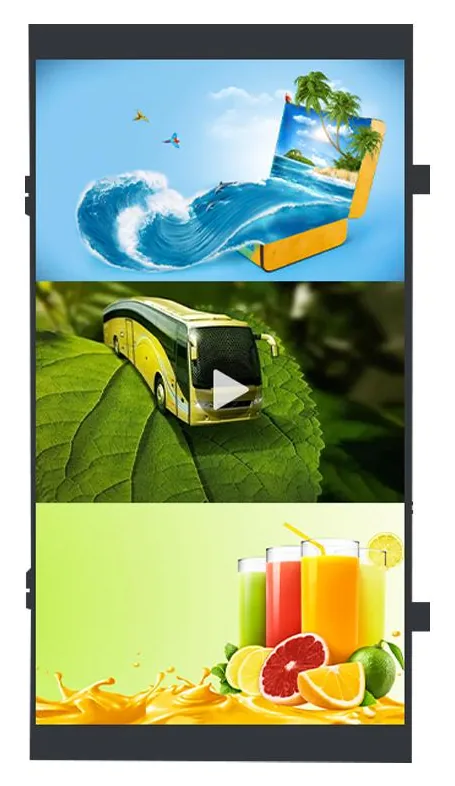
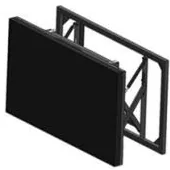
High-brightness display modules in 32, 43, 55 and 65 inch sizes, supplied open-frame for integration into a suitable enclosure.
- 32 to 65 inch
- Embedded
- 2,000 to 2,500 nits
Product range
Not every project starts with a finished kiosk or display. A shopfitter or machine builder may need the screen as a component to build into their own design. A business with good screens already on the wall may only need a player to drive them. And every installation, however simple, depends on the right stand, bracket or peripheral.
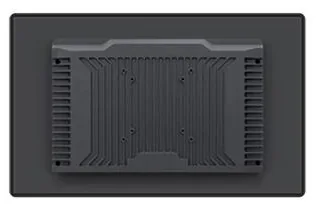
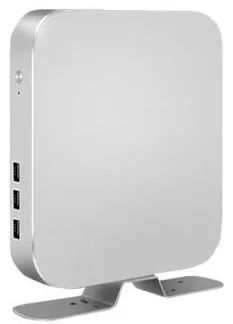
This group covers those parts. Open-Frame Touch Monitors (view the range), from 10.4 to 55 inch, are made to be built into kiosks, counters and machines. High-Brightness Open-Frame Modules (view the range), at 32, 43, 55 and 65 inch and 2,000 to 2,500 nits, are for integration into a suitable enclosure and are never weatherproof by themselves. Digital Signage Media Players (view the range) are Android or PC-based units that connect over HDMI. Display Mounts & Integration Accessories (view the range) and Ordering Peripherals (view the range), such as receipt printers and scanners, are matched to the equipment you select.
Components put more responsibility on the buyer than finished products do. The enclosure, ventilation, fixing and electrical safety of the finished assembly belong to whoever builds it, and software still has to be scoped for whatever the screen will do. We confirm dimensions, interfaces and compatibility for the selected items with your quotation. If you would prefer a finished product, start with self-service kiosks or advertising boards.
Browse by type
Catalogue
Showing all 5 products
Open-frame displays
High-brightness display modules in 32, 43, 55 and 65 inch sizes, supplied open-frame for integration into a suitable enclosure.
Open-frame displays
Open-frame monitors for building into kiosks and custom equipment, in a 10.4 to 55 inch range with infrared or capacitive touch available.
Digital signage media players
Android or PC-based media players that connect to a compatible display over HDMI, with Wi-Fi and mobile-data options. Software is scoped separately.
Mounts and peripherals
Wall, ceiling, floor, wheeled and video-wall mounting options, matched to the display you select. Compatibility is confirmed per project.
Mounts and peripherals
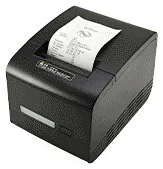
Printers, scanners, NFC readers, card-terminal brackets and custom modules for ordering kiosks — compatible options chosen per design, not universal fittings.
Where they fit
Use an open-frame touch monitor as the screen in a self-service machine, counter unit or display stand that your own fabricator builds.
Fit a high-brightness open-frame module inside a weatherproof housing designed and built by an integrator, who is responsible for the sealing and protection.
Add a media player to an existing display with an HDMI input so that it can join the same content schedule as your other screens.
Select floor stands, wall and ceiling fixings or video wall brackets that are matched to the displays in your project.
Add receipt printers, scanners and payment-terminal brackets to kiosks, where the enclosure and the software support them.
Choosing
A finished display or kiosk arrives enclosed, ready to be installed. A component is one part of something you or your integrator will build. Components make sense when you have a fabricator, a specific design in mind or an existing machine to upgrade. Otherwise a finished product is quicker and carries less risk.
Open-frame touch monitors are listed from 10.4 to 55 inch with infrared or capacitive touch available, for indoor equipment. High-brightness open-frame modules are listed at 32, 43, 55 and 65 inch and 2,000 to 2,500 nits, with fan cooling and a built-in power board, for daylight-facing signage inside an enclosure. Neither carries a weather rating.
Many of our displays are listed with a built-in Android or Windows configuration, so they need no external player. A separate media player suits screens that only have an HDMI input, screens you already own, and projects where you want to replace the player without touching the display.
A stand or bracket listed for one display family is not assumed to fit another, and a peripheral pictured on one kiosk is not assumed to be part of every kiosk. Compatibility is matched to the equipment you select and confirmed with your quotation.
Beyond the hardware
Applications and management tools are designed and built per project, then quoted separately from the hardware.
Hardware, software and services combined around a job you need done.
Questions
Mainly integrators, shopfitters, machine builders and businesses with a technical team, who are building a screen into their own product or upgrading existing equipment. If you want something that is ready to install, a finished kiosk or advertising display is the better starting point.
No. An open-frame display is a component without a finished casing, and it has no weather rating of its own. The high-brightness module is designed to go inside a suitable weatherproof enclosure, and that enclosure is the integrator's responsibility. For a finished product, see outdoor advertising displays.
Possibly, but we do not assume it. Compatibility is matched to specific equipment. For existing displays, send us the make, size, weight and the mounting-hole pattern on the back. For kiosks, send the model and photographs of the peripheral bays. We will tell you whether a listed item is suitable or whether it needs to be assessed.
Media players and some display modules are listed with an Android, Windows or Linux configuration, which is the platform that software runs on, not the software itself. Content management, kiosk applications and integrations are scoped and quoted separately: see our software.
Yes. Components, finished displays, kiosks and software can sit in one enquiry, and the quotation sets out each part separately. Add the items to your enquiry or request a quote and describe what you are building.
Describe what the screen needs to do and where it will go. We will recommend the right hardware and software and confirm the configuration in a written quotation.