KioskCraft
Your enquiry

Software & Management

Digital signage content management

The right content, on the right screens, at the right time. We scope and deliver content management for advertising displays, menu boards and video walls — media, playlists, schedules, layouts, screen groups, permissions and approvals — matched to your players, your network and your team.

What a signage CMS does, and why it needs scoping

A content management system (CMS) for digital signage is the software your team uses to decide what appears on each screen and when. At its simplest it replaces walking round with a USB stick. At its most developed it lets a head office schedule campaigns across many screens while a store manager changes a single price.

What you need depends on how many screens you have, who changes content, how often, and how much it matters if a screen shows the wrong thing. We scope those requirements first. Whether the project then uses a configured third-party CMS or a bespoke build is decided during scoping.

What the CMS scope covers

  • Media organisation

    A library for images, video and templates with folders, tags, expiry dates and clear naming, so that out-of-date artwork does not find its way back on screen.

  • Playlists

    Ordered sets of content with durations and transitions, reusable across screens, with rules for what plays if an item is missing.

  • Scheduling

    Content by time of day, day of week and date range: breakfast and lunch menus, weekday and weekend offers, campaign start and end dates.

  • Layouts and screen zones

    Dividing a screen into areas, such as a main promotion, a price panel and a ticker, designed for the actual resolution and orientation of your displays.

  • Screen groups

    Grouping screens by site, region, department or type, so that one change reaches every screen it should and none it should not.

  • Location-based content

    Local prices, opening hours, languages or offers layered over national content, with rules for which takes priority.

  • User permissions

    Roles that match your organisation: who can upload, who can schedule, who can publish, and which screens each person can see.

  • Content approval workflows

    A review step before content goes live, a record of who approved what, and an agreed way to pull content quickly if something is wrong.

From artwork to screen

Users, permissions and approval

Who may upload, arrange, schedule and approve content.

This lane governs the first three stages: media library, playlists and layouts, and schedules.
  1. Media library

    Images, video and templates.

  2. arranged into

    Playlists and layouts

    Sequences and screen zones.

  3. timed by

    Schedules

    What plays, where and when.

  4. assigned to

    Screen groups and locations

    Sites, areas and groups of screens.

  5. delivered to

    Players and displays

    Media players or built-in players.

Platform and deployment are decided during scoping.

Content is uploaded, arranged into playlists and layouts, scheduled to screen groups, approved, then delivered to the players driving each display. Illustrative diagram.

Deployment requirements to settle early

Deployment requirements to settle early
RequirementWhat we need to know
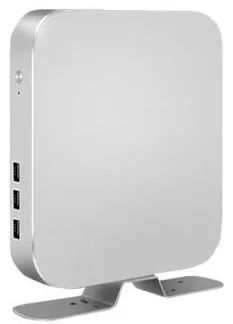
Players and platformWhich device drives each screen: a built-in Android or Windows player, an external media player or an HDMI input from another source. The CMS must support the platform and version actually in use.
ConnectivityWired, Wi-Fi or mobile data at each screen position, who provides it, and any firewall or proxy rules. Networks that carry a lot of video need a realistic view of bandwidth.
Offline playbackWhether players store content locally and keep playing to schedule if the connection is lost, and how long they can run before they need to reconnect.
Proof of playWhether you need a record of what played, where and when, for example to report to advertisers. This is a scoping item: not every CMS or player provides it, and it affects the choice of both.
Hosting and accessWhether the CMS is hosted as a cloud service or on your own infrastructure, who administers it and how users sign in.
Screen formatsThe resolution and orientation of every display type in the network, including non-standard wide or tall formats and video walls, so that artwork templates are made to fit.
Urgent and override contentWhether you need a way to push an urgent message to some or all screens, and who is authorised to do it.

Scroll sideways to see the whole table.

Configured product or bespoke build

There are two honest routes. The first is to select, configure and roll out an established third-party signage CMS that fits your requirements, with set-up of screen groups, templates and user roles done for you. For many signage networks this is the sensible answer, and we will tell you when it is.

The second is a bespoke build. It makes sense when content must be driven by your own data — live prices, availability, queue numbers, room bookings — or when signage is one part of a wider system we are building for you. Many projects combine the two: a standard CMS for campaigns and playlists, with a bespoke data feed or template for the parts specific to your business. The scope sets out the options, their licence and hosting implications, and our recommendation.

For the wider project, including surveys, mounting and content production, see the digital signage rollout checklist.

Questions to answer before you commission

  • How many screens, at how many sites, and how is that expected to change?
  • Who creates content, who approves it and who publishes it, and are they the same person?
  • How often does content change: daily prices, weekly offers, seasonal campaigns?
  • Does any content need to come from live data such as prices, availability, bookings or queue numbers?
  • What may local managers change, and what must they not be able to change?
  • Do advertisers or partners need reports of what was shown?
  • What connectivity exists at each screen position today?
  • Are any screens already installed, and which players and platform versions do they use?
  • What should a screen show if it loses its connection or its content expires?

What this includes — and what it does not

What is and is not included

Kiosk Craft does not bundle a content management system or cloud service with its displays, and does not operate a proprietary signage platform. Content management is scoped for your project and delivered either by configuring a suitable third-party CMS or by bespoke development, as agreed during scoping.

CMS licences, hosting, player software, content creation and support are separate from the display hardware. Remote monitoring and control of players depend on the chosen CMS and platform. The terms that apply are set out in your quotation.

Hardware that fits

Product families that suit the applications on this page. Options are confirmed with your quotation.
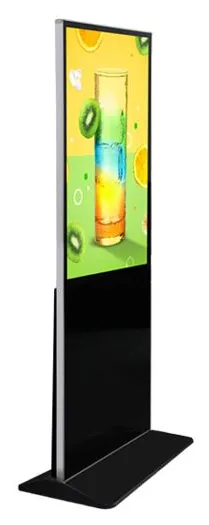
  • Wall-mounted advertising displays

    Wall-Mounted Advertising Displays

    Slim wall-mounted advertising screens in sixteen sizes from 10.1 to 98 inch, with Full HD as standard, an optional 4K panel and USB, Android or Windows playback.

    • 10.1 to 98 inch
    • Indoor
    • Wall-mounted
    • 300 to 450 nits
    View Options : Wall-Mounted Advertising Displays
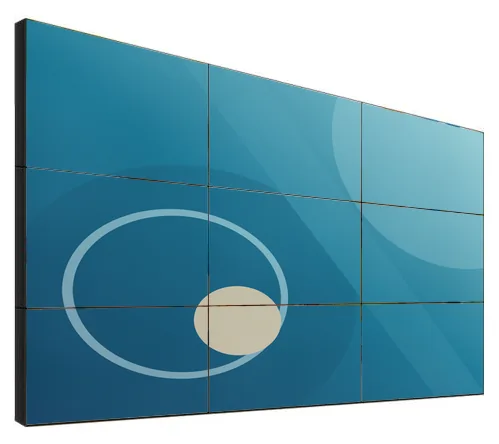
  • Video walls

    LCD Video Walls

    Narrow-bezel LCD panels from 46 to 75 inch, tiled into video walls with wall, cabinet, floor-stand or pop-out mounting and a processor matched to your sources.

    • 46 to 75 inch
    • Indoor
    • Wall-mounted / Freestanding
    • Touch optional
    View Options : LCD Video Walls

Guides to read next

Frequently asked questions

Do your displays come with a CMS?

Displays are supplied as configured hardware, and content management is scoped separately. Some display ranges offer USB media playback, which can suit a single screen whose content rarely changes. For anything networked, we scope the CMS with you and set out licence and hosting terms in your quotation.

Can we use a CMS we already have?

Possibly. It depends on whether your CMS supports the player platform in the displays you are considering. Tell us which CMS you use and we will check its published player requirements against the hardware configuration before you order.

What happens if a screen loses its internet connection?

That depends on the player and the CMS. Many signage set-ups store content on the player and carry on playing to schedule, then pick up changes when the connection returns. We treat offline playback as a requirement to be specified and tested, not an assumption.

Can screens show live prices or availability from our systems?

This can be scoped as a bespoke data feed or template, subject to an agreed integration with the system that holds the data. See integrations for what we need from your other suppliers.

Can different people manage different screens?

That can be set up. It is what permissions and screen groups are for. During scoping we map your organisation — head office, regions, sites, departments, agencies — to roles, and decide who may upload, schedule, approve and publish for each group.

Plan how your screens will be managed

Tell us how many screens you have or plan, who will change the content and how often. We will reply by email with questions and a recommended approach.