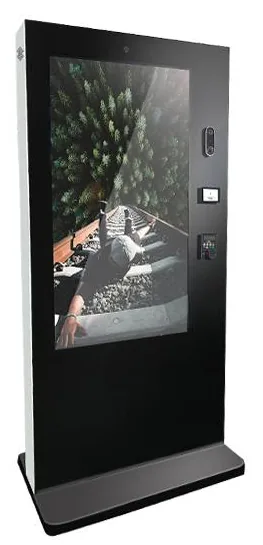
Wall-mounted kiosks
Wall-Mounted Ordering Kiosks
Wall-mounted self-service ordering kiosks that keep the floor clear. Four enclosure designs with 15.6, 21.5, 24 and 32 inch screen references.
- 15.6 to 32 inch
- Indoor
- Wall-mounted
- Touchscreen
Services
A kiosk or display needs somewhere suitable to stand or hang, power, usually a network connection and enough space for people to use it comfortably. None of that is complicated, but all of it must be settled before installation day. The usual causes of delay are a missing socket, a wall that will not take the load, a data point on the wrong side of the room and a delivery that will not fit through the door.
Installation planning means asking those questions early, for every site, and writing the answers down. Who then carries out each task — Kiosk Craft, a specialist installer or your own contractors working to our guidance — is agreed in the quotation.
Supply position, cable routes and containment, the network connection and any firewall rules the software needs. Electrical work is carried out by a qualified electrician, usually yours, before installation day.
Wall-mounted and floor-fixed units need fixings suited to the structure. Whether a wall or floor can carry the load, and which fixings to use, is the installer's assessment for each site. It is not something a product page can answer.
Outdoor freestanding units typically need a prepared base, ducting for power and data, drainage and some thought about vehicle impact. Groundwork is specified for the site and is usually carried out by a groundwork contractor.
One unit or one site first. The pilot proves the fixings, connectivity, software, staff routines and customer reaction, and its lessons are written into the rollout plan.
Delivery sequencing, pre-configuration and labelling by site, storage, access arrangements, removal of packaging and one sign-off checklist, so that every site is finished to the same standard.
Staff are shown daily routines such as paper changes, cleaning and restarts. You receive a record of what was installed where, with the configuration details that support will need.
Site questions answered, photos and measurements collected, constraints identified.
Power, data, groundwork and any consents arranged by the responsible party. Hardware configured, software loaded and tested.
The first unit or site is installed, used in real trading conditions and reviewed.
Changes from the pilot are made to the hardware configuration, software, fixing method or staff routine.
Remaining sites are scheduled in batches, with each site's prerequisites checked before its installation date.
Each installation is checked against the same list, signed off by your site contact and documented.
| Task | Commonly the responsibility of |
|---|---|
| Site survey information | You, using our question list. A survey visit can be quoted where needed. |
| Electrical supply and data cabling | Your electrician or your landlord's contractor. |
| Structural assessment and choice of fixings | The installer carrying out the work. |
| Outdoor bases and ducting | A groundwork contractor. |
| Hardware configuration and software loading | Kiosk Craft, where in scope. |
| Delivery, positioning and fixing | As agreed: Kiosk Craft, a specialist installer or your contractor. |
| Card terminal supply and set-up | Your payment provider. |
| Landlord, centre-management or planning consents | You. |
Scroll sideways to see the whole table.
Typical allocation only. Responsibilities for your project are agreed in the quotation.
Outdoor installations need more planning than indoor ones. Beyond the base and cabling, consider sun direction and glare, shelter for users, drainage, lighting at night and exposure to vehicles. Environmental ratings and brightness figures belong to specific outdoor models and are confirmed for the selected model with your quotation. They must never be assumed for indoor equipment placed outside or in an unheated space.
Window-facing displays sit indoors but compete with daylight. Tell us which direction the window faces and how much direct sun it gets, so that a suitably bright display and mounting method can be recommended. See shop window displays, outdoor kiosks and outdoor advertising displays.
What this includes — and what it does not
Installation is quoted separately from hardware and software, and only the tasks listed in your quotation are included. Electrical work, data cabling, structural assessment, groundwork, consents and making good are not included unless the quotation says so.
We do not publish standard lead times or installation dates. Wall and floor loading is always the installer's assessment for the specific site.
Wall-mounted kiosks
Wall-mounted self-service ordering kiosks that keep the floor clear. Four enclosure designs with 15.6, 21.5, 24 and 32 inch screen references.
Freestanding kiosks
Freestanding self-service ordering kiosks in fourteen enclosure styles, from slim pole stands to full-height towers, with 15.6 to 32 inch screen references.
Outdoor kiosks
Freestanding outdoor ordering and payment kiosks with 21.5 and 32 inch screen references, including canopy designs on bolt-down pedestals.
Shop window displays
Window-facing displays from 32 to 98 inch at 1,000 to 2,500 nits, single or double-sided, hung from the ceiling or on a floor stand behind the glass.
Outdoor advertising displays
Outdoor advertising screens from 21.5 to 98 inch in totem, wall and portable forms, with high-brightness panels and cooling options set for each model.
Video walls
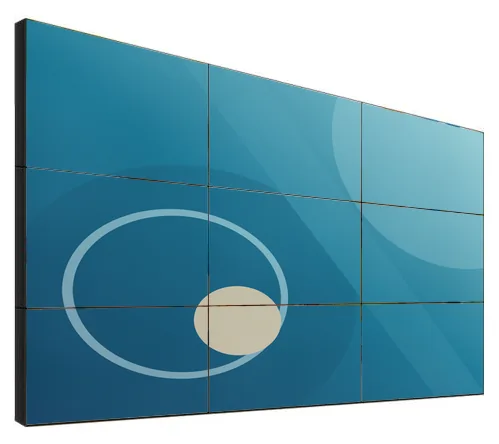
Narrow-bezel LCD panels from 46 to 75 inch, tiled into video walls with wall, cabinet, floor-stand or pop-out mounting and a processor matched to your sources.
Not always. For many indoor installations, good photos, measurements and answers to the survey questions are enough to specify hardware and plan the work. For outdoor units, large video walls or unusual structures, a survey visit may be advisable and can be quoted.
No. It depends on the wall's construction, the weight of the unit and the fixings used. That judgement belongs to the installer assessing the actual wall. Tell us what the wall is made of, and we will confirm the weight and mounting details for the selected model with your quotation.
Power requirements depend on the model and its peripherals and are confirmed for your configuration with the quotation. Outdoor units with heating or cooling, and displays fitted in vehicles, need particular attention. Your electrician should provide the supply to the agreed position before installation day.
Because real sites hold surprises. A pilot shows how customers approach the unit, whether the network holds up, how staff cope with paper changes and resets, and whether the software handles your busiest hour. Fixing these once is far cheaper than fixing them at every site.
A multi-site rollout can be planned and quoted. We recommend batches rather than a single date, with each site's power, data and access confirmed before its slot. The plan, the pace and who attends each site are agreed in the quotation.
Tell us where the equipment is going, how many sites are involved and who you already have for electrical and fixing work. We will reply by email with the questions to settle first.