KioskCraft
Your enquiry

Digital menu boards

Kiosk Craft Digital Menu Board

Family reference Ref KC-D06

Image not yet available

The range is described in full below.

A digital menu board is a set of screens plus a dependable way to keep prices and promotions right. We help you choose the screens, plan the layout above your counter and scope the content management that lets your team change a menu without reprinting it.

Product sheet

Quote-led, not a checkout: we confirm the configuration, price and lead time in your quotation.

Overview

About this range

Printed menus are slow and costly to change, which is why prices drift out of date and promotions get taped over the top. A digital menu board replaces them with one screen or a row of screens that your team can update for a new dish, a sold-out item or a different time of day.

In the restaurant systems we supply, the menu board is an optional component that sits alongside the cashier station, the ordering kiosk, the kitchen printer or kitchen screen and the queue screen. The catalogue pictures it as a row of three landscape screens carrying one continuous menu, but it gives no hardware specification for it. We therefore do not quote a size, brightness or mounting figure on this page.

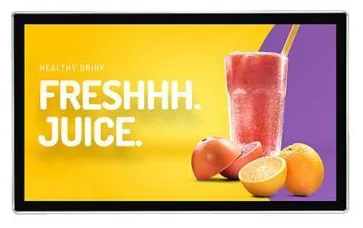
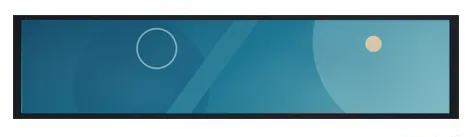
Instead, the screens are selected from our display families to suit your site. The usual choice above a counter is the wall-mounted advertising display range. A stretched bar display fits the narrow band above a servery or below a counter top, and a high-brightness shop window display suits a menu that faces the street. The specifications that apply are those of the family you choose, confirmed with your quotation.

The second half of the project is content. We can scope digital signage content management around the way you work: who edits the menu, how promotions are scheduled and how several sites stay consistent. If you also run ordering kiosks, whether the menu board reads the same product and price data is a defined piece of integration work, described under restaurant ordering software and the restaurant workflow, and quoted separately.
Suitable applications

Where this range fits

Example applications. The software and integrations behind each one are scoped for the project.

Key features

What this range offers

Stated features are printed for the range; optional ones are available on request. Neither means every design includes the item.

Design options

One design is pictured for this range

Each design is a different enclosure or format. Availability for your size and configuration is confirmed with your quotation.

Configuration options

Configure and add to your enquiry

Choose what you know and leave the rest. Catalogue options are pictured or stated for this range; anything else is recorded as a requirement for us to assess.

Number of screensChoose one

A three-screen row is pictured in the catalogue. Other counts are planned around your menu and wall space.

Screen family and sizeChoose one

Menu boards use screens from our display families. Choose the family here; sizes come from that family’s own list and are confirmed with your quotation.

OrientationChoose one

Mounting positionChoose one

The catalogue does not show how the menu board is fixed. Mounting follows the display family you choose and your site.

Content and softwareTick all that apply

Software is scoped and developed per project and quoted separately from the screens.

Menu designTick all that apply

How many units this configuration is for (1 to 9,999).

Anything that helps us assess this item, for example where it will go or what it must connect to. Please do not include personal or payment details.

0 of 1,000 characters

Your selections

No options chosen yet. You can add the item as it is and we will cover the details with you.

Quantity: 1 · 6 of 6 option groups left blank - we cover them in your quotation.

Adding an item builds your enquiry list. It is not an order or a checkout. We confirm the configuration, price and lead time in your quotation.

Request advice

Technical specifications

Specifications

Family-level information from the catalogue. Values that depend on the design or configuration are confirmed with your quotation.

How to read the markers

Stated
Printed for this range in the catalogue. Range-level statements do not mean every design includes the item.
Optional
Described as an option or a custom build for the range, available on request.
Confirmed at quotation
Not fixed for the range. We confirm it for your configuration in your quotation.
To be confirmed
The catalogue information is unclear, so we check it before quoting.

Where an attribute is not listed, it is not specified for the range. That never means the feature is absent.

Display

Layouts
Single screen or a row of several screens — three landscape screens are pictured side by sideStated

The number of screens is planned for your counter and confirmed with your quotation

Resolution
Depends on the display family selected — confirmed with your quotationConfirmed at quotation

Touch and interaction

Software features
Menu content management and any link to ordering data are scoped per projectConfirmed at quotation

Software is described and quoted separately from the screens

Platform and connectivity

Connectivity
Network connection is agreed together with the content management approachConfirmed at quotation

Other

Role in a restaurant system
Optional component alongside the cashier station, ordering kiosk, kitchen printer or kitchen screen and queue screenOptional
Screen hardware
Selected separately from our wall-mounted, stretched bar or shop window display familiesConfirmed at quotation

Size, brightness and mounting are those of the chosen family — confirmed with your quotation

Stated, optional and confirmed

What is stated, what is optional, and what we confirm

Range-level statements do not mean every design includes every item. Missing information is not specified, never assumed.

Stated for this range

  • Shown as an optional component in all three catalogue restaurant system configurations
  • Pictured as a row of three landscape screens carrying one continuous menu

Available as options

  • Screens from the wall-mounted advertising display family
  • Stretched bar screens for narrow spaces above a servery or along a counter
  • High-brightness window-facing screens for menus shown to the street
  • Content management scoped for scheduled menus and promotions
  • A link to your ordering or till data, subject to the agreed integration
  • Menu layout and artwork through our design and branding service

Confirmed with your quotation

  • Screen size, resolution and brightness — set by the display family you choose
  • Number of screens and whether they run in landscape or portrait
  • Wall, ceiling or window mounting and the fixings your site needs
  • Built-in platform or separate media player for each screen
  • How menu content is updated and who in your team manages it
  • Whether prices come from your ordering system or are entered separately
  • Network connection and power at screen height

Compatible software and services

Software, solutions and services

Software is scoped and developed per project and quoted separately from the hardware.

Software

Solutions

Services

Installation considerations

Planning the installation

  1. Plan from where the queue stands. Mounting height, viewing distance and the angle from the back of the queue decide the screen size and how much text each screen can carry.

  2. Provide power and a data point at screen height, ideally hidden behind the screens, before the wall is finished or tiled.

  3. Keep standard indoor screens away from fryers, grills and steam. Heat and grease shorten the life of any display, so position and ventilation are agreed during the site review.

  4. Use the same screen model across a row and a bracket system that allows fine levelling, so the menu lines up from one screen to the next.

  5. Where a menu faces the street through glass, choose a high-brightness window-facing screen rather than a standard indoor display.

  6. Fixing, cabling and commissioning can be arranged through our [installation and rollout service](/services/installation-rollout), quoted separately from the hardware.

Frequently asked questions

Questions about digital menu boards

Is the digital menu board a specific screen model?

No. The catalogue shows a menu board only as an optional part of a restaurant system and gives no hardware specification for it. We build a menu board from one of our display families — usually wall-mounted displays, sometimes stretched bar or high-brightness window displays — so the size, brightness and mounting are those of the screens you select, confirmed with your quotation.

How many screens do I need?

It depends on the length of your menu, how far away customers stand and the wall space above the counter. As a guide, a short café menu can work on one or two screens, while a counter with several categories often uses a row of three, as pictured in the catalogue. We plan the layout with you before recommending a screen size.

Can prices update automatically from my ordering or till system?

That is an integration question rather than a screen feature. Where your ordering or till system can share its product and price data, we can scope a link so the menu board reflects it, subject to the agreed integration. Otherwise menus are edited in the content management tool. See software integrations for how we approach this.

Can the menu change by time of day?

Scheduling by time of day, such as breakfast, lunch and evening menus, is a typical requirement for digital signage content management and one we can scope for you. The exact scheduling rules are agreed with you and developed around how your kitchen and front of house work.

Do the screens need an internet connection?

It depends on how you want to update them. Some display families support simple USB playback, which needs no network but means visiting each screen to change content. Central scheduling across screens or sites needs a network connection at the counter. We agree the approach with you and set it out in the quotation.

How is a menu board project quoted?

Hardware, software development, design work and ongoing management are described and quoted separately, so you can see what each part covers. Prices, lead times, warranty and support terms are set out in your quotation rather than on this website.

Ready to talk about this range?

Add it to your enquiry with the options you know, or ask for advice. We recommend the right configuration and confirm it in a written quotation.