Kitchen Display System
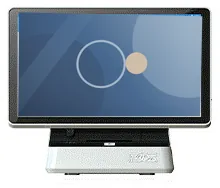
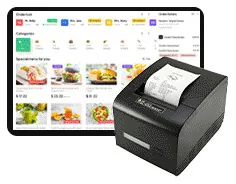
A kitchen touchscreen that shows incoming orders from kiosks and tills. Hardware and software are scoped together, with or without a kitchen ticket printer.
- Touchscreen
Digital menu boards
Family reference Ref KC-R03
Scoped per project
No standard hardware photo. The equipment for this part of the system is specified with your project.
Once a customer has ordered, they need to know when to come forward. A collection screen shows order numbers as they move from preparing to ready, driven by the same ordering system as your kiosks and kitchen display.
Quote-led, not a checkout: we confirm the configuration, price and lead time in your quotation.
Overview
A self-service kiosk moves the queue away from the till, but customers still have to find out when their food is ready. In the restaurant workflow we illustrate, pickup numbers are shown on a collection screen automatically, and customers collect when they see that their order is ready. Nobody has to call numbers across a busy room.
The illustrated example splits the screen in two. One side lists order numbers in two columns — orders being made and orders ready to pick up — and the other side carries promotional content. It is a layout rather than a fixed product: the columns, wording, colours and the share of the screen given to promotions are designed for your brand and your space.
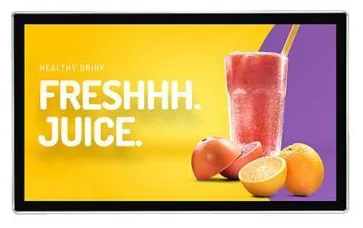
No display hardware is specified for the collection screen, so it is chosen to suit where customers wait. That may be a wall-mounted advertising display above the pass, or a screen positioned beside your digital menu boards. Screen size, mounting and the player or platform that drives it are confirmed with your quotation.
The numbers come from the ordering software, so the collection screen is always scoped with the restaurant ordering software and the rest of the restaurant workflow. It appears in two of the three configurations we illustrate; the simplest one leaves it out, which can suit a small site where staff hand orders over directly. Hardware, software and ongoing management are quoted separately.
Suitable applications
A screen above or beside the pass shows which orders are being made and which are ready, so customers can wait away from the counter until their number appears.
Where customers sit some distance from the counter, a larger screen placed where it can be seen from the seating lets them stay at the table until the order is ready. Example application.
The same preparing and ready layout can be scoped for a retail collection desk, for example to show which orders have been picked and are waiting. The link to your order system is subject to the agreed integration.
A collection screen facing the waiting area lets walk-in customers and couriers see progress without asking at the counter. Separate lists for different order types are an example of something the software scope can cover.
Key features
The illustrated example lists order numbers in two columns: orders being made and orders ready to pick up. Column names and the number format are set in the software scope.
In the illustrated workflow, pickup numbers appear on the screen automatically as orders progress. The screen is driven by the ordering software rather than keyed in by hand.
The illustrated example shares the screen between order numbers and promotional content, so the display keeps working for you while customers wait.
A collection screen is included in two of the three restaurant configurations we illustrate. The simplest configuration runs without one.
The screen is selected from commercial display hardware to suit viewing distance, position and lighting. Size, mounting and the player or platform are confirmed with your quotation.
Colours, fonts, wording and the promotional area can be designed as part of the project, so that the collection screen matches your menu boards and kiosk screens.
Configuration options
Choose what you know and leave the rest. Catalogue options are pictured or stated for this range; anything else is recorded as a requirement for us to assess.
How many units this configuration is for (1 to 9,999).
Anything that helps us assess this item, for example where it will go or what it must connect to. Please do not include personal or payment details.
0 of 1,000 characters
No options chosen yet. You can add the item as it is and we will cover the details with you.
Quantity: 1 · 5 of 5 option groups left blank - we cover them in your quotation.
Adding an item builds your enquiry list. It is not an order or a checkout. We confirm the configuration, price and lead time in your quotation.
Order Collection & Queue Screens
Qty 1 · no options chosen yet
Technical specifications
How to read the markers
Where an attribute is not listed, it is not specified for the range. That never means the feature is absent.
The layout is designed for your project
Scoped with the ordering software and confirmed with your quotation
Stated, optional and confirmed
Compatible software and services
Installation considerations
Place the screen where waiting customers naturally look — usually above or beside the collection point — and check the sight lines from the seating and the entrance.
Choose the screen size for the furthest viewing distance, so that order numbers can be read without customers crowding the counter.
Avoid positions facing strong daylight or reflections from windows. Screen brightness is confirmed with the display hardware.
Provide power and a network connection at the screen position, ideally concealed. Wall or ceiling fixing details are confirmed with your quotation.
Decide how long a ready order stays on screen and what happens to uncollected orders. Those rules belong in the software scope.
Related products
A kitchen touchscreen that shows incoming orders from kiosks and tills. Hardware and software are scoped together, with or without a kitchen ticket printer.
The staffed order and payment point in a restaurant ordering system, scoped together with your kiosks, kitchen screens and collection displays.
Digital menu boards
Single or multi-screen digital menu boards for counters and collection points, built from our display families and paired with content management scoped to you.
Wall-mounted advertising displays
Slim wall-mounted advertising screens in sixteen sizes from 10.1 to 98 inch, with Full HD as standard, an optional 4K panel and USB, Android or Windows playback.
Freestanding kiosks
Freestanding self-service ordering kiosks in fourteen enclosure styles, from slim pole stands to full-height towers, with 15.6 to 32 inch screen references.
Countertop kiosks
Compact self-service ordering terminals for counters and reception desks. Nine designs with 15.6, 21.5 and 24 inch screen references.
Frequently asked questions
From the ordering software. In the workflow we illustrate, pickup numbers appear automatically as the kitchen works through orders, and the customer collects when they see theirs is ready. Because the screen is driven by that software, we always scope the two together rather than supplying a screen on its own.
Yes — the illustrated example does exactly that, with order numbers on one side and promotional content on the other. How much of the screen goes to promotions, and how that content is updated, is agreed in the software scope.
There is no fixed hardware for the collection screen. We select a commercial display to suit the viewing distance, position and lighting where your customers wait, and confirm its size, mounting and the player or platform that drives it with your quotation.
Not always. Of the three restaurant configurations we illustrate, two include a collection screen and the simplest one does not. A small site where staff hand orders straight over the counter may manage without one; a busy site with kiosks usually benefits from it.
It depends on whether your software can publish order statuses to an external screen. We assess that first. Where integration is feasible it is described and quoted separately; where it is not, we will say so and set out the alternatives.
Possibly. Menu boards are an optional part of every restaurant configuration we illustrate, and showing order numbers on part of a menu board is something we can assess. It depends on the menu board software and on whether customers can see the boards from where they wait.
Add it to your enquiry with the options you know, or ask for advice. We recommend the right configuration and confirm it in a written quotation.