KioskCraft
Your enquiry

Wall-mounted advertising displays

Kiosk Craft Wall-Mounted Advertising Display

Family reference Ref KC-D04

Landscape wall-mounted advertising display in a slim black frame seen from the front
Example design and example on-screen content shown

The everyday workhorse of digital signage: a slim black screen on the wall, in a size for almost any space from a till point to a feature wall. Load content by USB for a single screen, or choose an Android or Windows configuration and schedule it across your sites.

  • 10.1 to 98 inch
  • Indoor
  • Wall-mounted
  • 300 to 450 nits
Product sheet

Quote-led, not a checkout: we confirm the configuration, price and lead time in your quotation.

Also listed under Digital menu boards.

Overview

About this range

The Kiosk Craft Wall-Mounted Advertising Display is a commercial screen in a black metal enclosure with a 3 mm tempered glass front. The range is listed in sixteen sizes, from 10.1 inch screens that suit a shelf edge or till point up to 98 inch screens for a feature wall, which makes it practical to keep one look across very different positions.

The range is described with an IPS panel and LED backlight, 178° viewing angles and a brightness of 300 to 450 nits. That is an indoor level, right for walls inside shops, restaurants, hotels and stations, and not for a sunlit window. Resolution is stated as 1920 × 1080 (Full HD), with 4K listed as an option; which sizes offer the 4K option, and the native resolution of the smallest screens, are confirmed with your quotation.

Content can be played three ways. USB standalone playback needs no network and suits a single screen that changes occasionally. Android or Windows configurations suit screens that are scheduled and updated over the network — the supported platform version is confirmed with your quotation. Scheduling for one screen or many can be scoped through digital signage content management.

Rows of wall-mounted screens are also the usual hardware for menu boards. If that is your aim, read this page alongside the Digital Menu Board page, which covers how menus, prices and dayparts are managed. Hardware and any software work are quoted separately.
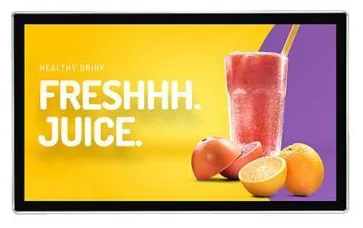
Suitable applications

Where this range fits

Example applications. The software and integrations behind each one are scoped for the project.

Key features

What this range offers

Stated features are printed for the range; optional ones are available on request. Neither means every design includes the item.

Design options

One design is pictured for this range

Each design is a different enclosure or format. Availability for your size and configuration is confirmed with your quotation.

Configuration options

Configure and add to your enquiry

Choose what you know and leave the rest. Catalogue options are pictured or stated for this range; anything else is recorded as a requirement for us to assess.

Screen sizeChoose one

OrientationChoose one

The display is pictured in landscape. Portrait mounting is confirmed for your configuration.

ArrangementChoose one

Enter the number of screens in the quantity field.

MountingChoose one

Wall mounting is stated for the range. The bracket type is confirmed with your quotation.

How content is playedChoose one

The supported platform version is confirmed with your quotation.

TouchChoose one

Touch is not described for this range.

Finish and brandingTick all that apply

Software requirementTick all that apply

Software is scoped and quoted separately from the hardware. Tell us in the notes if you need the 4K panel option.

How many units this configuration is for (1 to 9,999).

Anything that helps us assess this item, for example where it will go or what it must connect to. Please do not include personal or payment details.

0 of 1,000 characters

Your selections

No options chosen yet. You can add the item as it is and we will cover the details with you.

Quantity: 1 · 8 of 8 option groups left blank - we cover them in your quotation.

Adding an item builds your enquiry list. It is not an order or a checkout. We confirm the configuration, price and lead time in your quotation.

Request advice

Technical specifications

Specifications

Family-level information from the catalogue. Values that depend on the design or configuration are confirmed with your quotation.

How to read the markers

Stated
Printed for this range in the catalogue. Range-level statements do not mean every design includes the item.
Optional
Described as an option or a custom build for the range, available on request.
Confirmed at quotation
Not fixed for the range. We confirm it for your configuration in your quotation.
To be confirmed
The catalogue information is unclear, so we check it before quoting.

Where an attribute is not listed, it is not specified for the range. That never means the feature is absent.

Display

Screen sizes
10.1, 13.3, 15.6, 18.5, 21.5, 23.8, 27, 32, 43, 49, 55, 65, 75, 85, 86 and 98 inchStated
Orientation
Pictured in landscape. Portrait mounting is confirmed for your configurationStated
Brightness
300 to 450 nitsStated

Indoor brightness level, confirmed for the selected size

Resolution
1920 × 1080 (Full HD), with 4K listed as an optionStated

Which sizes offer 4K, and the native resolution of the smallest sizes, are confirmed with your quotation

Panel
IPS panel with LED backlightStated
Viewing angle
178° horizontal and 178° verticalStated

Installation

Mounting
Wall-mountedStated

Bracket type is confirmed with your quotation

Environment
Indoor useStated

No weather protection is stated for this range

Platform and connectivity

Operating platform
USB standalone playback, or Android or Windows configurations — the supported platform version is confirmed with your quotationStated

Construction and finish

Construction
Black metal enclosure with a 3 mm tempered glass frontStated
Finish
BlackStated

Stated, optional and confirmed

What is stated, what is optional, and what we confirm

Range-level statements do not mean every design includes every item. Missing information is not specified, never assumed.

Stated for this range

  • Screen sizes of 10.1, 13.3, 15.6, 18.5, 21.5, 23.8, 27, 32, 43, 49, 55, 65, 75, 85, 86 and 98 inch
  • Black metal enclosure with a 3 mm tempered glass front
  • 178° horizontal and vertical viewing angles
  • Brightness of 300 to 450 nits
  • IPS panel with LED backlight
  • Resolution of 1920 × 1080 (Full HD)
  • USB standalone, Android or Windows configurations

Available as options

  • 4K panel option, confirmed for the selected size
  • Portrait mounting, confirmed for your configuration
  • Rows of screens for menu boards, assessed per project
  • Touchscreen, which the catalogue does not describe, assessed per project
  • Custom colour or printed branding, assessed per project
  • Content scheduling software, scoped and quoted separately
  • Device monitoring and management, scoped and quoted separately

Confirmed with your quotation

  • Which sizes offer the 4K option
  • Native resolution of the smallest sizes
  • Whether the selected size can be mounted in portrait
  • The supported Android or Windows version, processor, memory and storage
  • Wall bracket type and fixing pattern
  • Video inputs, network connections and Wi-Fi, which the catalogue does not state
  • Speakers and audio output, which the catalogue does not describe
  • Depth, weight and power requirements for the selected size
  • Whether the screen is rated for the hours you plan to run it

Compatible software and services

Software, solutions and services

Software is scoped and developed per project and quoted separately from the hardware.

Software

Solutions

Services

Installation considerations

Planning the installation

  1. The wall must carry the weight of the selected size. Larger screens need a structural wall or suitable reinforcement, checked before installation.

  2. Place power and any network point behind the screen or directly beside it so that no cable shows.

  3. Leave the ventilation space the screen needs, particularly if it is recessed into joinery. We confirm the clearances for the selected size.

  4. At 300 to 450 nits this is an indoor display. Avoid walls that face a sunlit window, where reflections reduce readability.

  5. Mount promotional screens at eye level, and menu boards high enough to be read over the queue.

  6. For a row of screens, agree the spacing and alignment before the brackets go up. Small gaps look deliberate; uneven ones do not.

  7. Fixing, cabling and commissioning are covered under installation and rollout and are set out in the quotation.

Frequently asked questions

Questions about wall-mounted advertising displays

Which sizes are available?

The range is listed in sixteen sizes: 10.1, 13.3, 15.6, 18.5, 21.5, 23.8, 27, 32, 43, 49, 55, 65, 75, 85, 86 and 98 inch. The smallest suit shelf edges, till points and door signs. The 32 to 55 inch sizes cover most promotional and menu positions, and the largest are feature screens.

Can the display be mounted in portrait?

The display is pictured in landscape, and the catalogue does not state portrait mounting in words. Many commercial screens can be turned, but we do not assume it: portrait mounting is confirmed for the size and configuration you choose.

How do we update the content?

With USB standalone playback, someone loads pictures and video from a memory stick at the screen. With an Android or Windows configuration, content can be scheduled and changed over the network, which is the practical route for several screens. The scheduling tool itself is a separate piece of work, described under digital signage content management.

Can these screens be used as menu boards?

Yes, that is a common use, usually as a row of landscape screens above the counter. The screens are the simple part. Managing menus, prices and times of day is a software job, which is described on the Digital Menu Board page and in restaurant ordering software.

Is it bright enough for a shop window?

It is not the right choice for one. The range is stated at 300 to 450 nits, which works well on an interior wall but fades against daylight. If the screen has to be read from the street, use the high-brightness shop window displays in the window and keep this range for the walls inside.

What is needed on the wall?

A wall that can take the weight, a power point behind or beside the screen, and a network point if content is updated over a wired connection. We confirm the bracket, the fixing pattern and the clearances for the size you choose, and the work is described under installation and rollout.

Ready to talk about this range?

Add it to your enquiry with the options you know, or ask for advice. We recommend the right configuration and confirm it in a written quotation.