KioskCraft
Your enquiry

Advertising boards & digital signage

Digital menu boards for restaurants, cafés and takeaways

Menu screens chosen from our wall-mounted, stretched and window display ranges, with content management scoped so items and prices stay current.
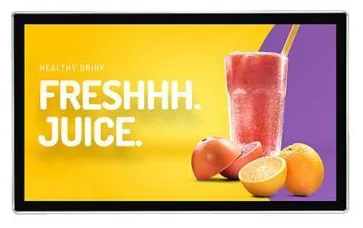
Landscape wall-mounted advertising display in a slim black frame seen from the frontUltra-wide stretched bar display in a slim black frame seen from the front, suited to shelf edges and overhead signage

A digital menu board is less a product than a job: show the right items and prices, at the right time of day, in the place where customers decide what to order. The screen is chosen to suit the position. The value comes from how easily your team can change what it shows.

That is why there is no single menu board model. Digital Menu Boards (view the range) are put together from display families matched to the position: Wall-Mounted Advertising Displays (view the range) in a row above the counter, Stretched Bar Displays (view the range) where height is tight, and high-brightness shop window displays where the menu faces the street. Where orders are called for collection, an Order Collection & Queue Screen (view the range) can sit alongside.

Content management is scoped separately, around who changes the menu, how often, and across how many sites. If you also take orders on kiosks or at a till, the menu board can be planned as part of a wider restaurant ordering set-up so that items and prices come from one source, subject to the agreed integration. The restaurant workflow page shows how the screens, kiosks and kitchen fit together.
Catalogue

Products in this category

Each product family covers several designs and sizes. Open a family to see its options and stated specifications, or add it to your enquiry and tell us what you need.

Showing all 4 products

Where they fit

Suitable applications

Typical uses for the products in this category, drawn from the catalogue. The configuration for your site is confirmed with your quotation.
  • Above-counter menus

    Replace printed or lightbox menus with a row of screens that can be updated when a price or an item changes, without reprinting.

  • Menus that change through the day

    Show breakfast, lunch and evening menus on the same screens, with the changeover scheduled where content management is scoped for it.

  • Window-facing menus and offers

    Put the menu and today's specials in the window on a high-brightness display so they can be read from the street.

  • Order collection and queue screens

    Show order numbers being prepared and ready to collect, alongside the menu, as part of a restaurant ordering workflow.

  • Drive-through and outdoor menus

    Example application: a menu beside a drive-through lane uses a screen from the outdoor display range, not an indoor one.

  • Promotional screens beside the menu

    Dedicate one screen to meal deals, new items or loyalty offers so the main menu stays easy to read.

Choosing

How the options differ

The decisions that separate one option from another, and what each one depends on.
  1. Step 1

    A row of standard screens or a stretched strip

    Most menu boards use a row of standard 16:9 wall displays side by side, each carrying a section of the menu. Where there is little height above the counter, a stretched bar display gives a long, shallow strip instead. The frames between screens stay visible, so menus are designed screen by screen so that no item or price falls across a join.

  2. Step 2

    Inside, window-facing or outside

    Brightness follows the position. Wall-mounted displays are listed at 300 to 450 nits for interior walls. Stretched bar displays are listed at 300 or 700 nits. A menu facing the street through glass needs the shop window range at 1,000 to 2,500 nits, and a menu outside the building needs an outdoor display.

  3. Step 3

    Standalone playback or managed content

    A small café with a fixed menu can run image files from USB media and change them by hand. A business with daily specials, several sites or frequent price changes is better served by networked Android or Windows configurations with content management, scoped around who is allowed to change what.

  4. Step 4

    Menu boards within an ordering system

    In a restaurant ordering system the menu board is an optional element alongside the cashier station, ordering kiosks, kitchen screen or printer and the queue screen. Linking the menu board to the same item and price data can be scoped, but it is a software integration, not something the screen does by itself.

Beyond the hardware

Software and solutions that go with these products

Software scoped around these products

Applications and management tools are designed and built per project, then quoted separately from the hardware.

Solutions that use them

Hardware, software and services combined around a job you need done.

Questions

Digital menu boards: frequently asked questions

Is there a specific screen sold as a menu board?

No. A digital menu board is a use of display hardware, not a separate model with its own specification. We select screens from the wall-mounted, stretched bar or shop window ranges to suit the position, then scope the content management that keeps the menu current. Your quotation lists the chosen screens, mounts and any software separately.

How do we change prices and items?

That depends on how the content side is set up. With standalone USB playback, someone replaces the image files by hand. With networked screens, content management can be scoped so that an authorised person edits the menu once and publishes it to every screen. We scope that around your business: who can make changes, whether head office controls prices, and how many sites are involved. See digital signage content management.

Can the menu switch automatically from breakfast to lunch?

Scheduling by time of day is a common content management requirement and can be scoped for your project. It needs networked screens on an Android or Windows configuration, not standalone USB playback. Tell us your day-parts and how often they change when you enquire.

Can the menu board link to our till or ordering kiosks?

It can be scoped, subject to the agreed integration. The screens themselves only display content, so showing live items, prices or sold-out status from a till or ordering system means connecting to that system's data. Whether that is practical depends on what your system can share. We cover this under software integration and restaurant ordering.

How many screens will I need?

It depends on the length of your menu, the width of the counter and how far away customers stand when they choose. A short menu read from close range may need one or two screens. A long menu with photographs needs more. Send us a photo of the counter area, rough dimensions and your current menu, and we will suggest a layout with your quotation.

Tell us what you need

Describe what the screen needs to do and where it will go. We will recommend the right hardware and software and confirm the configuration in a written quotation.