KioskCraft
Your enquiry

Interactive whiteboards

Kiosk Craft Interactive Whiteboard

Family reference Ref KC-I01

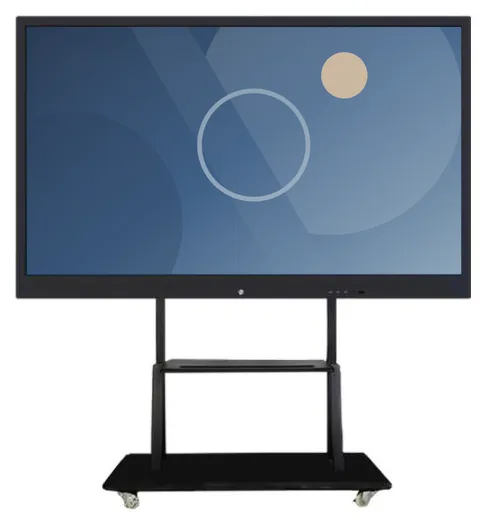
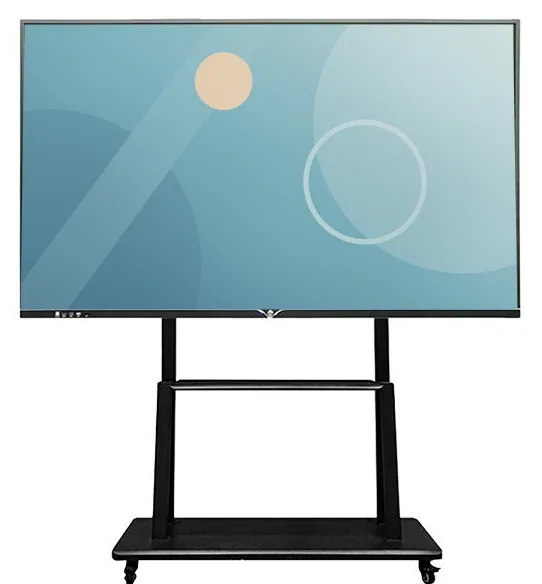
Large interactive whiteboard display in a slim black frame on a wheeled mobile stand with a lower shelf
Example design and example on-screen content shown

A large 4K touchscreen that people can write on, present from and gather round. It is offered in seven sizes, with Android and Windows configurations, optional camera and microphone, and a choice of wall mounting or a mobile stand.

  • 55 to 110 inch
  • Indoor
  • Wall-mounted / Mobile stand
  • Touchscreen
Product sheet

Quote-led, not a checkout: we confirm the configuration, price and lead time in your quotation.

Overview

About this range

The Kiosk Craft Interactive Whiteboard is a large-format touch display for rooms where people present, teach and work through ideas together. The range is listed in seven sizes — 55, 65, 75, 85, 86, 98 and 110 inch — all at 3840 × 2160 (4K UHD), with 20-point infrared touch so that more than one person can write at once.

The range is described as a dual-system board: an Android configuration alongside Windows, with Windows provided by a slot-in OPS computer module. A built-in camera, a built-in microphone and anti-glare glass are listed as options. The board can be mounted on a wall or carried on a mobile stand, and two stand styles are pictured.

The catalogue also describes software functions: writing, erasing and zooming, document presentation, wireless screen sharing and interaction between several screens. We do not take those on trust. Software licensing and supported functionality are verified for your configuration before we quote, including which devices can share to the board and in which languages the tools are offered.

If your organisation already relies on particular meeting, classroom or collaboration software, tell us at the start. The choice between Android and Windows usually follows from that, and the supported platform version is confirmed with your quotation. Hardware, any software work and ongoing support are quoted separately.
Suitable applications

Where this range fits

Example applications. The software and integrations behind each one are scoped for the project.

Key features

What this range offers

Stated features are printed for the range; optional ones are available on request. Neither means every design includes the item.

Design options

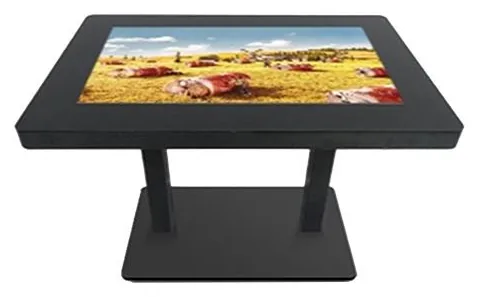
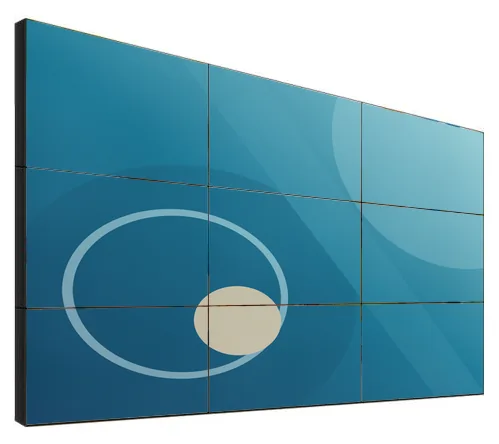
Three designs are pictured for this range

Each design is a different enclosure or format. Choose one to set it in the configurator below; size options and peripheral positions are confirmed with your quotation.

Configuration options

Configure and add to your enquiry

Choose what you know and leave the rest. Catalogue options are pictured or stated for this range; anything else is recorded as a requirement for us to assess.

Screen sizeChoose one

As a rule of thumb, larger rooms and longer viewing distances need larger boards. Tell us the room depth if you are unsure.

MountingChoose one

Wall mounting and mobile stands are both stated. Stand suitability depends on the size and weight of the board and is confirmed with your quotation.

Operating platformChoose one

The supported platform version is confirmed with your quotation.

Camera and microphoneChoose one

Both are listed as optional functions.

GlassChoose one

Finish and brandingTick all that apply

Software requirementTick all that apply

Functions described in the catalogue are verified for your configuration before we quote. Anything further is scoped separately.

How many units this configuration is for (1 to 9,999).

Anything that helps us assess this item, for example where it will go or what it must connect to. Please do not include personal or payment details.

0 of 1,000 characters

Your selections

No options chosen yet. You can add the item as it is and we will cover the details with you.

Quantity: 1 · 7 of 7 option groups left blank - we cover them in your quotation.

Adding an item builds your enquiry list. It is not an order or a checkout. We confirm the configuration, price and lead time in your quotation.

Request advice

Technical specifications

Specifications

Family-level information from the catalogue. Values that depend on the design or configuration are confirmed with your quotation.

How to read the markers

Stated
Printed for this range in the catalogue. Range-level statements do not mean every design includes the item.
Optional
Described as an option or a custom build for the range, available on request.
Confirmed at quotation
Not fixed for the range. We confirm it for your configuration in your quotation.
To be confirmed
The catalogue information is unclear, so we check it before quoting.

Where an attribute is not listed, it is not specified for the range. That never means the feature is absent.

Display

Screen sizes
55, 65, 75, 85, 86, 98 and 110 inchStated
Resolution
3840 × 2160 (4K UHD)Stated
Orientation
Landscape, as picturedStated

Touch and interaction

Touch
20-point touchscreenStated
Touch technology
20-point infrared (IR) touchStated
Camera
Optional built-in cameraOptional

Camera resolution is confirmed with your quotation

Microphone
Optional built-in microphoneOptional
Software features
The catalogue describes writing, erasing and zoom tools, document presentation, wireless screen sharing and interaction between several screensStated

Software licensing and supported functionality are verified for your configuration

Installation

Mounting
Wall-mounted or on a mobile stand with castorsStated

Stand suitability depends on the size and weight of the board

Environment
Indoor useStated

Platform and connectivity

Operating platform
Android and Windows configurations — the supported platform version is confirmed with your quotationStated
Processing
Windows is provided by a slot-in OPS computer module, with processor options specified per projectStated

Configuration-dependent

Peripherals and options

Peripheral options
Optional built-in camera and microphoneOptional

Construction and finish

Construction
Optional anti-glare glassOptional

Standard glass specification is confirmed with your quotation

Stated, optional and confirmed

What is stated, what is optional, and what we confirm

Range-level statements do not mean every design includes every item. Missing information is not specified, never assumed.

Stated for this range

  • Screen sizes of 55, 65, 75, 85, 86, 98 and 110 inch
  • 3840 × 2160 (4K UHD) resolution
  • 20-point infrared touch
  • Android and Windows configurations, with Windows on a slot-in OPS computer module
  • Wall mounting or a mobile stand
  • Writing, erasing, zoom, document presentation and wireless screen-sharing functions are described in the catalogue

Available as options

  • Built-in camera
  • Built-in microphone
  • Anti-glare glass
  • Processor option for the Windows OPS module, specified per project
  • Custom colour or printed branding, assessed per project
  • Use as a signage screen when the room is idle, scoped and quoted separately

Confirmed with your quotation

  • Software licensing and supported functionality for your configuration
  • Which devices and operating systems can share wirelessly to the board
  • The supported Android and Windows versions, processor, memory and storage
  • Brightness, viewing angle and glass specification
  • Speakers and audio output, which the catalogue does not describe
  • Video and USB inputs for connecting laptops and room equipment
  • Pens, erasers and accessories supplied with the board
  • Weight of the selected size, wall suitability and the matching stand
  • Camera resolution and microphone pick-up range, if those options are chosen

Compatible software and services

Software, solutions and services

Software is scoped and developed per project and quoted separately from the hardware.

Software

Services

Installation considerations

Planning the installation

  1. Large boards are heavy. Wall mounting needs a wall that can carry the load, checked before installation, with power and network points placed behind or beside the board.

  2. A mobile stand suits shared and hired rooms. Check door widths, lifts and thresholds along the routes the board will travel.

  3. Set the mounting height so that the people who will write on the board can reach the top of the working area. This matters most in primary classrooms.

  4. Think about windows and overhead lighting when choosing the wall. Anti-glare glass is listed as an option for bright rooms.

  5. If the board will be used for calls, consider where people sit in relation to the optional camera and microphone.

  6. Delivery, mounting, stand assembly and commissioning are covered under installation and rollout and are set out in the quotation.

Frequently asked questions

Questions about interactive whiteboards

Does the whiteboard include teaching or meeting software?

The catalogue describes writing, erasing and zoom tools, document presentation and wireless screen sharing, and refers to built-in teaching software. We do not assume that any of this matches what you need. Software licensing and supported functionality are verified for your configuration before we quote. If you depend on specific meeting or classroom software, tell us and we will check compatibility as part of that.

Should we choose Android, Windows or both?

The range is described as a dual-system board. Android runs on the board itself, and Windows is provided by a slot-in OPS computer module. If your organisation standardises on Windows applications, the OPS module is usually the deciding factor. The supported platform version and the processor option are confirmed with your quotation.

Can we use the board for video calls?

A built-in camera and a built-in microphone are listed as options, and you would use them with the meeting software your organisation already has. We confirm the camera and microphone specification, and check compatibility with your software, before quoting. Speakers are not described in the catalogue, so audio output is confirmed at the same time.

Wall mount or mobile stand?

Wall mounting keeps the floor clear and suits a room with one natural front. A mobile stand suits shared spaces, hired rooms and buildings where the wall cannot take the load. Stand suitability depends on the size and weight of the board, so we confirm the matching stand with your quotation.

Which size suits our room?

As a rule of thumb, the further the back row sits from the board, the larger it needs to be: smaller sizes suit huddle rooms, mid sizes suit most meeting rooms and classrooms, and the 98 and 110 inch boards suit large training rooms and halls. Tell us the room depth and layout and we will recommend a size.

Ready to talk about this range?

Add it to your enquiry with the options you know, or ask for advice. We recommend the right configuration and confirm it in a written quotation.