KioskCraft
Your enquiry

Industries

Kiosks, displays and sales software for automotive businesses

Touchscreens for browsing wheels, tyres and accessories, service reception check-in, showroom and window displays, and AI-assisted sales management scoped around how your team handles enquiries.

A bigger range than the showroom, and enquiries from every direction

Whether you sell cars, fit tyres, supply wheels and accessories or run a workshop, front of house has the same problem. Customers arrive in bursts while the people who can answer them are on the phone, under a vehicle or out on a test drive.

The range is far bigger than the showroom. A wheel comes in several sizes and finishes, a tyre in many specifications, and what fits depends on the vehicle. Enquiries arrive by phone, email, web form and in person, and some are never followed up.

Touchscreens, displays and sales software scoped around your process can take on the routine part: showing the range, capturing the enquiry and making sure someone follows it up. See AI-assisted sales management.


Example applications

Illustrative examples only. They are not accounts of completed customer projects.
  • Browse wheels, tyres and accessories

    For example, a touchscreen in the waiting area lets customers filter products by size, style or vehicle fitment and send a shortlist to the counter as an enquiry.

  • Service reception check-in

    For example, a countertop kiosk lets customers confirm they have arrived for a booking. The link to your booking or workshop system is a scoped integration.

  • A window display facing the forecourt

    For example, a high-brightness screen in the showroom window shows current offers and seasonal reminders to passing traffic.

  • Enquiries that are followed up

    For example, enquiries from the touchscreen, website and counter are brought into one place, with prompts for staff to follow each one up. This is scoped software.

Hardware families that suit automotive premises

Options described for a range are not standard on every model. Sizes, options and ratings are confirmed with your quotation.
  • All-in-one information kiosks

    Touchscreens for product browsing and service check-in, wall-mounted or floor-standing, from 21.5 inch upwards.

  • Countertop kiosks for the service desk

    A compact unit from the ordering kiosk range for a service desk or parts counter, with receipt printer and scanner options described for the range.

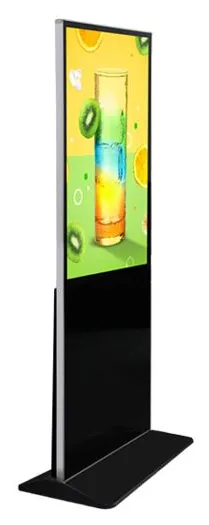
  • Indoor freestanding advertising displays

    Floor-standing digital posters for showroom floors and waiting areas, with wheeled stands listed as an option.

  • High-brightness shop window displays

    For glass-fronted showrooms facing a forecourt or road, with a stated range of 1,000 to 2,500 nits.

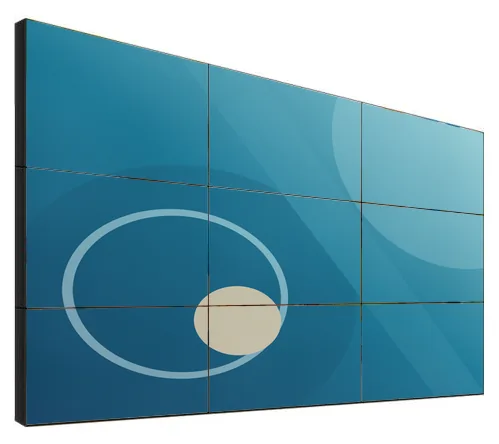
  • LCD video walls

    A multi-panel feature wall behind reception or in a handover area. Visible bezels are planned into the content.

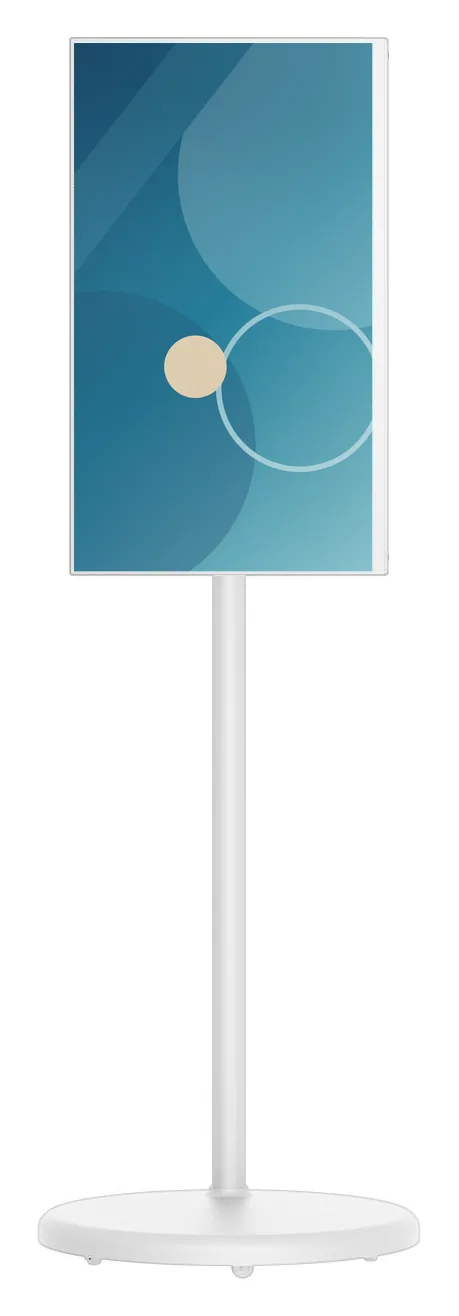
  • Portable battery touchscreen displays

    A battery-powered touchscreen that moves to wherever the conversation is happening. The 4 to 5 hour runtime is a catalogue-stated estimate.

Software that would need scoping

Scoped and developed per project, and quoted separately from the hardware.
  • AI-assisted sales management

    Bringing enquiries from the touchscreen, website, phone and counter into one place, prompting follow-up and helping staff suggest suitable products.

  • Product and stock data integration

    Where fitment, price and availability data comes from and what your current systems can share. Assessed before it is quoted.

  • Product browsing software

    How customers search and filter, what they see for each product, and what happens when they ask for a price or a fitting appointment.

  • Showroom and window content

    Who publishes offers and seasonal campaigns, and whether several branches share them.

Questions to be ready to answer

  • Where does your product, price and stock data live, who keeps it accurate, and can other software read it?
  • How do enquiries reach you now, and who follows them up?
  • Which booking or workshop system do you use, if check-in is of interest?
  • Where will screens go: showroom, waiting area, parts counter, window or workshop reception?
  • Is there power and network at each position, and does any window face strong sun?
  • Is each position clean and dry, or exposed to dust, oil or cold air from workshop doors?
  • What customer details are collected at the screen, and who is responsible for them?
  • Is this for one site or several, and do they share product data?

What this includes — and what it does not

Product data decides what is possible

A product browser is only as good as the data behind it. Showing availability, vehicle fitment or prices depends on what your stock and supplier systems can share, and on someone keeping that data accurate. Stock integration and AI-assisted sales management are scoped services: we look at your data and process first, agree what will be built and quote it separately from the hardware.

Hardware that fits

Product families that suit the applications on this page. Options are confirmed with your quotation.
  • Information and wayfinding kiosks

    All-in-One Information Kiosks

    All-in-one touchscreen kiosks from 21.5 to 98 inch in lectern, totem and wall-mounted forms, for wayfinding, directories, check-in and information points.

    • 21.5 to 98 inch
    • Indoor
    • Freestanding / Wall-mounted
    • Touchscreen
    View Options : All-in-One Information Kiosks
  • Countertop kiosks

    Countertop Ordering Kiosks

    Compact self-service ordering terminals for counters and reception desks. Nine designs with 15.6, 21.5 and 24 inch screen references.

    • 15.6 to 24 inch
    • Indoor
    • Countertop
    • Touchscreen
    View Options : Countertop Ordering Kiosks
  • Video walls

    LCD Video Walls

    Narrow-bezel LCD panels from 46 to 75 inch, tiled into video walls with wall, cabinet, floor-stand or pop-out mounting and a processor matched to your sources.

    • 46 to 75 inch
    • Indoor
    • Wall-mounted / Freestanding
    • Touch optional
    View Options : LCD Video Walls

Guides to read next

Frequently asked questions

Can a touchscreen show our live stock and prices?

Only where your stock system can share that data in a form other software can read, which we assess before quoting. Otherwise product data can be loaded on an agreed schedule, and the screen can invite an enquiry rather than show a price.

What does AI-assisted sales management mean for a business like ours?

Software that keeps enquiries from every channel in one place, prompts your team to follow them up and helps suggest suitable products from your own data. It is scoped and developed around your sales process, not sold as an off-the-shelf product.

Will the screens cope with a workshop environment?

Most families on this page are indoor products for clean, dry areas such as showrooms and waiting rooms. Tell us if a position is dusty, cold or exposed and we will say whether a suitable configuration exists rather than guess.

Discuss your showroom, counter or workshop reception

Tell us what you sell, where your product data lives and how enquiries are handled today. We will suggest suitable screens and set out what a sales management or stock integration would involve.