Guide
Questions to ask before commissioning bespoke kiosk software
Bespoke kiosk software is commissioned, not bought off a shelf, so the result depends on the questions asked before development starts. The questions to ask about the task, hardware, integrations, payments, data, AI features, ownership and support.
6 minute readPublished
Start with questions, not a feature list
Bespoke kiosk software is commissioned, not bought off a shelf. The result depends on how well the requirement is understood before development starts, and a kiosk adds constraints that a website or phone app does not have. It is used standing up, by strangers, in public, with a printer, a scanner or a card terminal attached, and with nobody nearby to explain it.
The questions below are the ones we would expect a careful customer to ask us, or any developer. They are grouped by theme and gathered into a single checklist at the end.
Configure, build or combine: three approaches
| Approach | What it means | Suits | Trade-off |
|---|---|---|---|
| Configure existing software | An existing product is set up with your menu, content and branding | Standard ordering, signage or check-in needs with few integrations | You work within the product's limits and its development plans |
| Bespoke build | Software is designed and developed around your process | Unusual workflows, specific integrations or a customer experience that sets you apart | More decisions, more testing and a clear written scope are needed |
| Combine the two | A bespoke kiosk front end connected to systems you already run | Businesses with an established till, booking or stock system | Depends on the interfaces those systems offer |
Scroll sideways to see the whole table.
Ask any supplier which approach they are proposing, and why it fits your requirement.
Questions about the task and the people
Ask what a customer must be able to finish at the kiosk, and what should deliberately stay with staff. Ask who the users are: regulars or first-time visitors, people in a hurry, people using a wheelchair, people who read another language. Ask what your staff need from the system too, because a kiosk that creates work behind the counter has only moved the problem. For food service, the restaurant ordering page shows how the staff side fits in.
Then ask how success will be judged. A shorter queue, fewer order errors, more add-on sales or fewer calls to reception are all reasonable goals, but they lead to different designs, and the software should record what is needed to measure them.
Questions about hardware and peripherals
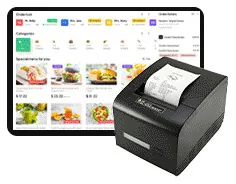
A hardware capability does not prove that the software integration exists. A kiosk may be offered with an 80 mm thermal printer, a QR scanner, an optional NFC reader, a camera or a microphone, but each one needs driver support and application code before it does anything for your customers. Ask which peripherals the software will support at launch, and how each is tested. The ordering peripherals page lists the family-level options.
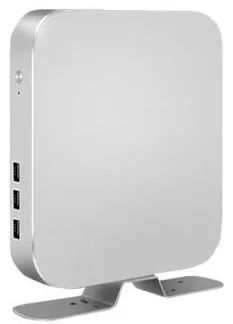
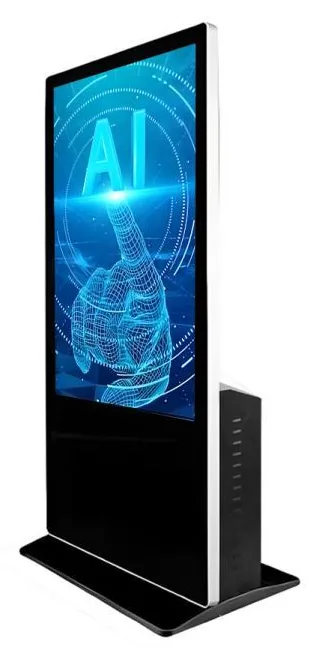
Ask which platform the software targets. Kiosks and displays are offered in Android or Windows configurations, with Linux for some modules, and the supported platform version is confirmed with your quotation. Ask for development and testing to happen on the hardware, screen size and orientation you will install. Ask what the kiosk does when the network drops or the printer runs out of paper.
Questions about integrations and data
List every system the kiosk must exchange information with: till, stock, bookings, membership, customer records, accounts. For each one, ask whether a documented interface exists, who will grant access, and what happens when that system changes. Integrations are often the largest unknown in a project, so they deserve the earliest attention.
Ask what personal data the kiosk collects, where it is stored, who can see it and when it is deleted. Cameras, microphones and card data need particular care. You remain responsible for your customers' data, so make sure the answers fit your own privacy notice and policies.
What this includes — and what it does not
Payments follow your provider's process
Card terminals and merchant services come from your payment provider. A payment-terminal bracket or an NFC reader on the kiosk does not by itself establish card acceptance. Ask which integration method your provider supports, who carries out any approval steps the provider requires, and how refunds, failed payments and end-of-day reconciliation are handled. See payment kiosks.
Questions about AI features
If the project includes AI-assisted features, such as suggested add-ons, sales insights or a conversational interface, ask the same practical questions as for any other feature. Which decision or task is being assisted? Which data does it use, and do you have the right to use it that way? How are suggestions checked, and what does the customer see when the system is unsure? Our AI sales management work is scoped around your sales process, and we recommend that people stay in control of prices, offers and customer commitments.
How a scoped project usually runs
Discovery
We talk through the task, the users, the sites and the systems involved, and record what is known and unknown.
Scope and quotation
A written scope sets out what will be built and what is excluded. Hardware, software development and ongoing management are quoted separately.
Design and prototype
Screens and flows are designed at the real size and orientation, and tried with real users where possible. See design and branding.
Build and integrate
Development proceeds in stages you can review, with integrations tackled early.
Test on the target hardware
Peripherals, payments, network loss and recovery are tested on the kiosk model you will install.
Pilot, rollout and handover
One site goes live first. Rollout follows once the pilot is reviewed, with documentation and agreed support.
Questions about ownership, updates and support
Ask who owns the finished software and its source code, and what licence you receive. Ask which third-party components or services it depends on and who pays for them. Ask who holds the accounts for hosting, app distribution and any connected services, because those accounts decide who is in control later.
Software on a public kiosk needs looking after. Ask how updates are delivered, how a fault on a remote kiosk is noticed, how change requests are estimated, and what happens at the end of the agreement. The agreed terms for support and maintenance and kiosk management are set out in the quotation rather than assumed.
Questions to take to a supplier conversation
- What must a customer be able to complete at the kiosk, and what stays with staff?
- Who are the users, and how will accessibility and languages be handled?
- Is this a configured product, a bespoke build or a combination, and why?
- Which peripherals will the software support at launch, and how is each tested?
- Which operating system and version does it target, and what happens when that version is retired?
- Which of our systems must it integrate with, and is there a documented interface for each?
- How are card payments integrated with our payment provider, and who handles the provider's approval steps?
- What personal data is collected, where is it stored and when is it deleted?
- What does the kiosk do when the network, the printer or the card terminal fails?
- Who owns the code, the designs and the accounts, and what licence do we receive?
- How are updates, fault reports and change requests handled after launch?
- What is covered by each quotation: hardware, software development and ongoing management?
- What will the pilot test, and what would cause a change of plan?
Next steps
Write down your answers to the first three questions before any meeting, because they shape everything else. Then read about bespoke kiosk software, or request a quote and tell us about the task, the sites and the systems involved. If you are still choosing hardware, how to choose a self-service kiosk covers that side.