Interactive whiteboards
Interactive Whiteboards
Interactive 4K touch boards from 55 to 110 inch for meeting rooms, classrooms and training spaces, on the wall or on a mobile stand.
- 55 to 110 inch
- Indoor
- Wall-mounted / Mobile stand
- Touchscreen
Industries
A teaching room needs a screen everyone can see and a teacher or trainer can write on, without a projector to align or a lamp to replace. Rooms are shared, so it has to be simple enough for the next person to walk in and use.
Outside the classroom, timetable changes, room swaps and exam notices are pinned to boards and sent by email, and people still miss them. At the front office, a paper signing-in book is rarely a reliable record of who is on site.
Interactive displays, notice screens and a visitor sign-in point address these needs. What they show and connect to is scoped with you.
For example, a wall-mounted board replaces a projector and dry-wipe board, with the teacher's laptop shared to the screen and notes written over the top.
For example, wall-mounted displays show timetable changes and event reminders, with each department publishing to its own screens.
For example, a touchscreen records who has arrived, who they are visiting and when they leave, following your own procedures.
For example, a video wall in the entrance hall shows students' work, open-day information and term dates.
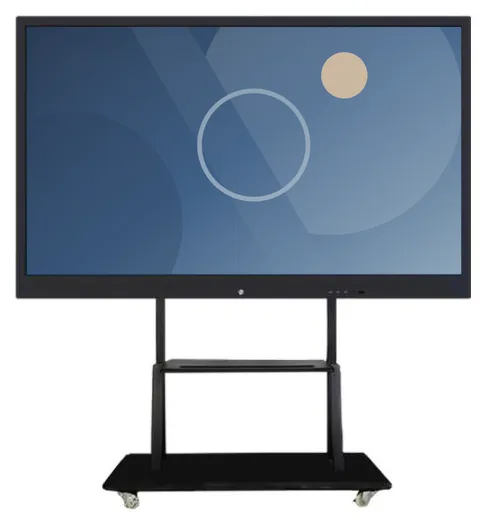
4K touch displays from 55 to 110 inch, wall-mounted or on a movable stand so one board can serve several rooms. Camera, microphone and anti-glare glass are listed as options.
Notice screens for corridors, staff rooms and canteens, from small door-side displays upwards.
A touchscreen for visitor sign-in, wayfinding or course information, wall-mounted or floor-standing, with an anti-theft lock stated for the range.
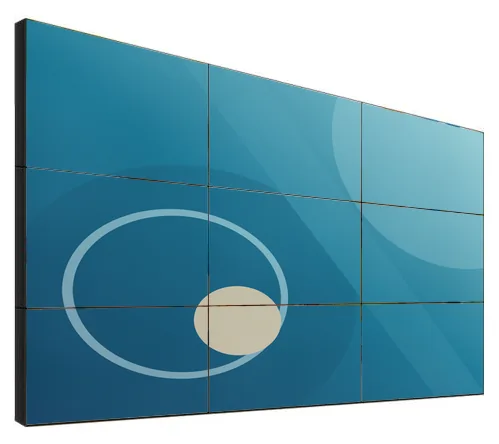
A multi-panel screen for an entrance hall or atrium. LCD panels have visible bezels, so content is planned around the grid.
Who can publish, which screens each department controls and how notices expire.
What visitors are asked, who is notified, how long records are kept and who can see them.
Showing room bookings or timetable changes automatically depends on what your systems can export. Assessed before quoting.
Keeping screens locked to their purpose and switching them on and off around the teaching day.
What this includes — and what it does not
Visitor sign-in, and any software that records names, photographs or attendance, is scoped around your requirements, but the safeguarding and data protection assessment is your institution's to make. We set out what the software would collect, where it is stored and who could see it. A sign-in screen records what visitors enter. It does not verify identity or carry out checks.
Interactive whiteboards
Interactive 4K touch boards from 55 to 110 inch for meeting rooms, classrooms and training spaces, on the wall or on a mobile stand.
Wall-mounted advertising displays
Slim wall-mounted advertising screens in sixteen sizes from 10.1 to 98 inch, with Full HD as standard, an optional 4K panel and USB, Android or Windows playback.
Information and wayfinding kiosks
All-in-one touchscreen kiosks from 21.5 to 98 inch in lectern, totem and wall-mounted forms, for wayfinding, directories, check-in and information points.
Video walls
Narrow-bezel LCD panels from 46 to 75 inch, tiled into video walls with wall, cabinet, floor-stand or pop-out mounting and a processor matched to your sources.
The range is described with Windows and Android configurations and with wireless screen sharing from other devices. Whether a particular teaching package runs on the board depends on platform and version, so tell us what you rely on and we will confirm it with your quotation.
Only as a scoped integration, and only if the system holding those records offers a supported way to connect. On its own, a sign-in screen does not verify identity, and any checks your procedures require remain with your staff.
That depends on whether your timetabling system can share changes in a form other software can read. Where it cannot, staff publish notices through the content management software we agree with you.
Tell us how many rooms and buildings are involved and what staff use today. We will suggest suitable boards and displays and set out what any sign-in or timetable software would involve.