KioskCraft
Your enquiry

Industries

Digital displays and touchscreens for retail and showrooms

Window displays that can be read in daylight, promotion screens that are updated rather than reprinted, and touchscreens that let customers browse a wider range than the shop floor can hold.

What shops and showrooms are up against

Retail promotions move quickly. This week's offer is replaced next week, and printed posters and shelf tickets are out of date almost as soon as they go up. Replacing them across several branches takes staff time better spent with customers.

Space is the other constraint. A showroom can display only part of a range, and a customer who cannot see the size, finish or model they want may leave without asking. On a busy Saturday staff cannot be with everyone.

Screens help when matched to the job: a window display bright enough for daylight, promotion screens that are easy to keep current and a touchscreen for browsing the full range. See digital advertising.

Example applications

Illustrative examples only. They are not accounts of completed customer projects.
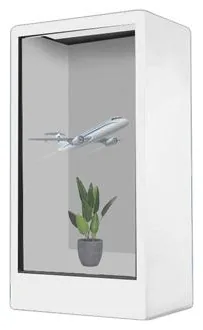
  • Window display for daylight

    For example, a high street shop hangs a high-brightness portrait screen in the window to show offers and opening hours to people passing.

  • Browse the full range on a touchscreen

    For example, a showroom kiosk lets customers look through sizes, finishes and options that are not on the floor, then send a shortlist to staff as an enquiry.

  • Promotions along the shelf edge

    For example, stretched bar displays along a fixture carry prices and promotions that change with the weekly offer.

  • AI-assisted product guidance

    For example, a guided product finder asks a few questions and suggests items from your own product data. This is a scoped software service, not a ready-made product.

Hardware families that suit shops and showrooms

Options described for a range are not standard on every model. Sizes, options and ratings are confirmed with your quotation.

Software that would need scoping

Scoped and developed per project, and quoted separately from the hardware.
  • Signage content management

    Who publishes promotions, how they are scheduled, and whether head office, each branch or both control the screens.

  • Product browsing and enquiry software

    The touchscreen catalogue itself: how products are grouped and filtered, and what happens when a customer asks for help.

  • Product and stock data integration

    Where product, price and availability data comes from and what your current systems can share. Assessed before it is quoted.

  • AI-assisted sales management

    How enquiries captured at the screen reach your sales team and are followed up, and where AI-assisted guidance could help customers choose.

Questions to be ready to answer

  • Which way does the window face, and is the screen for people outside, inside or both?
  • Where are power and network points, and can cables reach a window or mid-floor position safely?
  • Who creates and approves promotional content, and how often does it change?
  • Do all branches show the same content, or does each need local control?
  • For a touchscreen, where does product data live today, and who keeps it accurate?
  • Will personal details be collected at the screen, and who is responsible for them?
  • Can wheelchair users and shorter customers reach and read the touchscreen?
  • How many sites are in the first phase, and how many could follow?

What this includes — and what it does not

Product guidance depends on your data

A touchscreen that recommends products, shows availability or passes enquiries to your sales team depends on your product data and on what your existing systems can share. We design and build this software around your requirements, and no AI feature is described as available until it is scoped and agreed. See AI-assisted sales management.

Hardware that fits

Product families that suit the applications on this page. Options are confirmed with your quotation.
  • Wall-mounted advertising displays

    Wall-Mounted Advertising Displays

    Slim wall-mounted advertising screens in sixteen sizes from 10.1 to 98 inch, with Full HD as standard, an optional 4K panel and USB, Android or Windows playback.

    • 10.1 to 98 inch
    • Indoor
    • Wall-mounted
    • 300 to 450 nits
    View Options : Wall-Mounted Advertising Displays
  • Stretched bar displays

    Stretched Bar Displays

    Ultra-wide bar screens in sixteen sizes from 19.5 to 80 inch for shelf edges, counters and narrow wall bands, in wall-mount or open-frame formats.

    • 19.5 to 80 inch
    • Indoor
    • Wall-mounted / Embedded
    • 300 to 700 nits
    View Options : Stretched Bar Displays
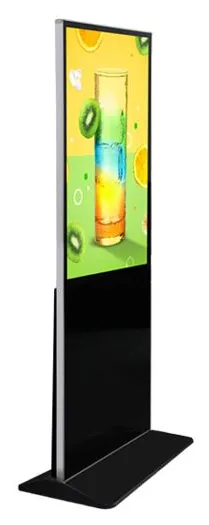
  • Information and wayfinding kiosks

    All-in-One Information Kiosks

    All-in-one touchscreen kiosks from 21.5 to 98 inch in lectern, totem and wall-mounted forms, for wayfinding, directories, check-in and information points.

    • 21.5 to 98 inch
    • Indoor
    • Freestanding / Wall-mounted
    • Touchscreen
    View Options : All-in-One Information Kiosks
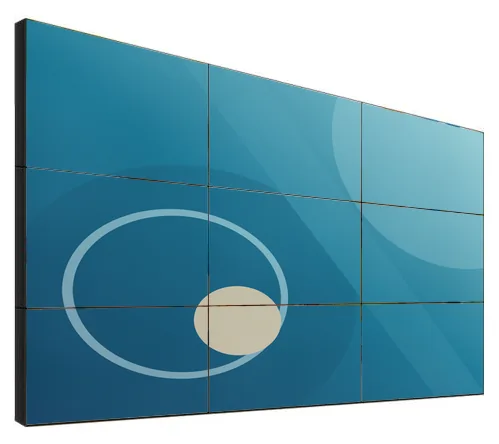
  • Video walls

    LCD Video Walls

    Narrow-bezel LCD panels from 46 to 75 inch, tiled into video walls with wall, cabinet, floor-stand or pop-out mounting and a processor matched to your sources.

    • 46 to 75 inch
    • Indoor
    • Wall-mounted / Freestanding
    • Touch optional
    View Options : LCD Video Walls

Guides to read next

Frequently asked questions

How bright does a window display need to be?

It depends on which way the window faces, any awning or tinted glass, and the time of day that matters most. The shop window range is stated at 1,000 to 2,500 nits, against 300 to 450 nits for the indoor wall-mounted range. The figure for your configuration is confirmed with your quotation.

Can a touchscreen show our whole product range?

It can show whatever product data you can supply and keep up to date. Connecting to a stock or e-commerce system is a scoped integration that we assess first; data held in spreadsheets can be loaded on an agreed routine.

Can we update screens in several branches at once?

That is a content management requirement we scope with you, including who may publish and what branches can change locally. It is quoted separately from the display hardware.

Discuss displays for your shop or showroom

Tell us about your frontage, floor space and product range. We will suggest suitable displays and touchscreens and set out what software would need scoping, with hardware and software quoted separately.