KioskCraft
Your enquiry

Industries

Guest information and displays for hotels and accommodation

Guest information points, lift and meeting-room displays and artwork screens for hotels, guest houses and serviced accommodation. Self-service check-in depends on your booking system, so it is scoped first and never assumed.

Where the front desk feels the strain

A reception desk has quiet hours and then a coach party. Arrivals bunch together in the late afternoon, departures at breakfast, and the same few questions are asked all day: when is breakfast, where is the car park, how do I find the conference suite.

Information changes too. Today's meetings, tonight's restaurant offer and tomorrow's checkout arrangements usually live on a printed sheet or a letter board, and someone has to remember to change them.

Screens in the lobby, the lift and outside meeting rooms can carry that routine information, so not every question lands on the front desk. See wayfinding and check-in.


Example applications

Illustrative examples only. They are not accounts of completed customer projects.
  • Guest information point in the lobby

    For example, a touchscreen near reception answers routine questions about breakfast times, facilities and local transport, and shows a plan of the building.

  • Today's events outside meeting rooms

    For example, a wall-mounted display beside each function room lists the day's bookings.

  • Offers in the lift

    For example, slim lift screens tell guests about the restaurant, spa or late checkout on the way to their rooms.

  • Self-service check-in, where the booking system allows

    For example, a countertop kiosk lets guests confirm their arrival details. This scoped integration depends on your booking system and is assessed before it is offered.

Hardware families that suit hotels

Options described for a range are not standard on every model. Sizes, options and ratings are confirmed with your quotation.
  • All-in-one information kiosks

    Wall-mounted or floor-standing touchscreens for guest information, wayfinding and enquiries, with an anti-theft lock stated for the range.

  • Countertop kiosks for the reception desk

    Designed for ordering, but the compact countertop format also suits a scoped check-in or registration screen on the desk.

  • Wall-mounted advertising displays

    From small door-side screens to large lobby displays, for event listings, offers and directions.

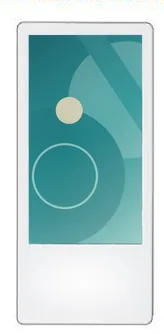
  • Lift advertising screens

    Slim screens for lift cars and lift lobbies, portrait or landscape, in single or twin-screen formats.

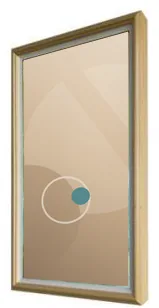
  • Wood-frame art displays

    Screens framed in a choice of wood tones for lounges, corridors and restaurants where a plain black display would look out of place.

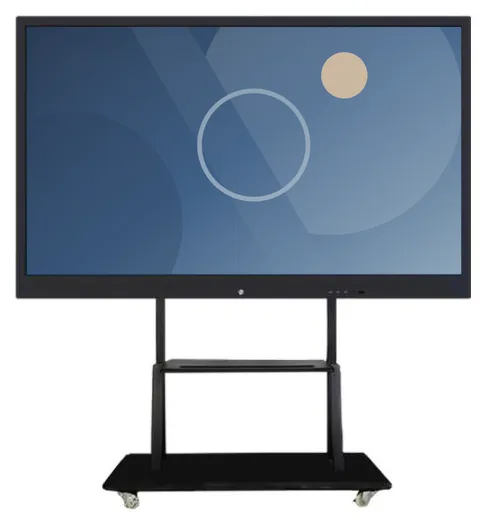
  • Interactive whiteboards

    Large 4K touch displays for meeting and conference rooms, wall-mounted or on a movable stand.

Software that would need scoping

Scoped and developed per project, and quoted separately from the hardware.
  • Guest information content

    Who updates event listings, offers and notices, and whether several properties share content.

  • Guest information and wayfinding software

    Languages, building plans, local information and what is shown when the desk is closed.

  • Booking system integration

    Check-in, room-key and event-listing links depend on what your booking or property management system can share. Assessed before quoting, never assumed.

  • Function and group enquiries

    How wedding, meeting and group enquiries are captured, passed to your sales team and followed up, scoped around your own process.

Questions to be ready to answer

  • Which booking or property management system do you use, and can other software connect to it?
  • Where will screens go: lobby, lifts, corridors, restaurant or meeting rooms?
  • Is there power and network at each position, including inside lift cars?
  • Who keeps event listings, offers and notices current?
  • Which languages do your guests need?
  • What should a kiosk show overnight or when reception is unattended?
  • Can guests reach the screen from a wheelchair, and what is the alternative for those who cannot use it?
  • Is this for one property or a group?

What this includes — and what it does not

Check-in is never assumed

Self-service check-in, room-key issue and payment at a kiosk depend on your booking system, door-lock system and payment provider. Each is a scoped integration: we look at what those systems allow, tell you what is feasible and quote the software separately. Guest information and signage depend on none of this and can go ahead on their own.

Hardware that fits

Product families that suit the applications on this page. Options are confirmed with your quotation.
  • Information and wayfinding kiosks

    All-in-One Information Kiosks

    All-in-one touchscreen kiosks from 21.5 to 98 inch in lectern, totem and wall-mounted forms, for wayfinding, directories, check-in and information points.

    • 21.5 to 98 inch
    • Indoor
    • Freestanding / Wall-mounted
    • Touchscreen
    View Options : All-in-One Information Kiosks
  • Countertop kiosks

    Countertop Ordering Kiosks

    Compact self-service ordering terminals for counters and reception desks. Nine designs with 15.6, 21.5 and 24 inch screen references.

    • 15.6 to 24 inch
    • Indoor
    • Countertop
    • Touchscreen
    View Options : Countertop Ordering Kiosks
  • Wall-mounted advertising displays

    Wall-Mounted Advertising Displays

    Slim wall-mounted advertising screens in sixteen sizes from 10.1 to 98 inch, with Full HD as standard, an optional 4K panel and USB, Android or Windows playback.

    • 10.1 to 98 inch
    • Indoor
    • Wall-mounted
    • 300 to 450 nits
    View Options : Wall-Mounted Advertising Displays
  • Lift advertising screens

    Lift Advertising Screens

    Slim single and combined-screen displays for lift cars and lobbies, in portrait or landscape, with a printable logo panel and USB or Android playback.

    • 18.5 to 27 inch
    • Indoor
    • Wall-mounted
    View Options : Lift Advertising Screens
  • Wood-frame art displays

    Wood-Frame Art Displays

    Digital displays in decorative wood frames, 21.5 to 49 inch, for artwork, menus and promotions in interiors where a bare screen would look out of place.

    • 21.5 to 49 inch
    • Indoor
    • Wall-mounted
    View Options : Wood-Frame Art Displays
  • Interactive whiteboards

    Interactive Whiteboards

    Interactive 4K touch boards from 55 to 110 inch for meeting rooms, classrooms and training spaces, on the wall or on a mobile stand.

    • 55 to 110 inch
    • Indoor
    • Wall-mounted / Mobile stand
    • Touchscreen
    View Options : Interactive Whiteboards

Guides to read next

Frequently asked questions

Can a kiosk check guests in and issue room keys?

Only where your booking and door-lock systems offer a supported way for other software to connect, which varies by supplier. We assess this before quoting and will tell you if it is not feasible.

Do lift screens need a network connection?

Not necessarily. The lift screen range is described with standalone USB playback as well as Android configurations, so content can be loaded locally or, with a network connection and content management software scoped for the project, updated remotely. Power and data in a lift car involve your lift contractor, so raise it early.

Can displays be finished to suit our interior?

Finish options vary by family: the art display range lists several wood tones, and the lift screen range is shown in black or white. We confirm what is available for the chosen model, and design and branding covers on-screen design too.

Talk to us about your property

Tell us about your lobby, lifts and meeting rooms, and which booking system you use. We will suggest suitable screens and say plainly what a check-in integration would involve before anything is quoted.