Guide
Planning a restaurant ordering system
A restaurant ordering system is a chain from order to collection, and kiosks are only the first link. How to plan the workflow, choose between a kitchen screen and a printer, prepare menu data and brief a supplier.
6 minute readPublished
Plan the workflow before the hardware
A restaurant ordering system is a chain: an order is placed, paid for, prepared, called and collected. Self-service kiosks are only the first link. If the kitchen cannot see orders clearly, or customers do not know when food is ready, faster ordering simply moves the queue from the till to the pass.
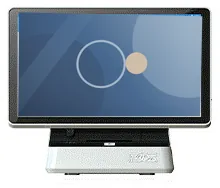
So plan the workflow first and choose hardware for each link afterwards. The components described for our restaurant range are a cashier station, ordering kiosks, a kitchen display or kitchen printer, an order collection screen and optional digital menu boards. The software that joins them is scoped and built around your menu and service style.
Follow one order from start to finish
The order is placed
At a kiosk, with a cashier, on a tablet or by scanning a QR code at the table. Decide which of these you need on day one.
The order is paid for
At the kiosk through your payment provider's card terminal, at the counter, or both. Decide whether unpaid orders may reach the kitchen.
The kitchen receives it
On a kitchen touch screen, a kitchen printer or both. Staff mark orders as they progress.
The customer is called
The order number moves to ready on the collection screen, so customers can wait away from the counter.
The order is handed over
Staff match the number on the receipt to the order. Decide how eat-in, takeaway and courier collections differ.
Three configurations described for the range
| Configuration | Components | Suits | Trade-off |
|---|---|---|---|
| Screen-led kitchen | Cashier station, ordering kiosk, kitchen touch screen with kitchen printer, collection screen | Busy kitchens with several stations and a separate collection point | The most hardware to install and the most staff training |
| Printer-led kitchen with collection screen | Cashier station, ordering kiosk, kitchen printer, collection screen | Kitchens that work from printed tickets but want customers called by number | With no kitchen screen, agree who marks orders as ready, and where |
| Printer-led kitchen | Cashier station, ordering kiosk, kitchen printer | Small sites where staff call orders by voice | Least to install, but no on-screen view of waiting orders |
Scroll sideways to see the whole table.
Digital menu boards are optional in all three configurations.
The kitchen end: screen, printer or both
A kitchen display shows every open order at once and, with software scoped for it, lets staff clear orders as they are finished. It can support a largely paperless kitchen. A printer produces a ticket that travels with the tray or bag. Some kitchens want both.
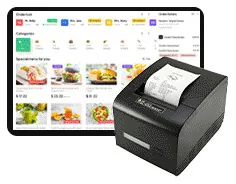
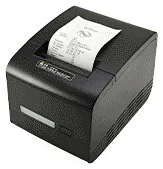
If you use a printer, decide when it prints. Print timing is configurable: a ticket can print when the order is placed, so the kitchen starts from paper, or when the order is marked as finished, so the ticket becomes the packing slip. Neither is the correct answer. Choose the one that matches how your kitchen already works, and think about heat, grease and splashes when positioning any screen or printer.
Ordering points: kiosk, counter, tablet and table
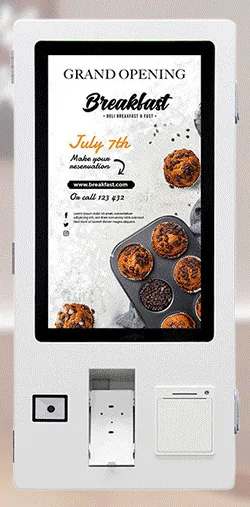
Self-service kiosks suit customers who are happy to browse, and they free staff for preparation and hand-over. Ordering kiosks are pictured in 15.6 to 32 inch designs in countertop, wall-mounted and freestanding forms, with family-level options such as an 80 mm thermal printer, a QR scanner, an optional NFC reader and payment-terminal brackets.
Keep a staffed ordering point. Some customers prefer to talk to a person, want to pay with cash or need help, and the cashier station is also where refunds and corrections happen. Tablet ordering and QR ordering at the table can be scoped into the same system, so that every channel feeds one kitchen queue.
What this includes — and what it does not
Payments and what a quotation includes
Card terminals and merchant services come from your payment provider. A payment-terminal bracket on a kiosk, or an NFC reader, does not by itself mean card payments are accepted. Integration between the ordering software and the terminal follows the provider's process and is confirmed during scoping.
Hardware, software development and ongoing management are described and quoted separately, so you can see what each part covers. Links to an existing till, stock or delivery platform are integrations to be assessed, not assumed.
Network, power and busy periods
Every component depends on the local network. Ask what happens to orders in progress if the internet connection fails, and whether the kiosks, kitchen and collection screen keep working together on site. Keep spare paper rolls near every printer, agree who checks them before service, and plan how staff take orders if a kiosk is out of action. Size the system for your busiest hour: the number of kiosks, the number of kitchen screens and the size of the collection screen all follow from that.
Questions to take to a supplier conversation
- Which ordering channels do we need at launch: kiosk, cashier, tablet, QR code at the table?
- Does the kitchen work from a screen, a printer or both, and when should tickets print?
- Who marks an order as ready, and how does the collection screen find out?
- Which card terminal does our payment provider supply, and how is it integrated with the ordering software?
- Can unpaid or part-paid orders reach the kitchen?
- How are menus, prices, photographs, modifiers and sold-out items managed, and by whom?
- How is allergen and dietary information shown, and who keeps it accurate?
- Does the system need to connect to an existing till, stock or delivery platform?
- What happens if the internet connection or one device fails during service?
- How are several sites managed: shared menus, local prices, local opening hours?
- What reports do managers need at the end of the day?
- Which warranty, support and update terms are set out in the quotation?
Rollout and next steps
Introduce the system in stages: set up and test the menu, train staff on the kitchen and collection steps, then open the kiosks to customers during a quieter period with someone on hand to help. Review after the first weeks and adjust the menu flow. The restaurant workflow and restaurant ordering software pages describe the components in more detail, and you can request a quote with your menu and floor plan attached.