KioskCraft
Your enquiry

Industries

Visitor check-in and displays for offices and reception areas

Visitor check-in for staffed and unstaffed receptions, door-side meeting-room displays, lobby screens and boardroom whiteboards. Links to your visitor, calendar and access systems are scoped integrations, assessed before anything is quoted.

A reception with too many jobs

An office reception does several jobs at once. Visitors arrive in clusters just before the hour, a courier needs a signature, the phone rings and someone has to find the host. Often the desk is staffed for only part of the day, or shared between tenants.

Further inside, meeting rooms are double-booked or sit empty because nobody can see what is free, and company news sent by email is skimmed or missed.

A check-in point, door-side displays and lobby screens handle these routine jobs. Choosing the hardware is the simple part. What it connects to is scoped with you, as our check-in page explains.


Example applications

Illustrative examples only. They are not accounts of completed customer projects.
  • Visitor check-in at an unstaffed desk

    For example, a countertop kiosk lets a visitor enter who they have come to see, then notifies the host through a system agreed in the software scope.

  • Meeting-room door displays

    For example, a small wall-mounted screen outside each room shows the day's bookings, with the calendar link scoped as an integration.

  • Lobby welcome and company news

    For example, a large display or video wall in reception welcomes the day's visitors and carries company news.

  • Tenant directory in a shared building

    For example, a touchscreen directory lists companies by floor, while lift screens carry building notices.

Hardware families that suit offices

Options described for a range are not standard on every model. Sizes, options and ratings are confirmed with your quotation.
  • All-in-one information kiosks

    Wall-mounted or floor-standing touchscreens for visitor check-in and building directories, with an anti-theft lock stated for the range.

  • Countertop kiosks for the reception desk

    The ordering kiosk range is described with receipt printer and QR scanner options, which can suit printed visitor slips and scanned invitations where the software is scoped for them.

  • Wall-mounted advertising displays

    Sizes start small enough for a meeting-room door and run up to large lobby screens.

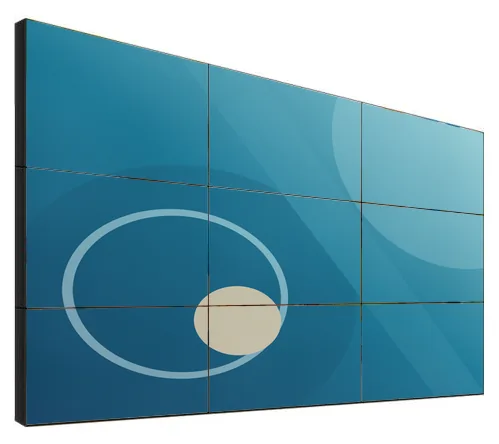
  • LCD video walls

    A feature wall for a main reception. LCD panels have visible bezels, so content is designed around the grid.

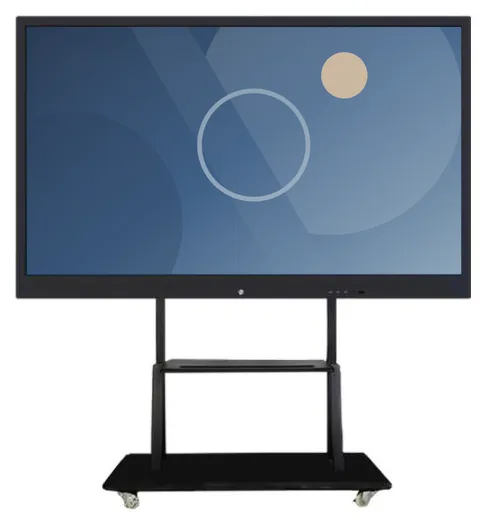
  • Interactive whiteboards

    Large touch displays for meeting rooms and boardrooms, with camera and microphone listed as options.

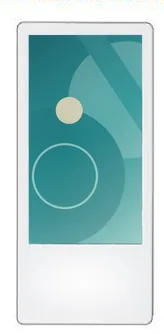
  • Lift advertising screens

    Slim portrait or landscape screens for lift cars and lift lobbies, suited to building notices.

Software that would need scoping

Scoped and developed per project, and quoted separately from the hardware.

Questions to be ready to answer

  • Do you use a visitor management system today, and must the kiosk work with it?
  • Which calendar or room-booking system do your meeting rooms use?
  • Is reception staffed all day, part of the day or not at all, and who is told when a visitor arrives?
  • What visitor details are collected, how long are they kept and who can see them?
  • Where are power and network available: desk, meeting-room doors, lift?
  • Is the building shared, and must a landlord or managing agent approve fixings or lift screens?
  • Can the kiosk be used from a wheelchair, and what is the alternative for visitors who cannot use it?
  • Is this for one office or several?

What this includes — and what it does not

Visitor check-in is scoped to your systems

A check-in kiosk is only as useful as its links to your visitor system, your calendar and the way hosts are notified. We do not assume any of these integrations exists: we look at what your systems allow, agree the scope and quote software separately. Door access control and identity verification are outside what a check-in kiosk does on its own.

Hardware that fits

Product families that suit the applications on this page. Options are confirmed with your quotation.
  • Information and wayfinding kiosks

    All-in-One Information Kiosks

    All-in-one touchscreen kiosks from 21.5 to 98 inch in lectern, totem and wall-mounted forms, for wayfinding, directories, check-in and information points.

    • 21.5 to 98 inch
    • Indoor
    • Freestanding / Wall-mounted
    • Touchscreen
    View Options : All-in-One Information Kiosks
  • Countertop kiosks

    Countertop Ordering Kiosks

    Compact self-service ordering terminals for counters and reception desks. Nine designs with 15.6, 21.5 and 24 inch screen references.

    • 15.6 to 24 inch
    • Indoor
    • Countertop
    • Touchscreen
    View Options : Countertop Ordering Kiosks
  • Wall-mounted advertising displays

    Wall-Mounted Advertising Displays

    Slim wall-mounted advertising screens in sixteen sizes from 10.1 to 98 inch, with Full HD as standard, an optional 4K panel and USB, Android or Windows playback.

    • 10.1 to 98 inch
    • Indoor
    • Wall-mounted
    • 300 to 450 nits
    View Options : Wall-Mounted Advertising Displays
  • Video walls

    LCD Video Walls

    Narrow-bezel LCD panels from 46 to 75 inch, tiled into video walls with wall, cabinet, floor-stand or pop-out mounting and a processor matched to your sources.

    • 46 to 75 inch
    • Indoor
    • Wall-mounted / Freestanding
    • Touch optional
    View Options : LCD Video Walls
  • Interactive whiteboards

    Interactive Whiteboards

    Interactive 4K touch boards from 55 to 110 inch for meeting rooms, classrooms and training spaces, on the wall or on a mobile stand.

    • 55 to 110 inch
    • Indoor
    • Wall-mounted / Mobile stand
    • Touchscreen
    View Options : Interactive Whiteboards
  • Lift advertising screens

    Lift Advertising Screens

    Slim single and combined-screen displays for lift cars and lobbies, in portrait or landscape, with a printable logo panel and USB or Android playback.

    • 18.5 to 27 inch
    • Indoor
    • Wall-mounted
    View Options : Lift Advertising Screens

Guides to read next

Frequently asked questions

Can the kiosk work with the visitor system we already use?

Possibly. It depends on whether that system offers a supported way for other software to connect, or its own kiosk application that can run on the hardware. If you have no visitor system, sign-in software can be scoped around your procedure.

Can meeting-room displays show our calendar bookings?

That is a scoped integration. Much depends on what your calendar or room-booking system allows and on your IT policies, so involve your IT contact early.

Our reception is in a shared building. What should we check?

Ask the landlord or managing agent about fixings, power, network access and rules for lobby and lift installations before you order. Lift screens also involve the lift contractor. We can provide dimensions and power requirements for the chosen models.

Discuss your reception and meeting rooms

Tell us how your reception is staffed, which visitor and calendar systems you use and how many rooms are involved. We will suggest suitable hardware and set out the software scope separately.