Countertop kiosks
Countertop Ordering Kiosks
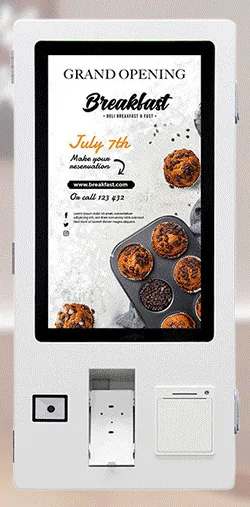
Compact self-service ordering terminals for counters and reception desks. Nine designs with 15.6, 21.5 and 24 inch screen references.
- 15.6 to 24 inch
- Indoor
- Countertop
- Touchscreen
Industries
Most food businesses share the same pinch point. For an hour or two at lunch and again in the evening the queue reaches the door, staff are tied to the till and the kitchen receives orders in bursts.
Menus add to the workload. Prices change, items sell out, breakfast gives way to lunch and allergen information has to stay accurate. Printed boards struggle to keep up, and a business with several sites makes every change several times.
Self-service ordering and digital menu boards are practical answers, but only when kiosk, kitchen and till are planned as one system. See our restaurant workflow page.
For example, two countertop kiosks at the end of the counter let regular customers order and pay while staff make drinks.
For example, a row of kiosks inside the entrance passes orders to a kitchen screen, and a collection display shows numbers as meals are ready.
For example, three screens above the counter show breakfast until a set time, then lunch, with prices updated from one place.
For example, an outdoor freestanding kiosk takes orders beside a serving hatch, using a weather-rated configuration confirmed for the selected model.
Compact units for counters and bars where floor space is tight. A sensible first step for a small site.
Fixed to a wall or pillar to keep a narrow shop floor clear, at a height agreed for your customers.
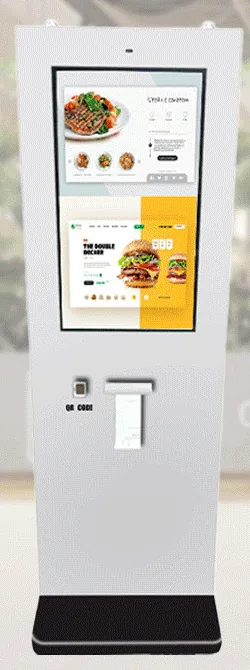
Stand where the queue forms, singly or in rows. The ordering range is described with receipt printer, QR scanner and payment-terminal bracket options.
For serving hatches, terraces and car parks. IP65 is stated for this outdoor range and confirmed for the selected model.
Screens above or beside the counter showing the current menu and prices, singly or as a strip.
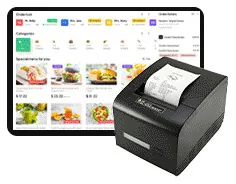
Kitchen display screens, order collection screens, a cashier station, printers and scanners complete the system behind the counter.
Menu structure, modifiers, meal deals, allergen display and eat-in or takeaway flows. Print timing for tickets and receipts is configurable.
Whether kiosk orders must reach your till, and how the kiosk works with your payment provider's card terminal. Assessed before it is quoted.
Who changes items and prices, how menus are scheduled through the day, and whether sites share one menu.
How kiosks are kept locked to the ordering screen, updated and checked once live.
What this includes — and what it does not
Card terminals are supplied by your payment provider unless we agree otherwise. A terminal bracket does not mean every terminal fits, and a till link is possible only where that system allows it. We confirm both before quoting.
Countertop kiosks
Compact self-service ordering terminals for counters and reception desks. Nine designs with 15.6, 21.5 and 24 inch screen references.
Wall-mounted kiosks
Wall-mounted self-service ordering kiosks that keep the floor clear. Four enclosure designs with 15.6, 21.5, 24 and 32 inch screen references.
Freestanding kiosks
Freestanding self-service ordering kiosks in fourteen enclosure styles, from slim pole stands to full-height towers, with 15.6 to 32 inch screen references.
Outdoor kiosks
Freestanding outdoor ordering and payment kiosks with 21.5 and 32 inch screen references, including canopy designs on bolt-down pedestals.
Digital menu boards
Single or multi-screen digital menu boards for counters and collection points, built from our display families and paired with content management scoped to you.
A kitchen touchscreen that shows incoming orders from kiosks and tills. Hardware and software are scoped together, with or without a kitchen ticket printer.
Digital menu boards
Collection screens that show customers which orders are being prepared and which are ready, linked to your kiosks, tills and kitchen.
Not as standard. The terminal normally comes from your payment provider, and we confirm that it fits the kiosk and works with the ordering software before quoting. An NFC reader alone does not mean a kiosk can accept bank cards.
That is the purpose of the ordering software we scope with you. Orders can appear on a kitchen screen, print as tickets or both, and when tickets print is configurable.
It can be. A single countertop or wall-mounted kiosk suits some small sites; for others a digital menu board is the better first step. Tell us about the site and we will say plainly what we would recommend.
Tell us about your counter, kitchen, menu and payment provider. We will suggest a configuration and set out hardware, software and ongoing management separately in your quotation.